Season rename

|
 Video library Video library |
Video management |
Season rename
|

Introduction
The Season Rename feature allows you to change the name of a TV Show Season from the default Season x format to a name of your choosing. This can be used in Anime, or those TV Shows that have special names for Seasons, like Torchwood.
The image to the right shows the modified season names for the last two seasons.
Editing Season Names
Navigate to, and highlight the Season to be renamed. Use the Context Menu to access the function and then follow the directions under each image.
After highlighting an item (eg a movie) the Context Menu can be invoked by:
- long press the OK key on your remote control
- Press letter C on a keyboard
- right-clicking with the mouse
-
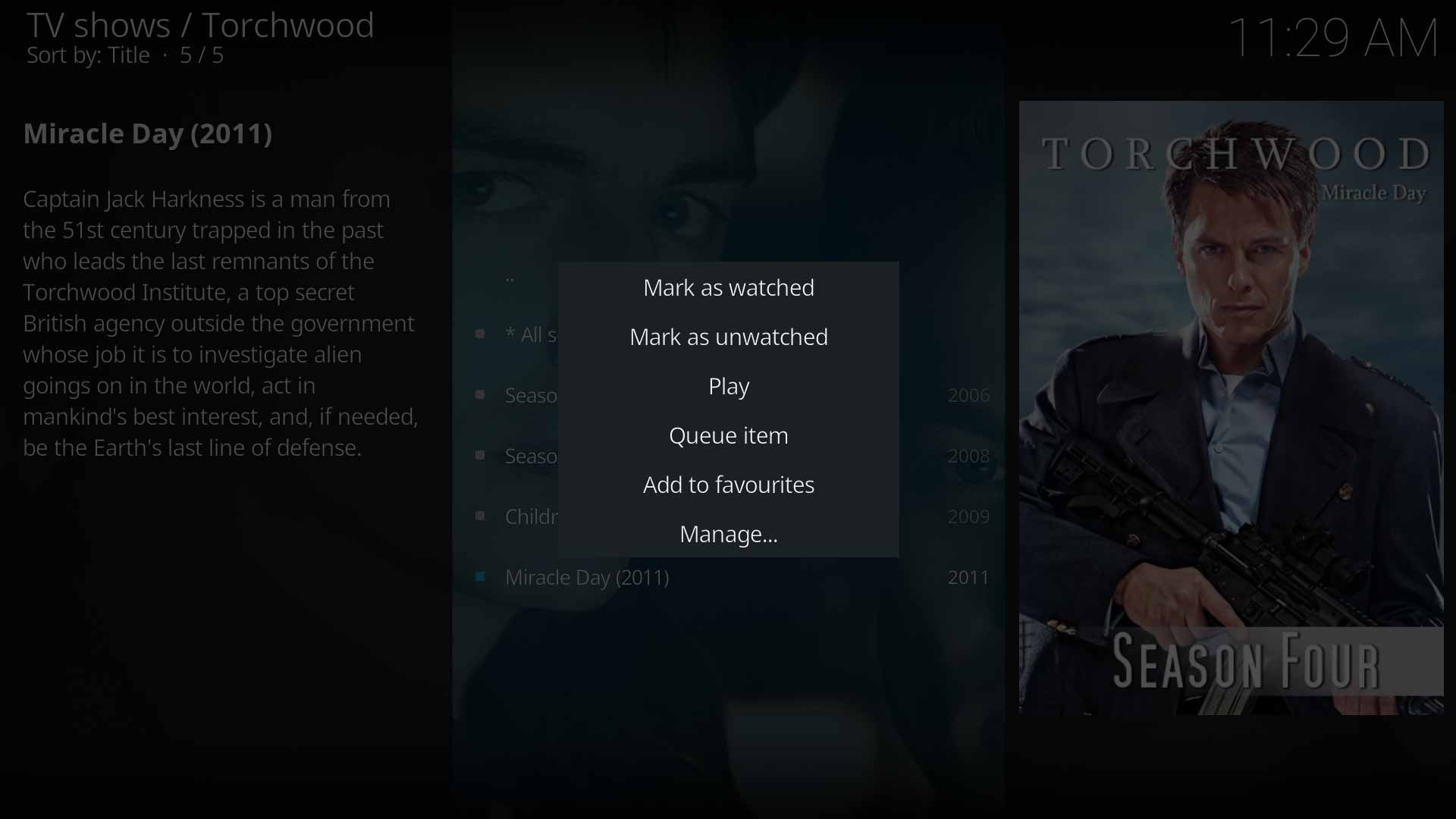 Image 1- Call up the Context Menu and select Manage...
 -
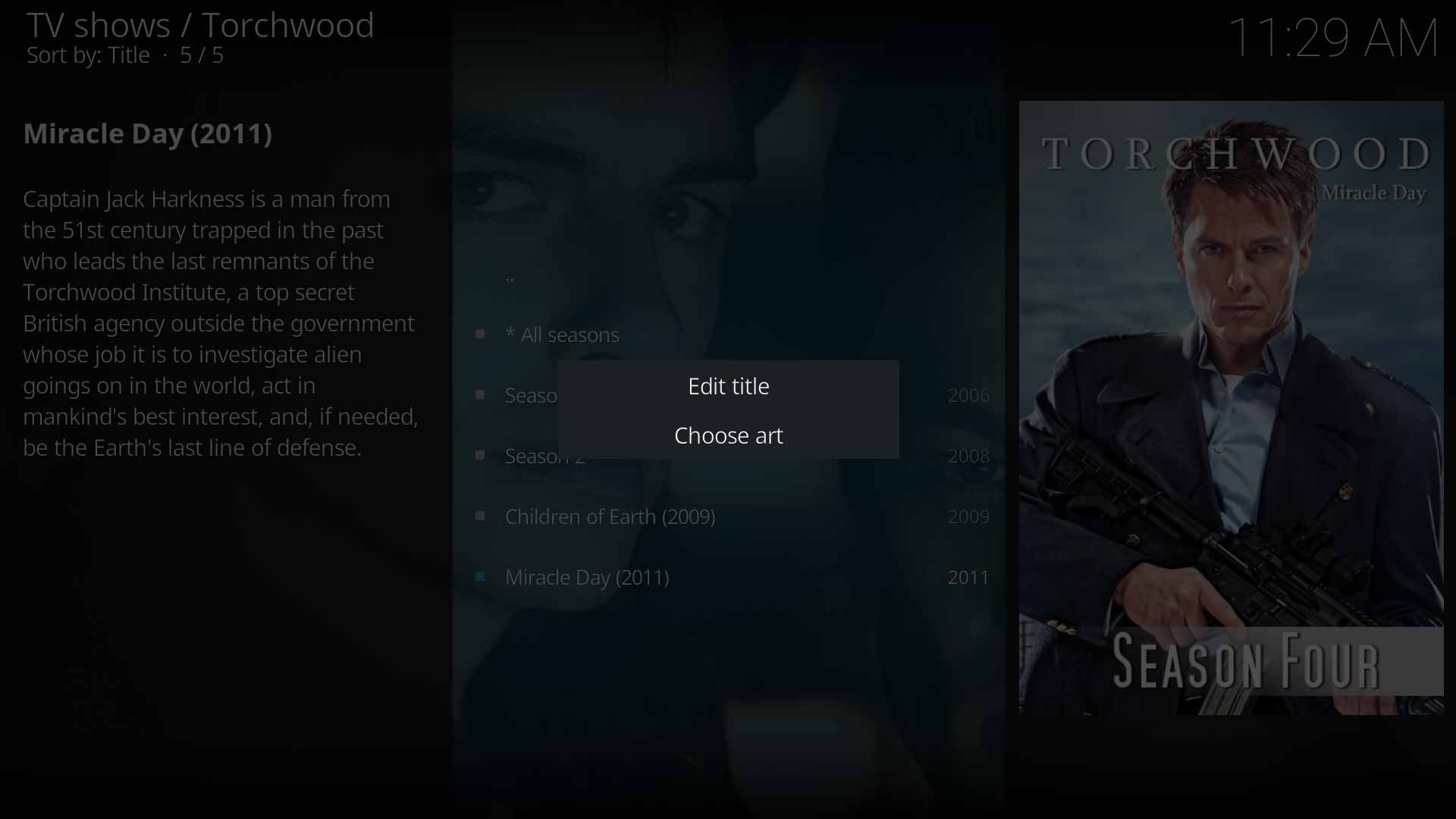 Image 2- Select Edit title
 -
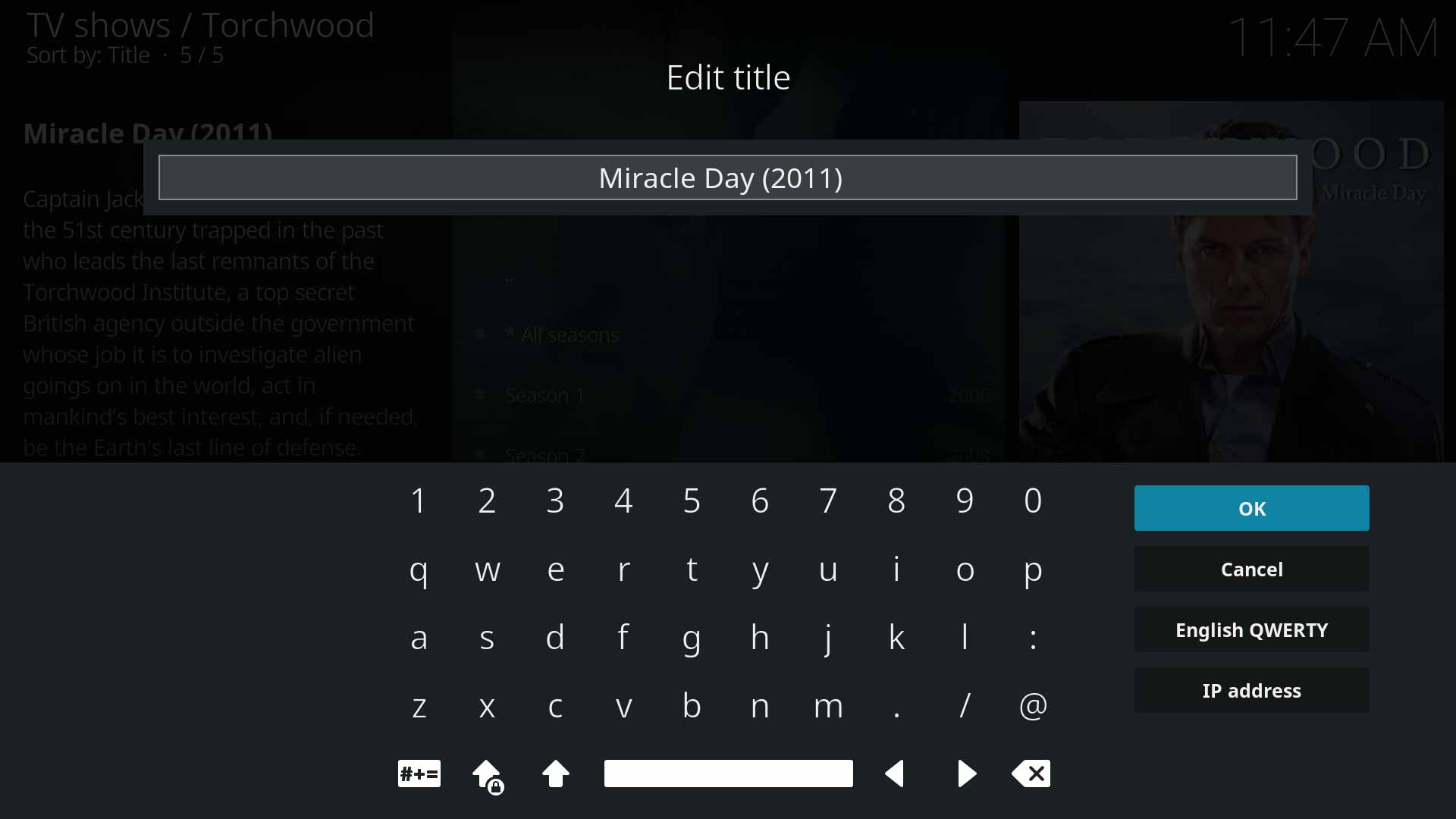 Image 3- Type the new name of the season and select OK


As a side note, Season Artwork can be added and modified from the Choose art option shown in Image 2 above.
Known Issues
| Return to top |
|---|
| Next step: | Naming TV Shows |