Media flags: Difference between revisions
Gamester17 (talk | contribs) |
m Bot: Automated text replacement (- XBMC + Kodi ) |
||
| Line 1: | Line 1: | ||
Media Flags are icons at | Media Flags are icons at Kodi that displays the meta-information from the media file of a movie, TV show or music title. | ||
== Examples == | == Examples == | ||
| Line 75: | Line 75: | ||
=== Special notes === | === Special notes === | ||
* Some file types (e.g. .iso) have to be played one time, before the media flags appear in the database<br /> | * Some file types (e.g. .iso) have to be played one time, before the media flags appear in the database<br /> | ||
* You can change the kind of media flag regardless of the file by editing the table [[Database#streamdetails|streamdetails]] in the | * You can change the kind of media flag regardless of the file by editing the table [[Database#streamdetails|streamdetails]] in the Kodi database | ||
== See also == | == See also == | ||
Revision as of 08:43, 4 May 2015
Media Flags are icons at Kodi that displays the meta-information from the media file of a movie, TV show or music title.
Examples
-
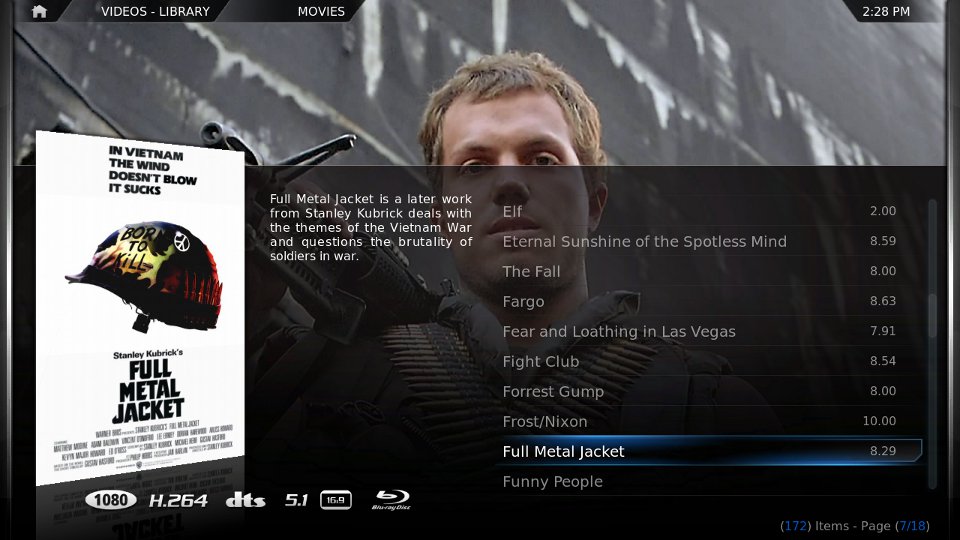 Media Flags at skin Confluence: 1080, h264, dts, 5.1, 16:9 and Blu-Ray Disc
 -
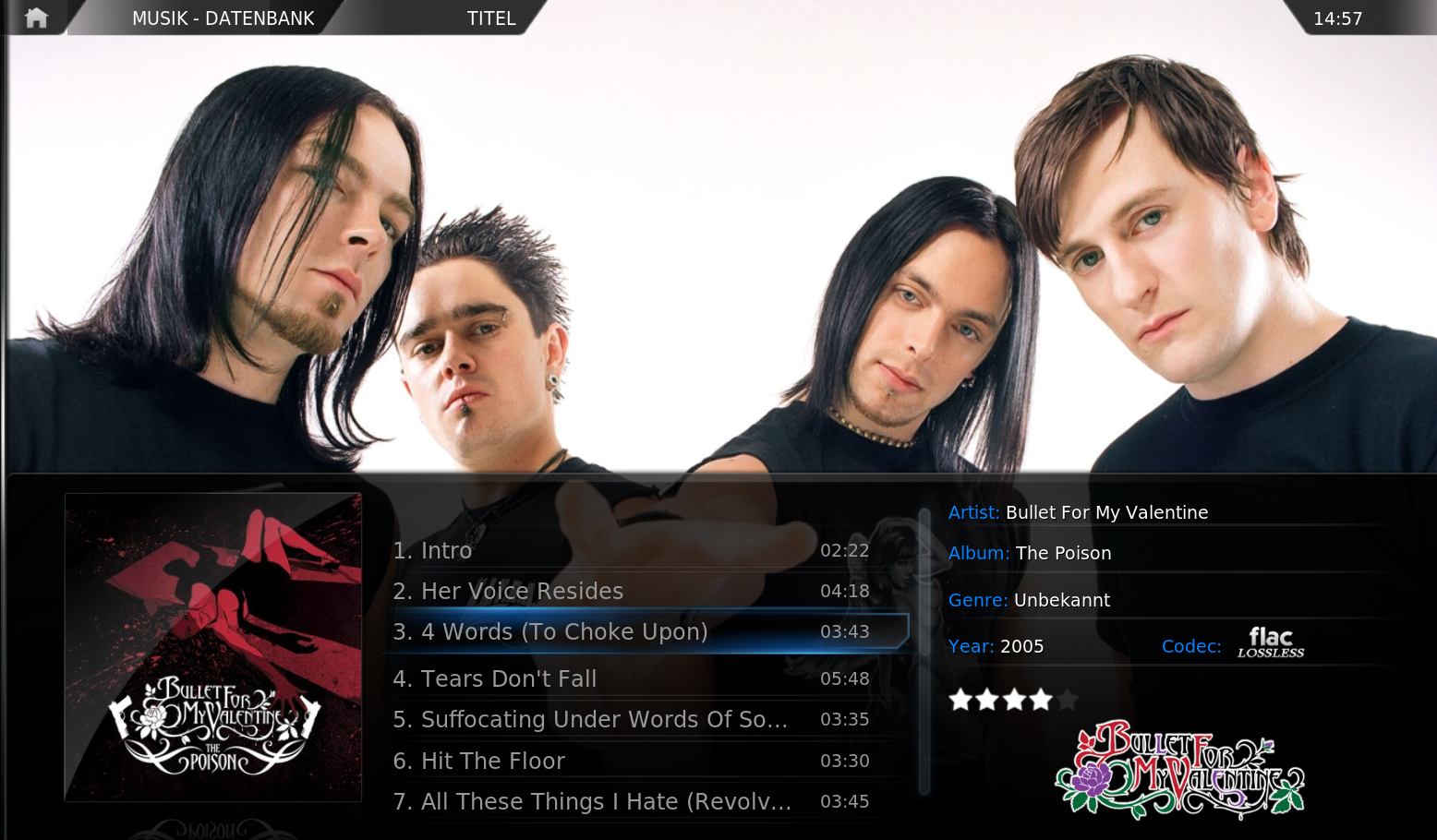 Media Flags in music-section


Flag types and where they come from
XBMC tries to read the meta information from the media file, after it was added to the Library.
This meta information can be queried by the built-in InfoLabels in order to display it in the skin.
Example-code for a resolution-flag in Confluence:
		<control type="image">
	            <description>Video rez Image</description>
		    <width>55</width>
		    <height>35</height>
		    <aspectratio align="right">keep</aspectratio>
		    <texture>$INFO[ListItem.VideoResolution,flagging/video/,.png]</texture>
		</control>
Video flags
The category video flags provides images for the following properties:
| Resolution | Format | Aspect ratio |
|---|---|---|
     ... ...
|
      ... ...
|
    ... ...
|
- Note: What exact kind of video flag is provided depends on the skin you are using! The above are just a few examples types.
Audio flags
The category audio flags provides images for the following properties: e.g.
| Channels | Formats |
|---|---|
     ... ...
|
         ... ...
|
- Note: What exact kind of audio flag is provided depends on the skin you are using! The above are just a few examples types.
Media source
Most skins have flags for the video source of a media file. This information are obtained from the the filename or the directory name.
Media can be flagged with following media source flags for Confluence (XBMC's default skin):
- DVD, if the filename contains DVD.
- Bluray, if the filename contains BLURAY, BRRIP, BD25, or BD50.
- HDDVD, if the filename contains HDDVD.
- TV, if the filename contains HDTV, PDTV, or DSR.
- VHS, if the filename contains VHS.
As an alternative you can set your folder structure to fit the keywords above:
- C:\Videos\DVDR\Movie1... on Windows
- /mnt/dev1/videos/bluray/movie1 on Linux
- Note: What exact kind of source flag is provided depends on the skin you are using and its naming convention!
Custom flags
Most skins also have the ability to show media flags from InfoLabels that come not from the media file itself. These pieces of information are provided by the scraper that was used to scan the file to the library and can be:
- Movie Studio: WarnerBros., 20th Century Fox, Universal ...
- TV Channel/Network: HBO, ABC, FOX ...
- Rating: MPAA, FSK, UK-Rating ...
Special notes
- Some file types (e.g. .iso) have to be played one time, before the media flags appear in the database
- You can change the kind of media flag regardless of the file by editing the table streamdetails in the Kodi database
See also
Development:
- Add-on development
- Skinning
- Add custom flag Forum post