Settings/System/Internet access: Difference between revisions
Appearance
Page Overhaul |
No edit summary |
||
| Line 117: | Line 117: | ||
{{Top}} | {{Top}} | ||
{{updated| | {{updated|18}} | ||
[[Category:FAQ]] | [[Category:FAQ]] | ||
[[Category:Index]] | [[Category:Index]] | ||
Revision as of 12:20, 12 January 2019
General
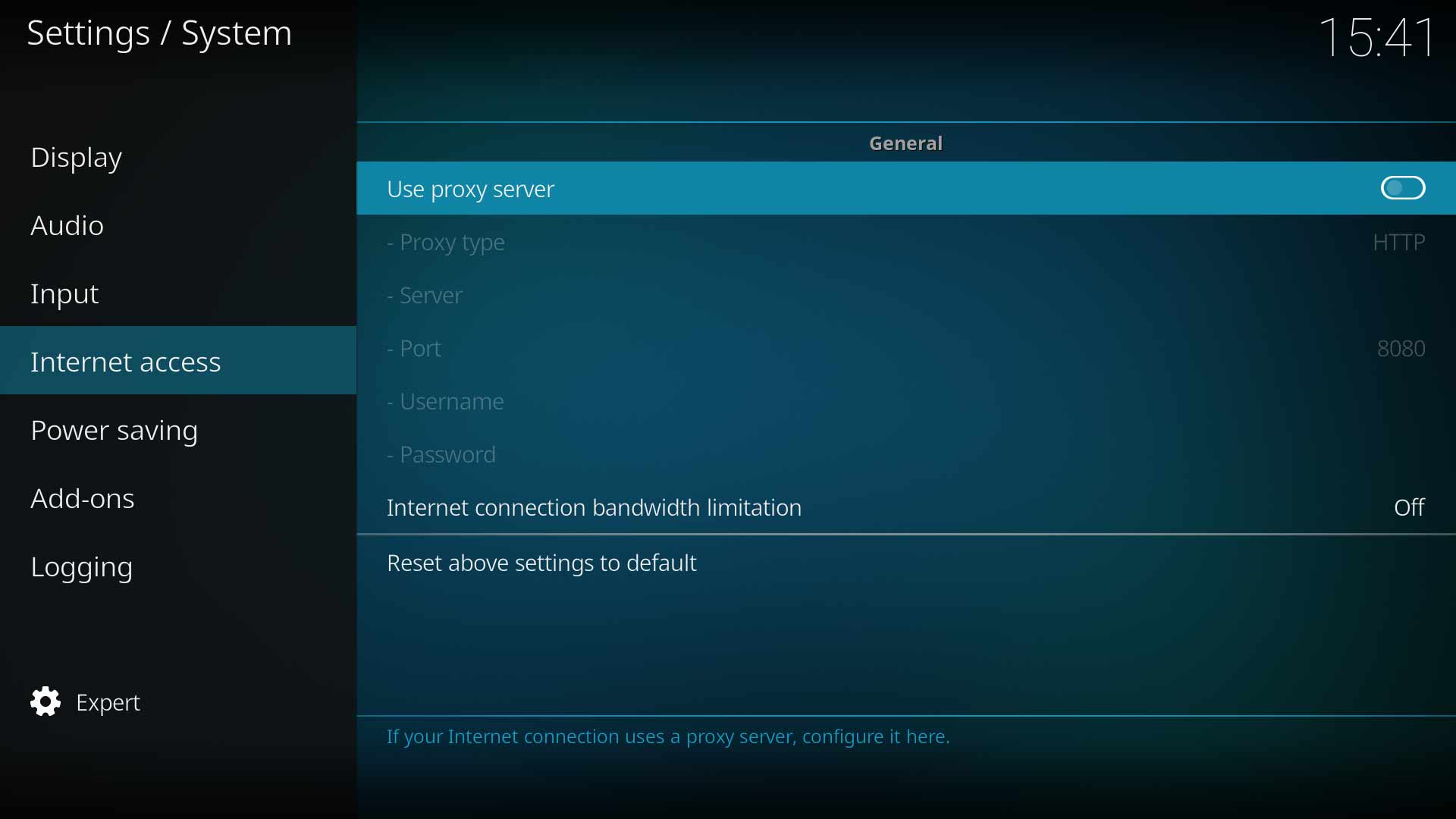
This section allows you to enter details of your Proxy Server. As the settings on this page are self-explanatory, minimal explanation is given. Kodi does not require a Proxy to operate.
Note: Kodi does not provide a Proxy service. It is up to the user to locate and setup a suitable Proxy Service if one is required.
Note: Kodi does not have settings to adjust Internet access. That is the responsibility of the underlying Operating System. If you have connectivity issues check the Internet settings, firewall and anti-virus settings in your Operating System.
Use proxy server
| Settings level: | Standard |
| Description: | Enable this setting to allow configuration of a user supplied Proxy Server. |
Proxy type
| Settings level: | Standard |
| Description: | Select the type of Proxy to be used. Available options are:
|
Server
| Settings level: | Standard |
| Description: | Type in the web address of the proxy server. |
Port
| Settings level: | Standard |
| Description: | Type in the port. |
Username
| Settings level: | Standard |
| Description: | Type in the account Username. |
| See Also: | Advancedsettings.xml |
Password
| Settings level: | Standard |
| Description: | Type in the account password. Note: Passwords are saved in unencrypted text files and are easily discoverable. |
| See Also: | Advancedsettings.xml |
Internet connection bandwidth limitation
| Settings level: | Standard |
| Description: | Control bandwidth throughput for slower connections. Can be adjusted in 512kb/s steps between 512kb/s to 102,400kb/s |
| Return to top |
|---|

