Adjust the settings of the {{kodi}} screensaver, or download and install a new screensaver
{{-}}
== General ==
; {{see also|Category:Screensaver_add-ons|label 1=List of Screensavers}}
; {{see also|HOW-TO:Screensaver_addon|label 1=How To: Create your own Screensaver}}
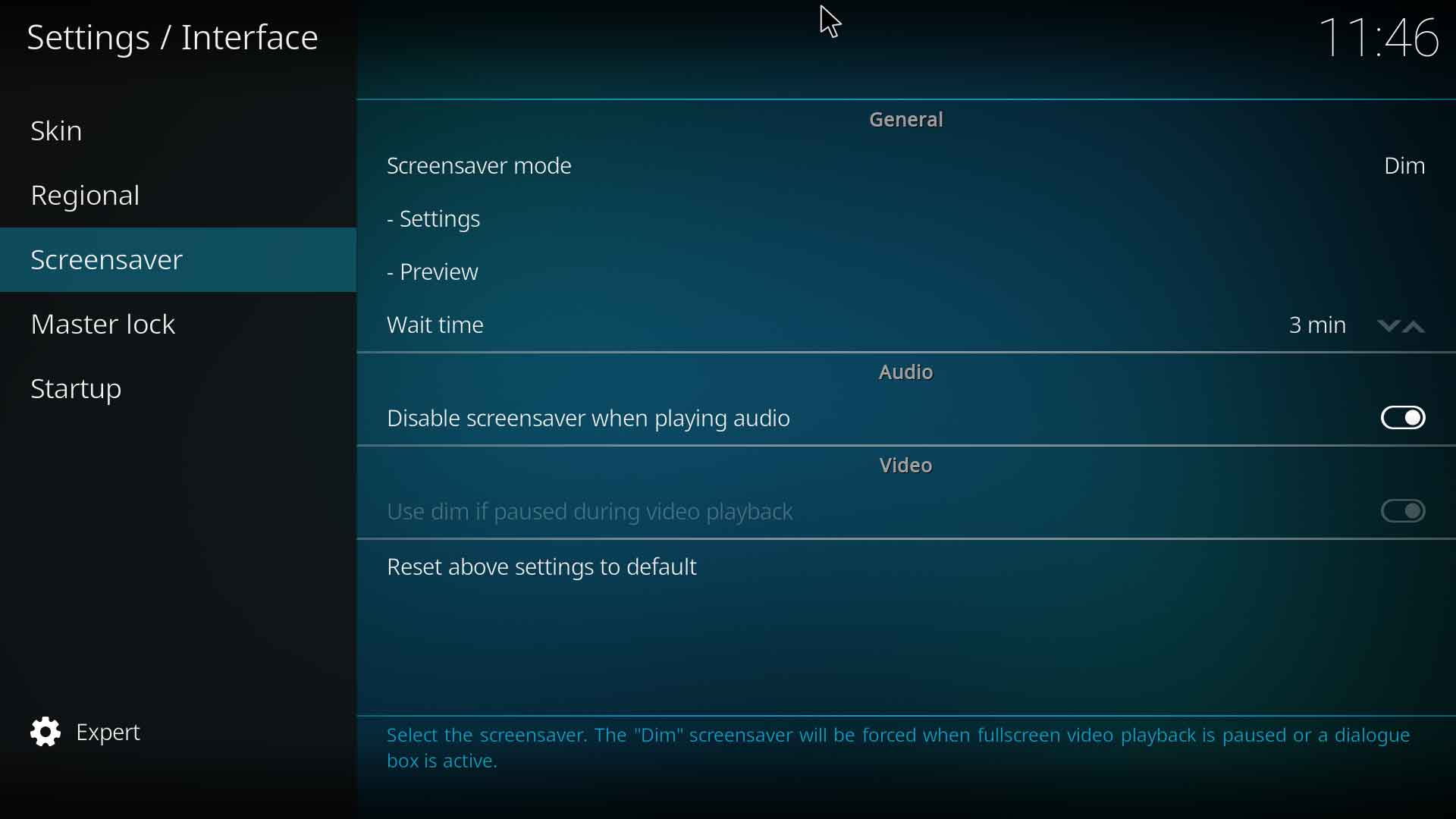
=== Screensaver mode ===
{|
|- valign="top"
| width=120px | {{nowrap|'''Settings level:'''}}
| Basic
|- valign="top"
| '''Description:'''
| Select the screensaver to be installed. <br>
The "Dim" screensaver is enabled by default and will be forced when fullscreen video playback is paused or a dialogue box is active and may also prevent other screenaver add-ons from operating in these two scenarios. It will assist in preventing screen burn-in.
|}
=== Settings ===
{|
|- valign="top"
| width=120px | {{nowrap|'''Settings level:'''}}
| Standard
|- valign="top"
| '''Description:'''
| Select to change the screensaver specific settings. Which options are available for configuration depends on the features provided by the screensaver add-on.
|}
=== Preview ===
{|
|- valign="top"
| width=120px | {{nowrap|'''Settings level:'''}}
| Standard
|- valign="top"
| '''Description:'''
| Preview the selected screensaver. Useful when adjusting settings.
|}
=== Wait time ===
{|
|- valign="top"
| width=120px | {{nowrap|'''Settings level:'''}}
| Basic
|- valign="top"
| '''Description:'''
| Set the inactivity time before displaying the screensaver.
|}
=== Use visualisation if playing audio ===
{|
|- valign="top"
| width=120px | {{nowrap|'''Settings level:'''}}
| Basic
|- valign="top"
| '''Description:'''
| If music is being played, the selected visualisation will be started instead of displaying the screensaver.<br>
Note: If a screensaver is enabled here, the screensaver will display after the Wait Time has elapsed.
|}
=== Use dim if paused during video playback ===
{|
|- valign="top"
| width=120px | {{nowrap|'''Settings level:'''}}
| Standard
|- valign="top"
| '''Description:'''
| If a video is paused for the Wait Time set above, the screen will dim to help reduce the possibility of screen burn-in.<br>
If the selected screensaver is the default "Dim" screensaver, this option is not accessible and is enabled by default.
The "Dim" screensaver is enabled by default and will be forced when fullscreen video playback is paused or a dialogue box is active and may also prevent other screenaver add-ons from operating in these two scenarios. It will assist in preventing screen burn-in.
Settings
Settings level:
Standard
Description:
Select to change the screensaver specific settings. Which options are available for configuration depends on the features provided by the screensaver add-on.
Preview
Settings level:
Standard
Description:
Preview the selected screensaver. Useful when adjusting settings.
Wait time
Settings level:
Basic
Description:
Set the inactivity time before displaying the screensaver.
Use visualisation if playing audio
Settings level:
Basic
Description:
If music is being played, the selected visualisation will be started instead of displaying the screensaver.
Note: If a screensaver is enabled here, the screensaver will display after the Wait Time has elapsed.
Use dim if paused during video playback
Settings level:
Standard
Description:
If a video is paused for the Wait Time set above, the screen will dim to help reduce the possibility of screen burn-in.
If the selected screensaver is the default "Dim" screensaver, this option is not accessible and is enabled by default.

 Settings