Settings/Services/SMB Client
Jump to navigation
Jump to search

|
 Settings Settings |
Services |
SMB Client
|
-
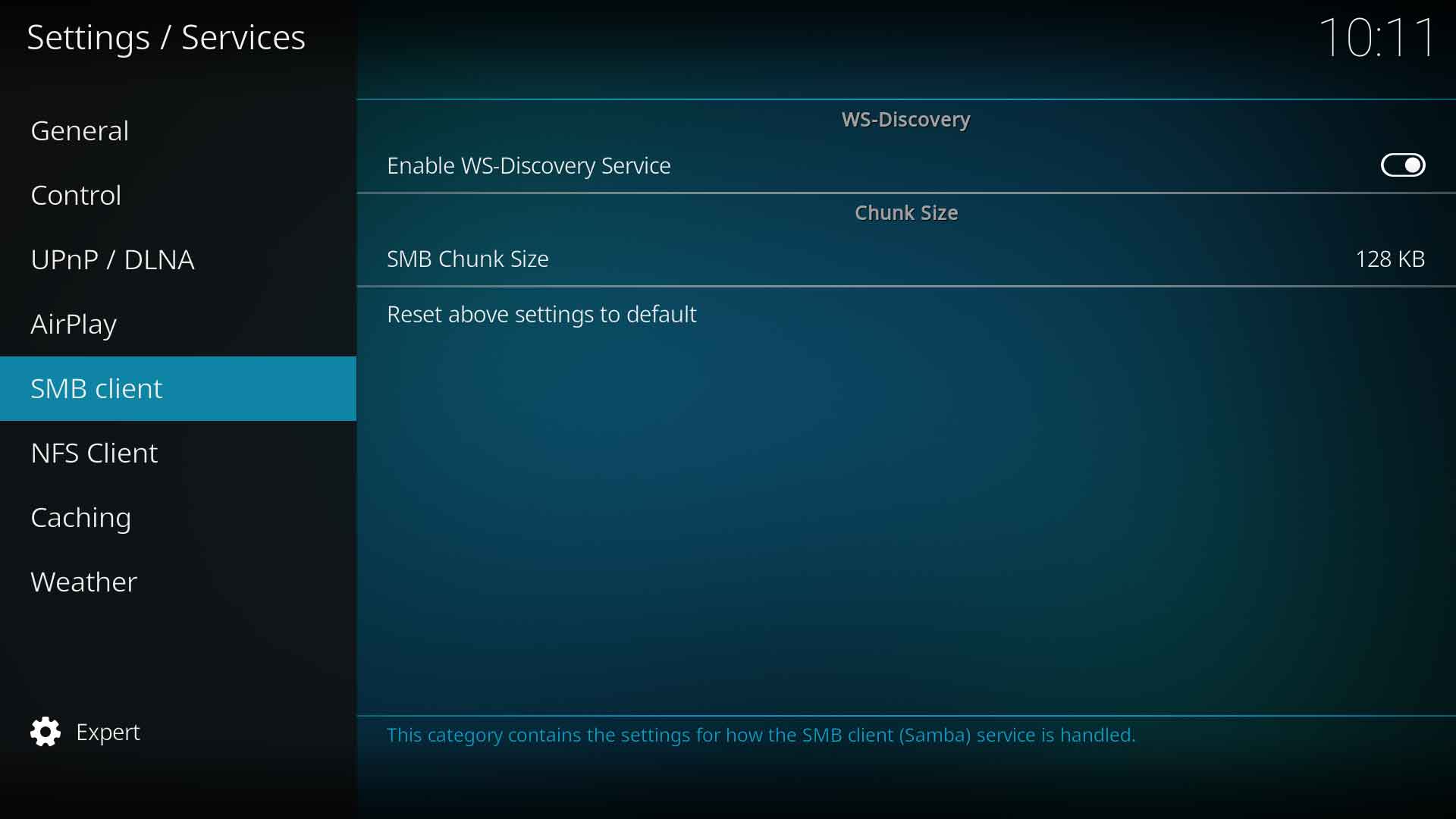 Image 1 - MS Windows installations
 -
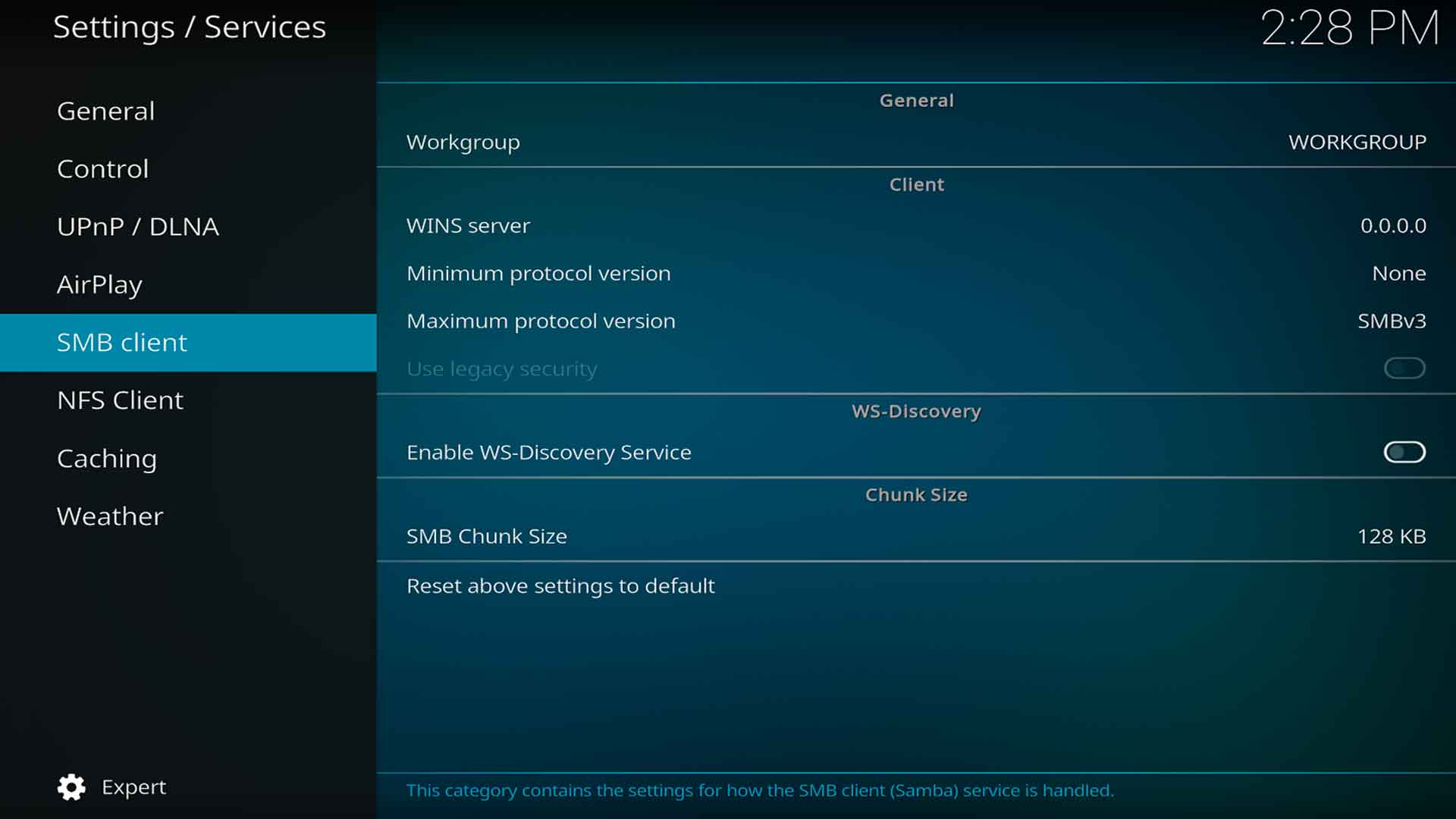 Image 2 - All other platforms


General
Workgroup
| Settings level: | Advanced |
| Description: | If a WINS server is running on the network, enter its workgroup name here. Otherwise, leave it blank. |
Client
WINS server
| Settings level: | Advanced |
| Description: | If a WINS server is running on the network, enter its IP address here. Otherwise, leave it blank. |
Minimum protocol version
| Settings level: | Advanced |
| Description: | Set the minimum allowable SMB protocol version to negotiate when making connections. Forcing SMBv2 may be required to prevent SMBv1 use on some OS. We do not recommend using SMBv1 due to severe security vulnerabilities. |
| See also: | SMB |
Maximum protocol version
| Settings level: | Advanced |
| Description: | Set the maximum allowable SMB protocol version to negotiate when making connections. |
| See also: | SMB |
Use legacy security
| Settings level: | Advanced |
| Description: | Force weak SMBv1 security for compatibility with the USB sharing features on some WiFi routers and NAS devices. |
WS-Discovery
Enable WS-Discovery Service
| Settings level: | Advanced |
| Description: | Enable the WS-Discovery Service which allows browsing of SMB network folders |
| See also | w:WS-Discovery |
Chunk Size
SMB Chunk Size
| Settings level: | Advanced |
| Description: | Allows the selection of the chunk size which may improve data throughput. May aid in better playback of high bit-rate UHD files, especially on low-powered devices or slow networks. [1]
Select from:
|
References
| Return to top |
|---|