Add-on:Confluence/Settings
Jump to navigation
Jump to search

options continued 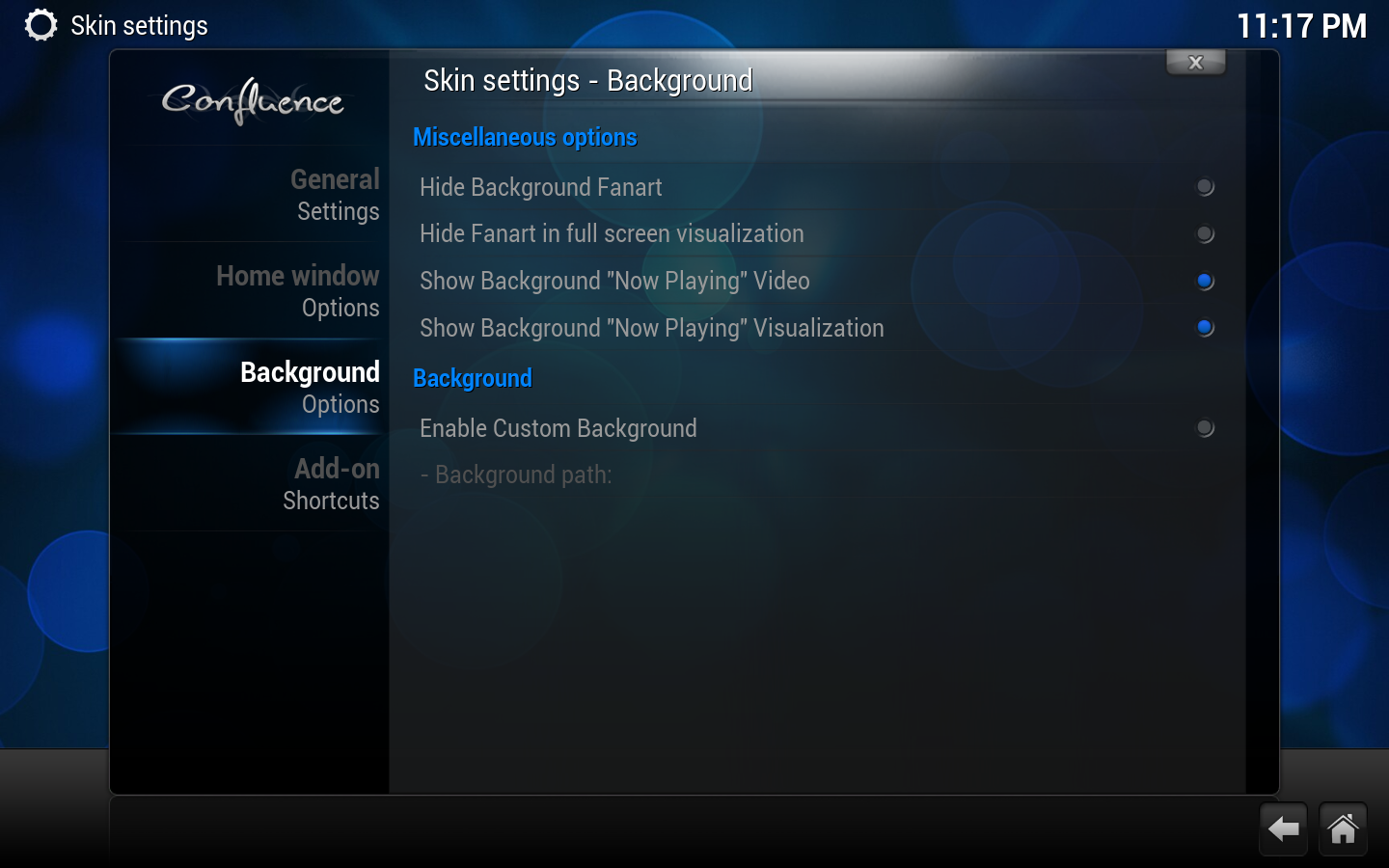
options continued

|
 Settings Confluence Settings Confluence |
Appearance |
Settings
|
Skin settings for the default XBMC skin, Confluence. The following settings are accessible from the main menu by going to Settings -> Appearance -> Skin.
General settings

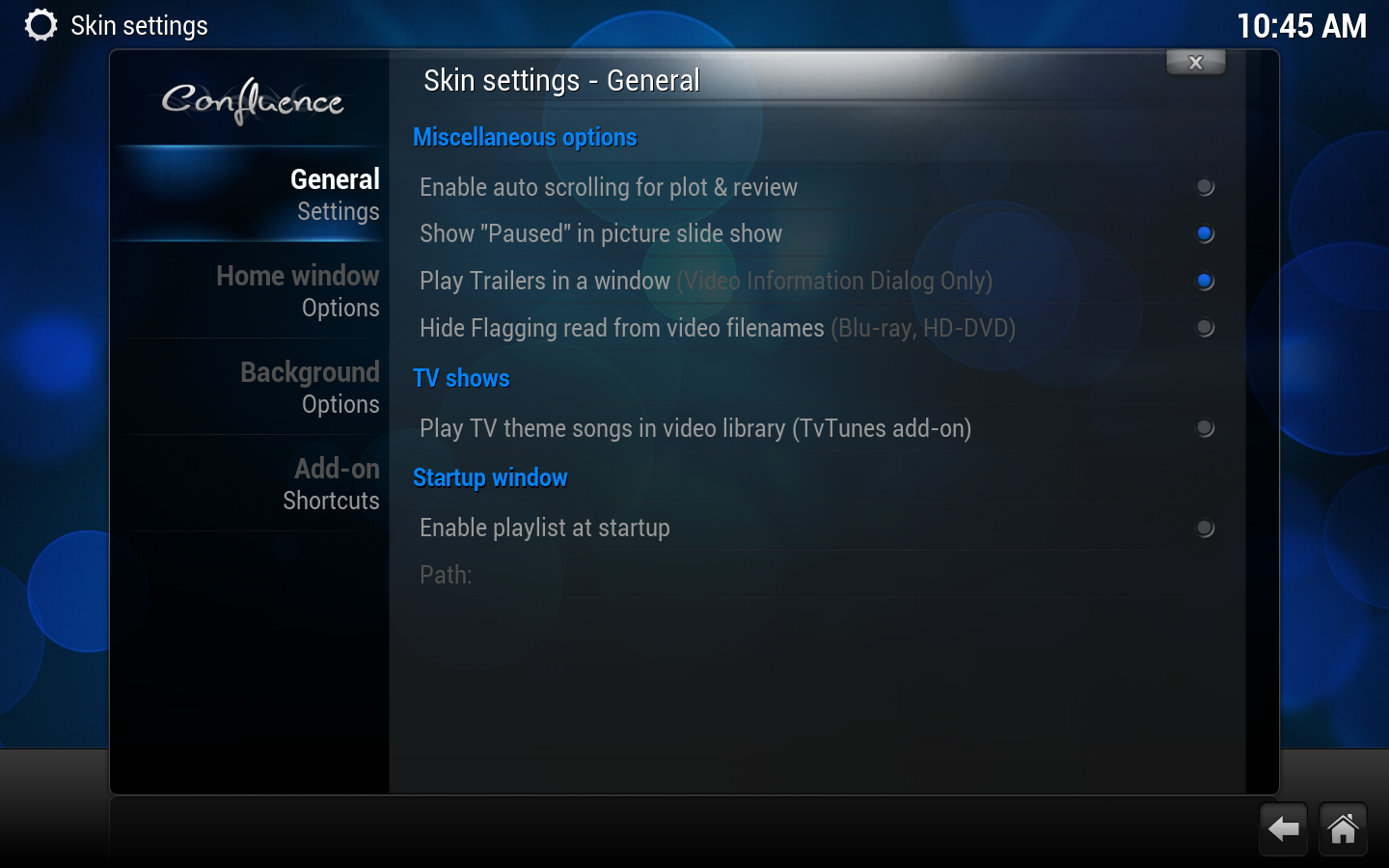
Miscellaneous options
- Enable auto scrolling for plot & review
- Enables automatic page scrolling in information dialogs.
- Show "Paused" in picture slide show
- Selects whether or not to show the word "Paused" in the corner when you've paused a picture slide show.
- Play trailers in a window
- If movie trailers are available/enabled, this option will play them in a window rather than full screen. This applies only to the Media information screen.
- Hide flagging read from video filenames
- Media flags for videos based on additions to the filename. See Add-on:Confluence/Settings/Media flags for more info.
- Hide Background Fanart
- Disables fanart being displayed in the background for TV shows and movies.
TV shows
- Play TV theme songs in video library (TvTunes add-on)
- This option will only show up if the TvTunes add-on has been installed. It enables the playing of theme songs when you enter a TV show's listings from the library.
Startup window
- Enable Playlist at Startup
- Runs any supported playlist at startup.
- Path
- Path to playlist
Home window options


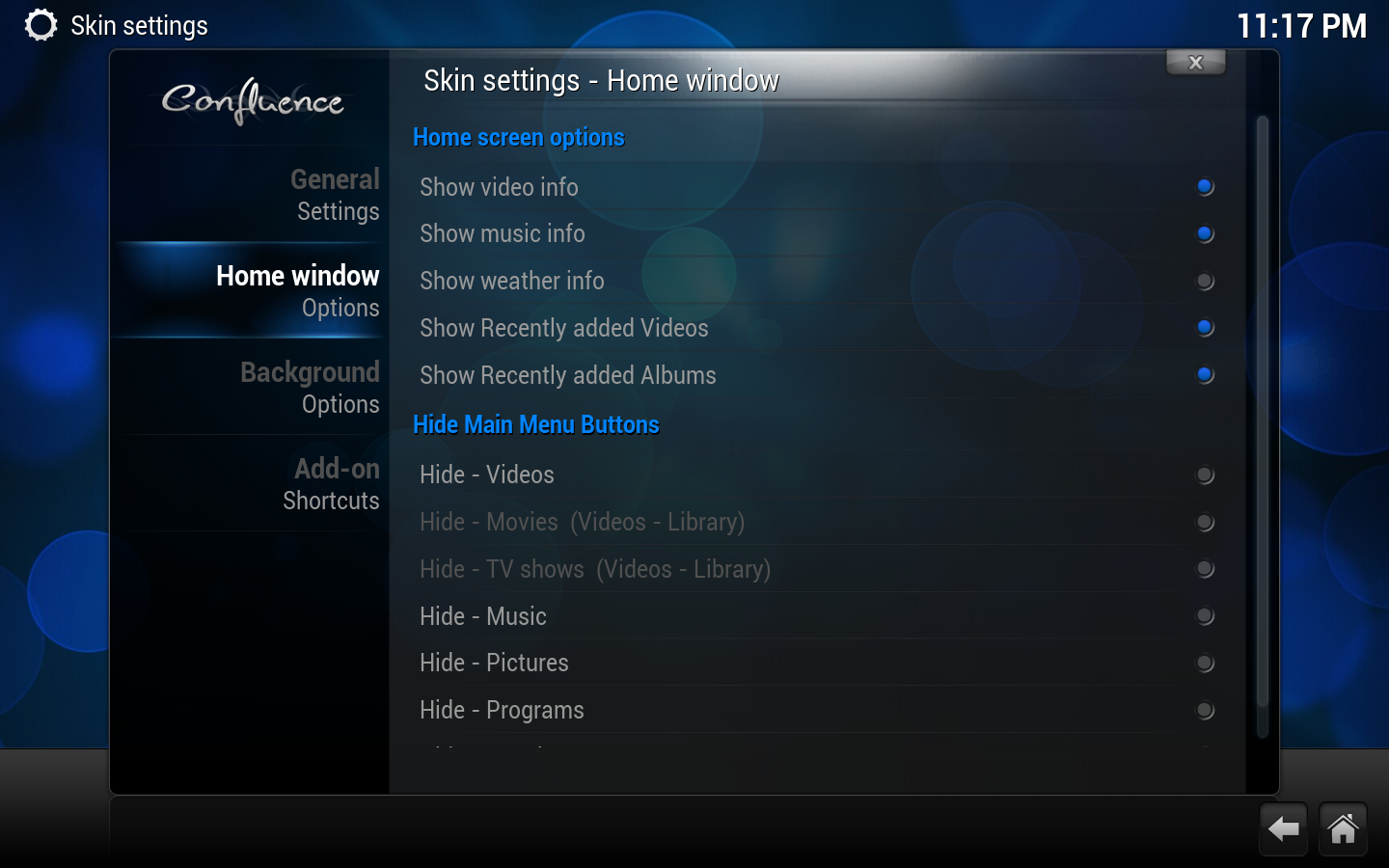
Home screen options
- Show Video Info
- Shows info on video playing when on the Home Window.
- Show Music info
- Shows info on music playing when on the Home Window.
- Show Weather info
- Shows info on Weather when on the Weather button of the Home Window.
- Show Recently added Videos
- Shows your most recently added videos that have been scanned into the library.
- Show Recently added Albums
- Shows your most recently added albums that have been scanned into the library.
Hide Main Menu Buttons
- Various options
- Hides or shows the selected button/tab from the home window. "Movies" and "TV shows" are only available options when you have scanned videos into the library.
Background options

Miscellaneous options
- Hide Background Fanart
- Hides fanart images in various library/file views.
- Hide Fanart in full screen visualization
- Hides music fanart in the music visualizer.
- Show Background "Now Playing" Video
- Shows the currently playing video in the background when you exit out of full screen playback.
- Show Background "Now Playing" Visualization
- Shows the music visualizer in the background when you exit out of full screen playback.
Background
- Enable Custom Background
- Selects a custom background image for all window views. Since v12, Confluence in XBMC now only supports one customized background.
- Path
- File path to background image.
Add-on shortcuts


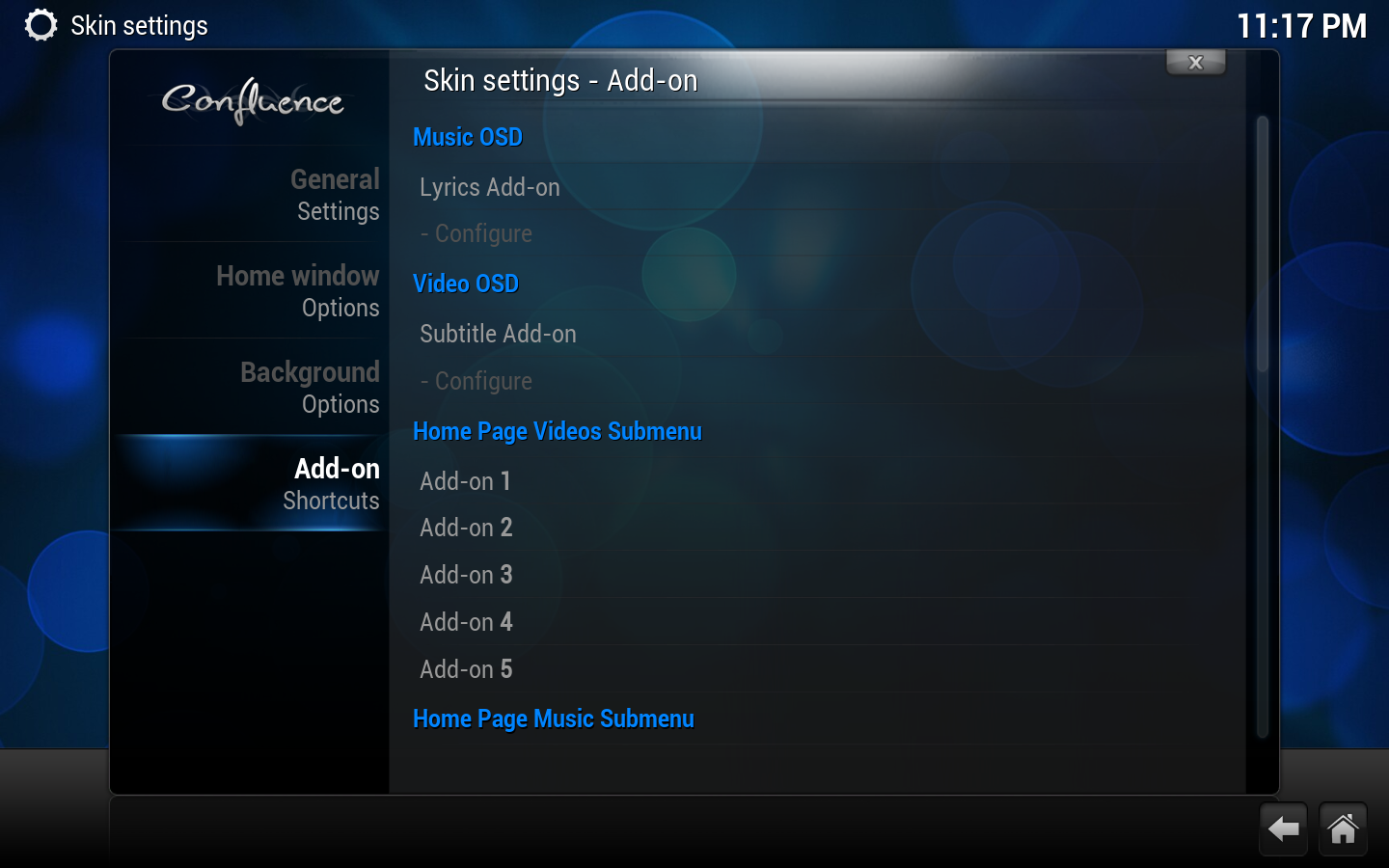
Music OSD
- Lyrics Add-on
- Selects the Lyrics look up add-on to be used when you press the Lyrics button in the music OSD.
Video OSD
- Subtitle Add-on
- Selects the Subtitle look up add-on to be used when you press the Subtitles button in the video OSD.
- Add-on (1-5)
- Allows you to assign up to five add-ons to be displayed below the main menu when "Videos", "Movies", or "TV shows" is selected.
- Add-on (1-5)
- Allows you to assign up to five add-ons to be displayed below the main menu when "Music" is selected.
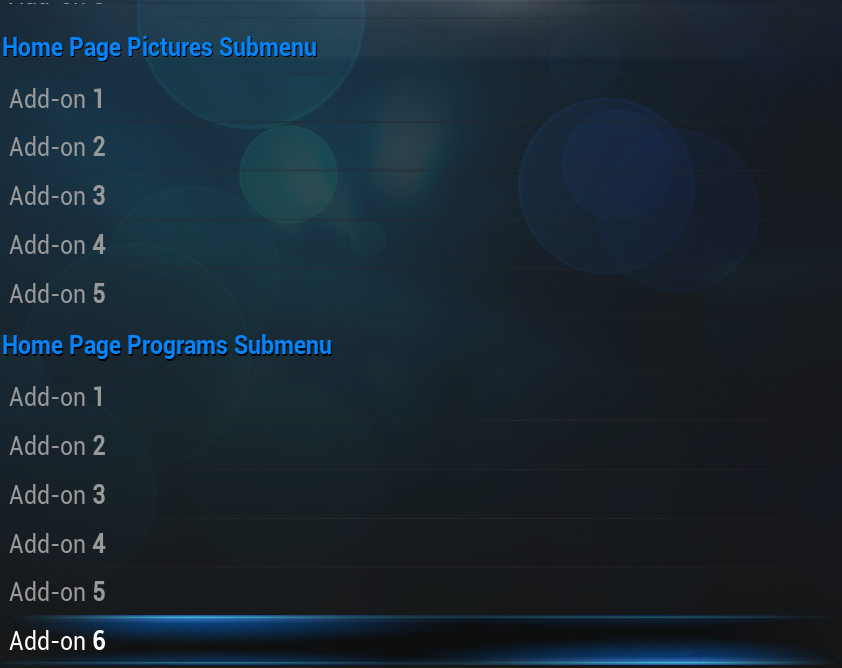
- Add-on (1-5)
- Allows you to assign up to five add-ons to be displayed below the main menu when "Pictures" is selected.
- Add-on (1-6)
- Allows you to assign up to six add-ons to be displayed below the main menu when "Programs" is selected.