HOW-TO:Add Time Remaining to Confluence: Difference between revisions
Jump to navigation
Jump to search
mNo edit summary |
No edit summary |
||
| Line 8: | Line 8: | ||
</gallery> | </gallery> | ||
Open ''VideoFullScreen.xml'' and find this line, comment it out. It will remove ''end time'' below the progress bar on ''Info screen''. | Open ''VideoFullScreen.xml'' and find this line, comment it out. It will remove ''end time'' below the progress bar on the ''Info screen''. | ||
<pre><label>$LOCALIZE[31049] $INFO[Player.FinishTime]</label></pre> | <pre><label>$LOCALIZE[31049] $INFO[Player.FinishTime]</label></pre> | ||
Add this after the above line. It will add ''run time'' at the bottom of the progress bar and add ''end time'' into brackets. | Add this after the above line. It will add ''run time'' at the bottom of the progress bar and add ''end time'' into brackets on the ''Info screen''. | ||
<pre><label>Runtime: $INFO[Player.Duration(hh:mm:ss)] (Ends $INFO[Player.FinishTime])</label></pre> | <pre><label>Runtime: $INFO[Player.Duration(hh:mm:ss)] (Ends $INFO[Player.FinishTime])</label></pre> | ||
Revision as of 14:21, 18 July 2015
This tutorial will show how to add time remaining to the Info screen I and OSD M at the end of the progress bar, and move the run time to the bottom of the progress bar on the Info screen. This is achieved by editing VideoFullScreen.xml.
-
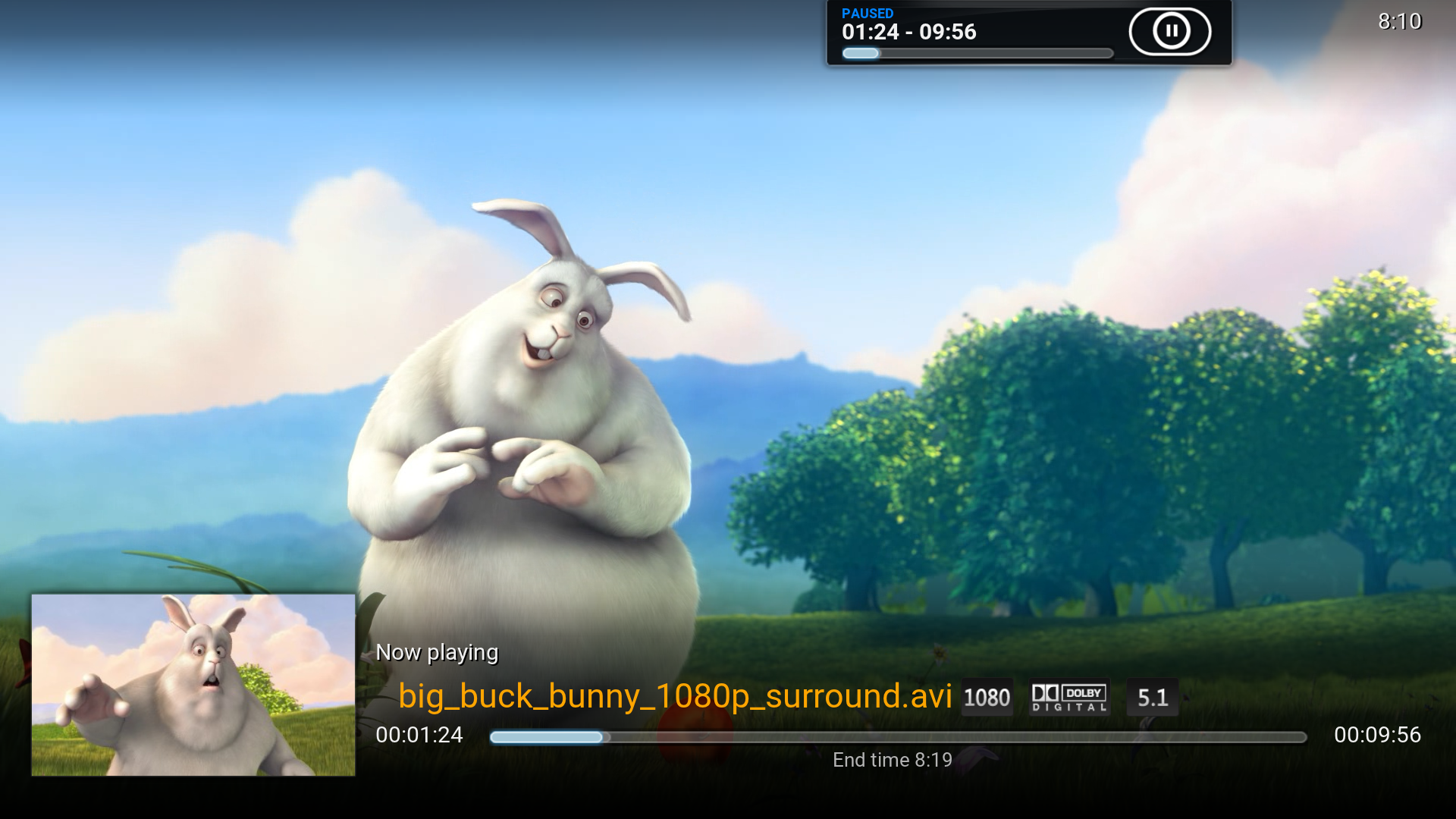 Original Info screen I
 -
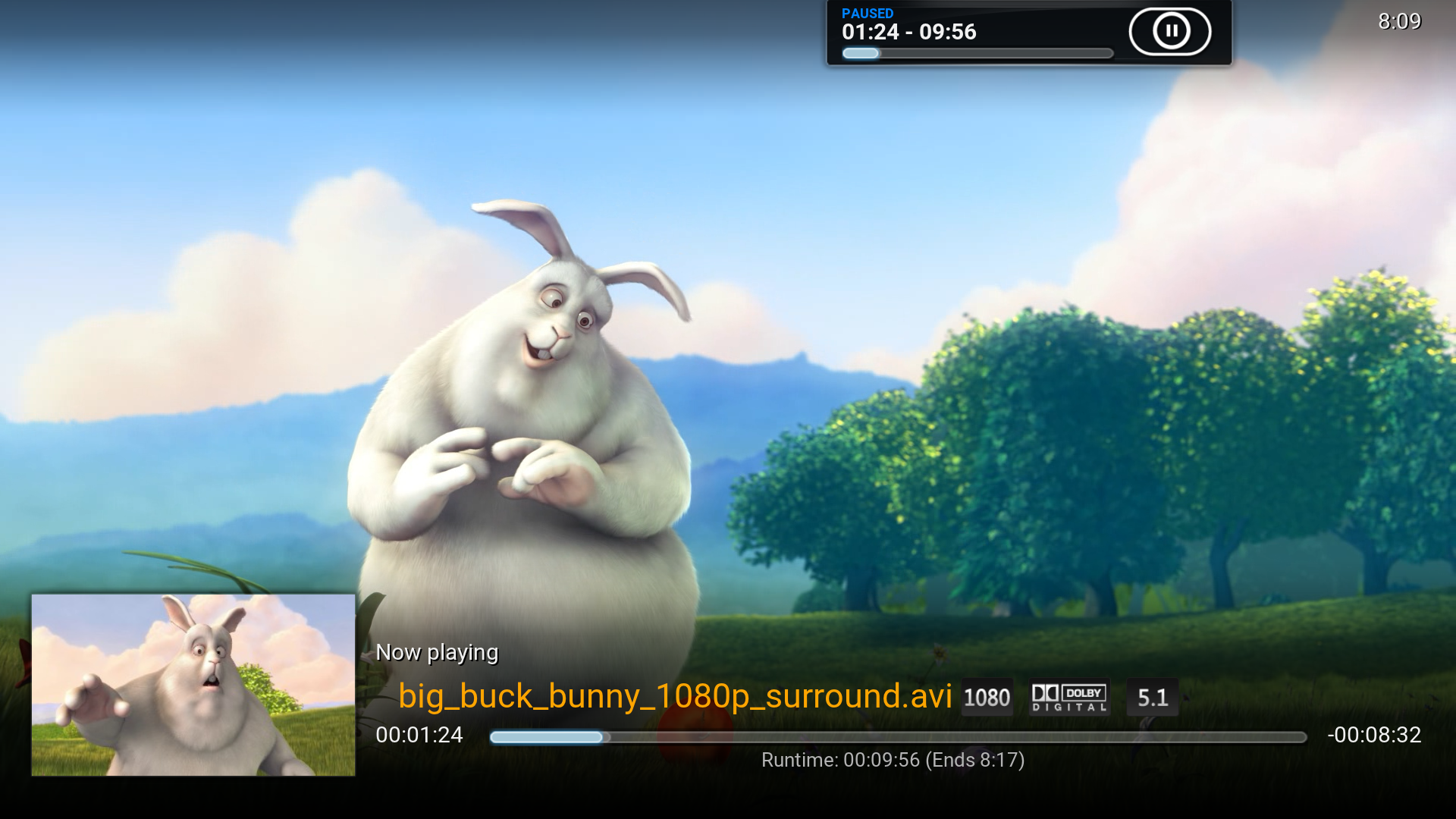 MOD
MOD -
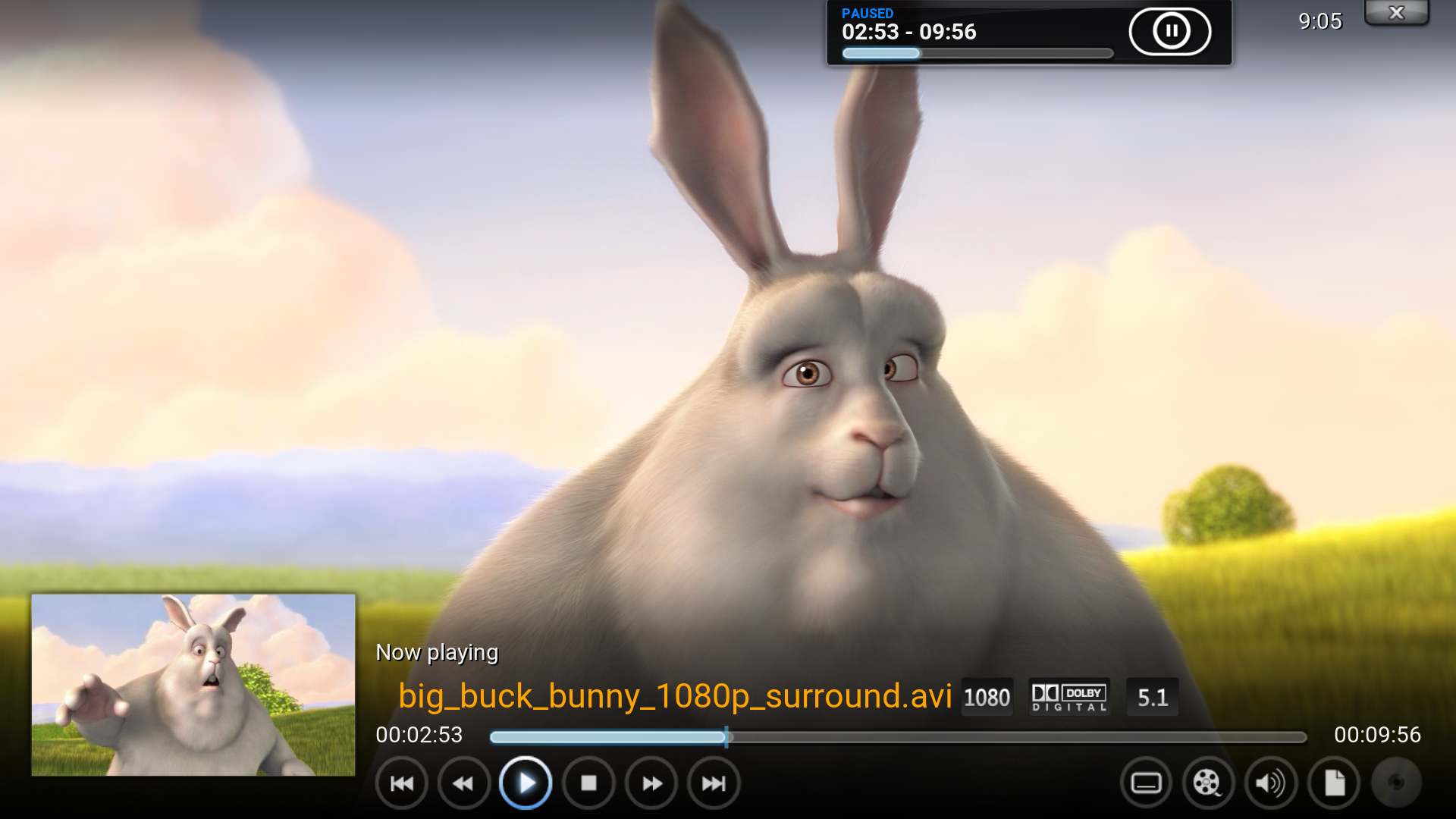 Original OSD M
 -
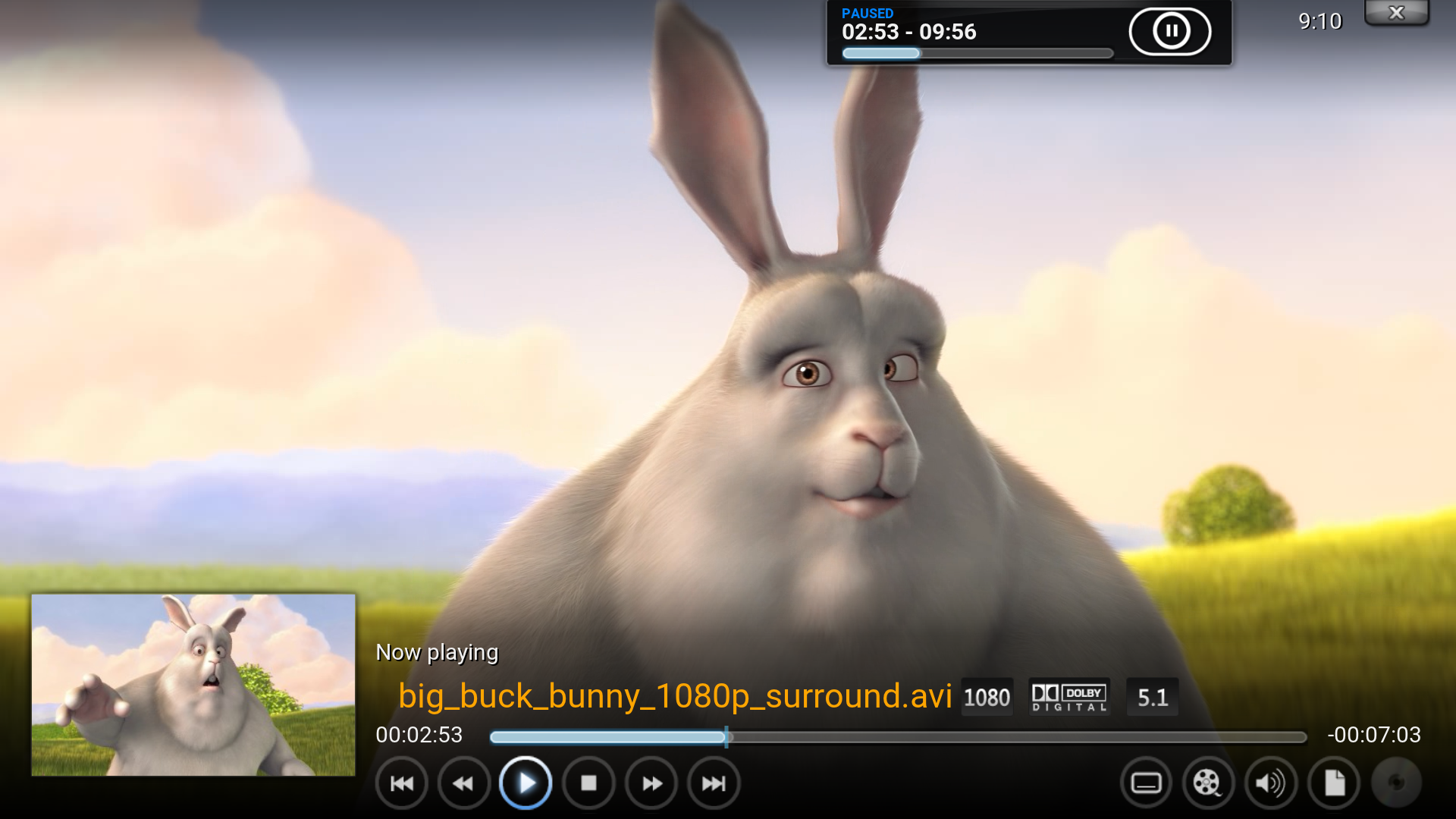 MOD
MOD


Open VideoFullScreen.xml and find this line, comment it out. It will remove end time below the progress bar on the Info screen.
<label>$LOCALIZE[31049] $INFO[Player.FinishTime]</label>
Add this after the above line. It will add run time at the bottom of the progress bar and add end time into brackets on the Info screen.
<label>Runtime: $INFO[Player.Duration(hh:mm:ss)] (Ends $INFO[Player.FinishTime])</label>
Find this line and comment it out. It will remove run time from the end of the progress bar.
<label>$INFO[Player.Duration(hh:mm:ss)]</label>
Add this after the above line. It will add time remaining to the end of the progress bar.
<label>-$INFO[Player.TimeRemaining(hh:mm:ss)]</label>