Archive:Install languages offline: Difference between revisions
| Line 12: | Line 12: | ||
includepage = {addon} dpl | includepage = {addon} dpl | ||
mode=userformat | mode=userformat | ||
format = \n{|class=" | format = \n{|class="prettytable" \n! Name !! Version !! Link ,\n|-\n,,\n|} | ||
secseparators = \n| | secseparators = \n| | ||
</dpl> | </dpl> | ||
Revision as of 22:06, 12 May 2015

|
 Advanced topics Installing Advanced topics Installing |
Install languages offline
|
Sets of language strings for Kodi v15 are now provided in the form of add-ons. Kodi still comes with International English by default, but does not include other languages until they are selected and downloaded. If you are doing an off-line installation of Kodi and won't have an internet connection when you change the language preferences then you will need to download the language add-on ahead of time.
Download language add-on
First you will need to download your language in the form of a "zipped" add-on: <dpl>
 category = Isengard add-on repository
 category = Language add-ons
 notcategory = Broken add-ons
 uses = Template:Addon
 includepage = {addon} dpl
 mode=userformat
 format = \n{|class="prettytable" \n! Name !! Version !! Link ,\n|-\n,,\n|}
 secseparators = \n|
</dpl>
Save the zip file somewhere
Do not unzip the file you downloaded in the last step. Place it somewhere that you can access it for your offline installation, like on a USB flash drive or SD card.
Install add-on from zip
Use the following example to install your language add-on via zip. If you placed the zip file on a USB flash drive or other removable media, then that drive should show up as an option to select from for Step 2:
Install from zip file allows you to install add-ons or repositories which may not be available in the Kodi add-on repository. To install a add-on or repository from a zip file you will need to enable Unknown Source from Settings/System/Add-ons. This can be done at the time of installation.
Note: By enabling Unknown Sources, Add-ons will be given access to your personal data stored on your device. By allowing, you agree that you are solely responsible for any loss of data, unwanted behavior, or damage to your device.
To access the Add-on browser see: How to access the Add-on browser or How to access the Add-on manager
-
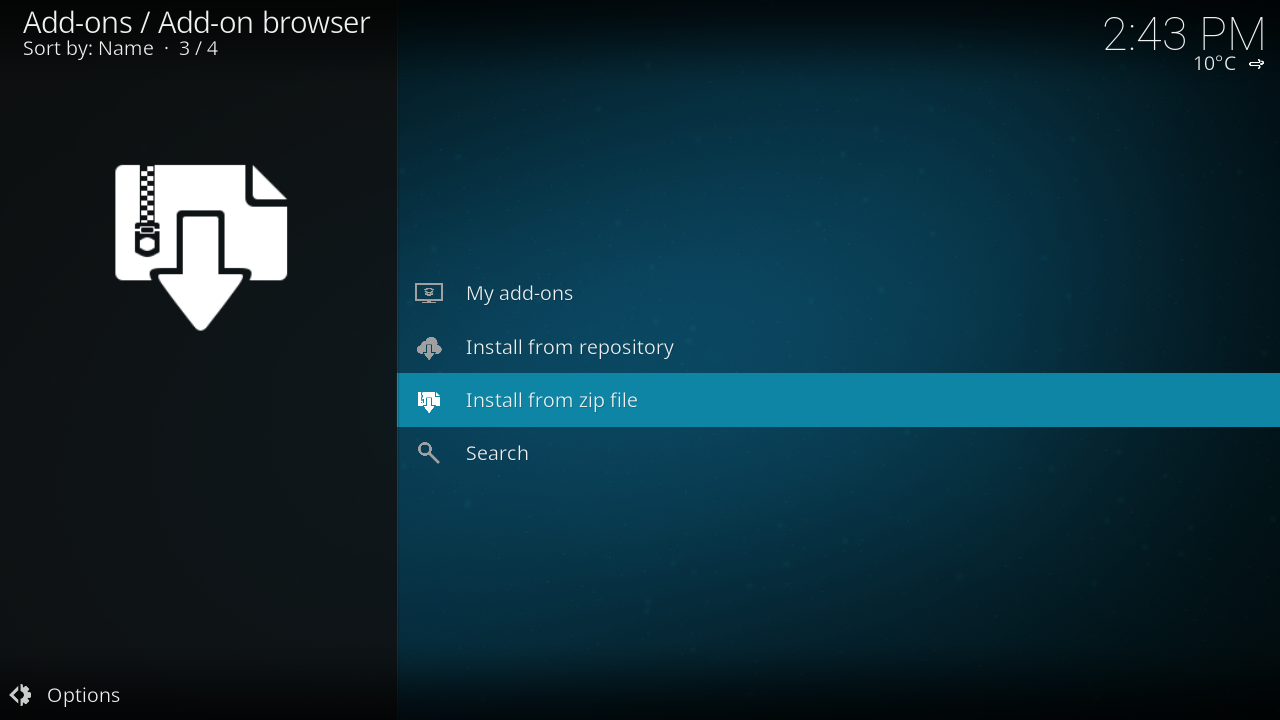 Step 1: Select Install from zip file
 -
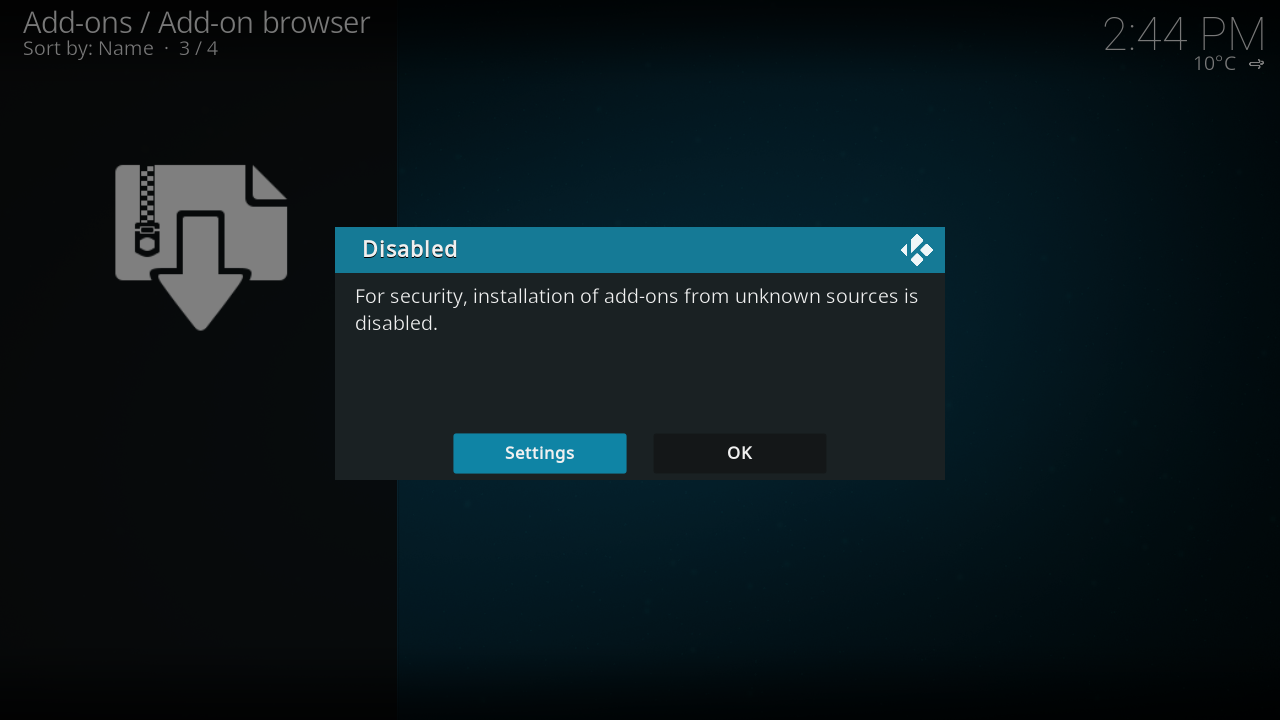 Step 2: If you have not enabled Unknown Sources, you will notified that it is disabled. If you wish to enable select Settings, if you do not wish to enable select OK. If you have already enabled Unknown sources skip to Step 6'.
 -
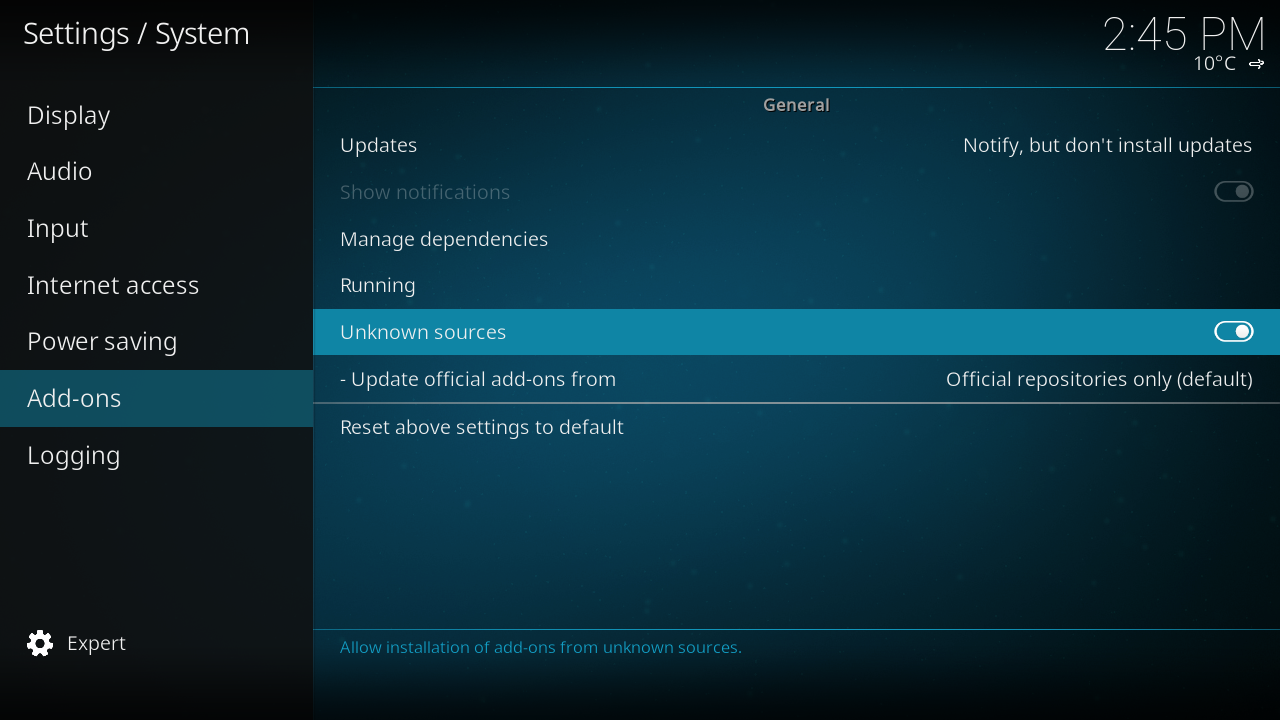 Step 3: When you select Settings you will be taken to the Add-ons settings window. Enable Unknown sources if you wish to install your add-on or repository from a zip file.
 -
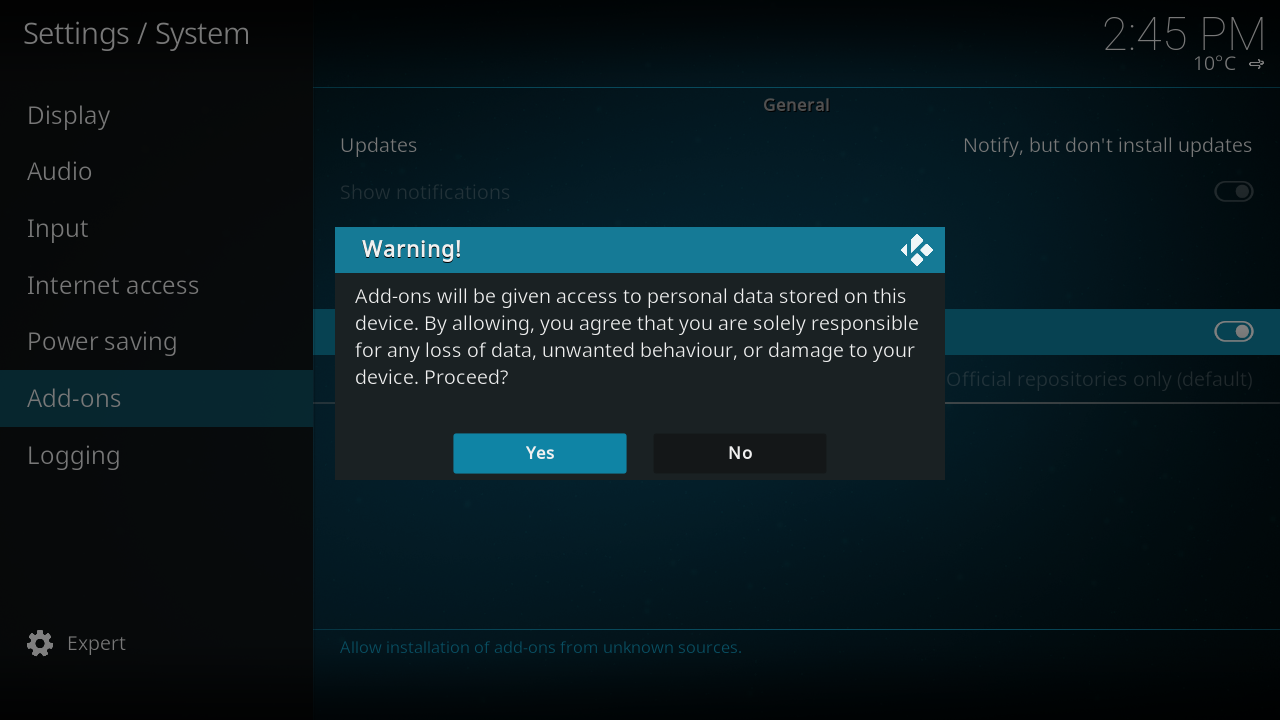 Step 4: After you enable Unknown sources you will be presented with a Warning. Make sure you read and understand this warning, then select Yes if you wish to proceed.
 -
Step 5: If you have selected Yes and enabled Unknown sources you can then navigate back to the Add-on browser and once again select Install from zip file
-
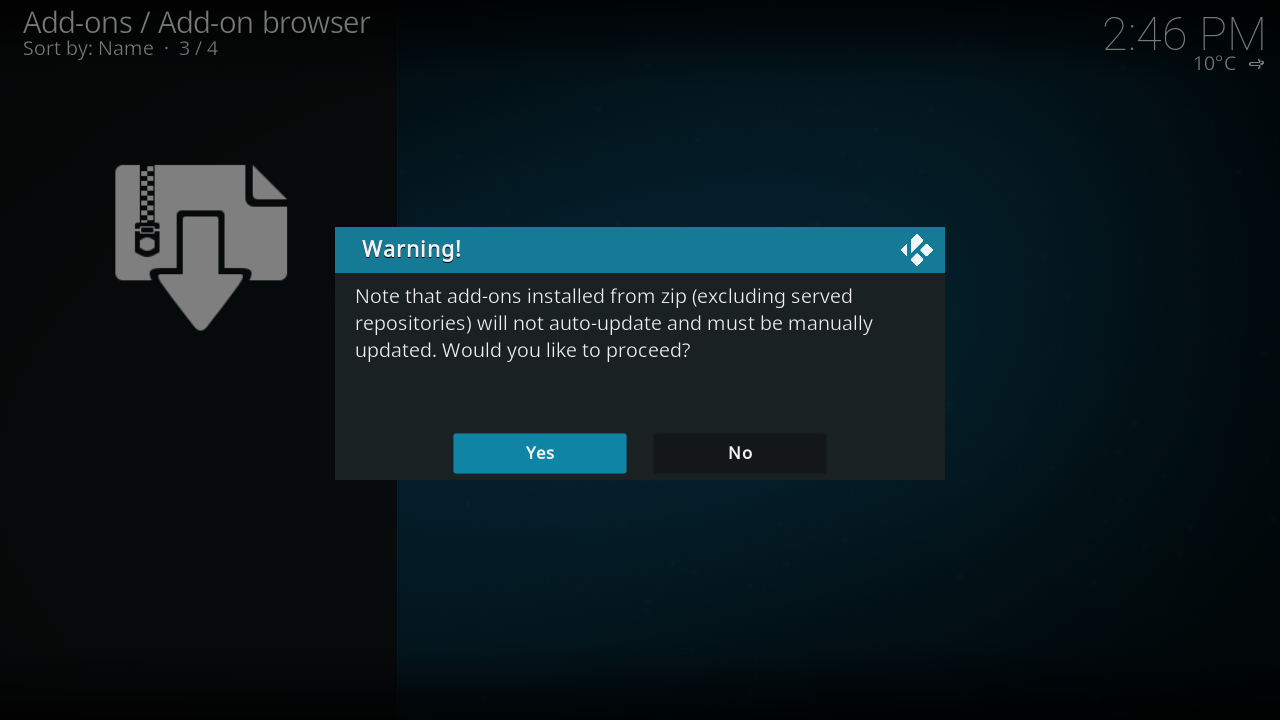 Step 6: You will now be presented with a warning about your add-on not being updated unless the update is hosted in a repository on a remote server.
 -
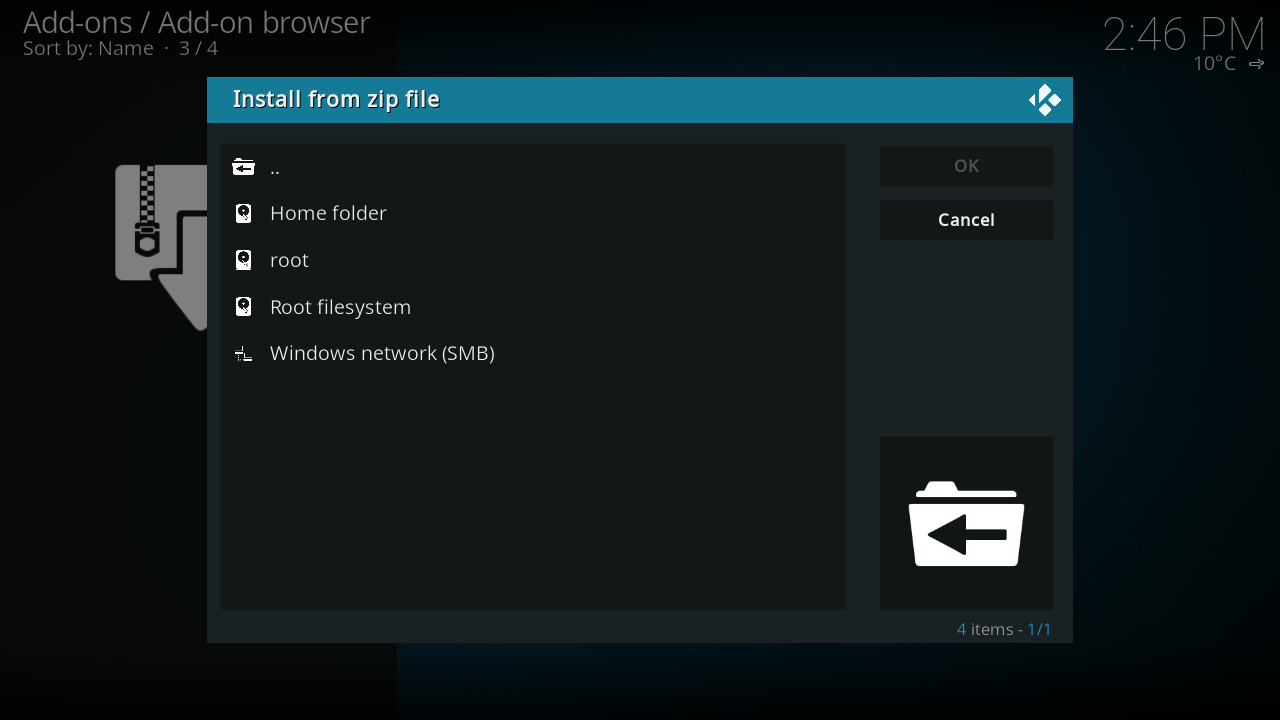 Step 7: You will now be presented with a browser window where you can navigate to where your zip file is stored. Your zip file can be stored anywhere your device has access to and can be either on local storage or a network share.
 -
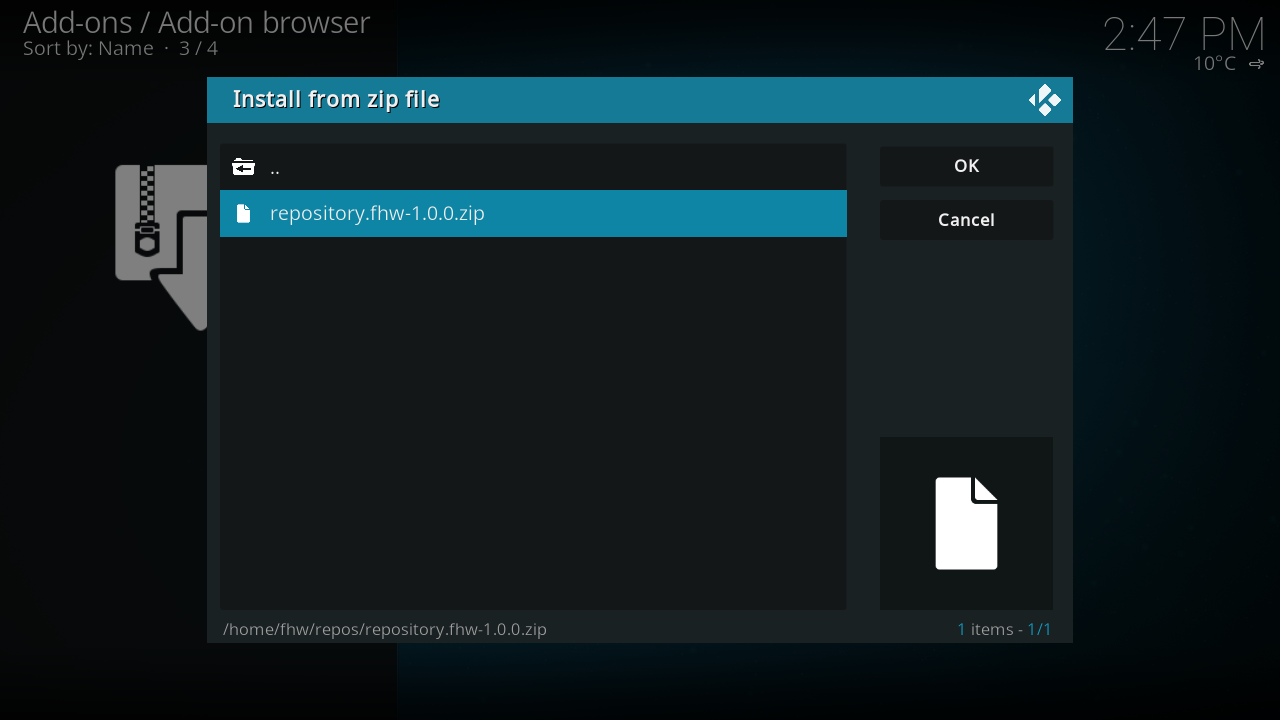 Step 8: Once you have navigated to the zip file you want installed, select it then select OK. After your add-on and any dependencies have finished installing you will be able to use it. Note: If you have issues with the add-on installing or after installing it does not work as intended, you will need to contact the Add-on Author.


Select your language add-on in Kodi's settings
Go to Settings → Appearance → International → Language and you should then see new language options based on what language add-ons you installed by zip.