Archive:Share libraries using UPnP: Difference between revisions
Jump to navigation
Jump to search
No edit summary |
No edit summary |
||
| Line 21: | Line 21: | ||
{{youtube|EYX-8FrB1DM}} | {{youtube|EYX-8FrB1DM}} | ||
[[Category:XBMC Manual]] | |||
[[Category:How-to]] | [[Category:How-to]] | ||
[[Category:UPnP]] | [[Category:UPnP]] | ||
[[Category:Video library]] | [[Category:Video library]] | ||
[[Category:Music library]] | [[Category:Music library]] | ||
Revision as of 03:56, 23 May 2014

|
 UPnP Syncing and sharing UPnP Syncing and sharing |
Share libraries using UPnP
|
- For a more complex method of sharing using MySQL see MySQL
UPnP sharing between two XBMC devices is the easiest way to share a library. You can also share multiple libraries, one from each XBMC device, to all the other XBMC devices on the same network. UPnP also takes care of file sharing, so you do not need to do anything extra even if your files are added locally to XBMC.
- For XBMC device A (the "server") go to:
- If using XBMC v11 "Eden": Settings → Network → Services
- If using XBMC v12 "Frodo": Settings → Services → UPnP
- Enable the UPnP server (Share video and music libraries through UPnP)
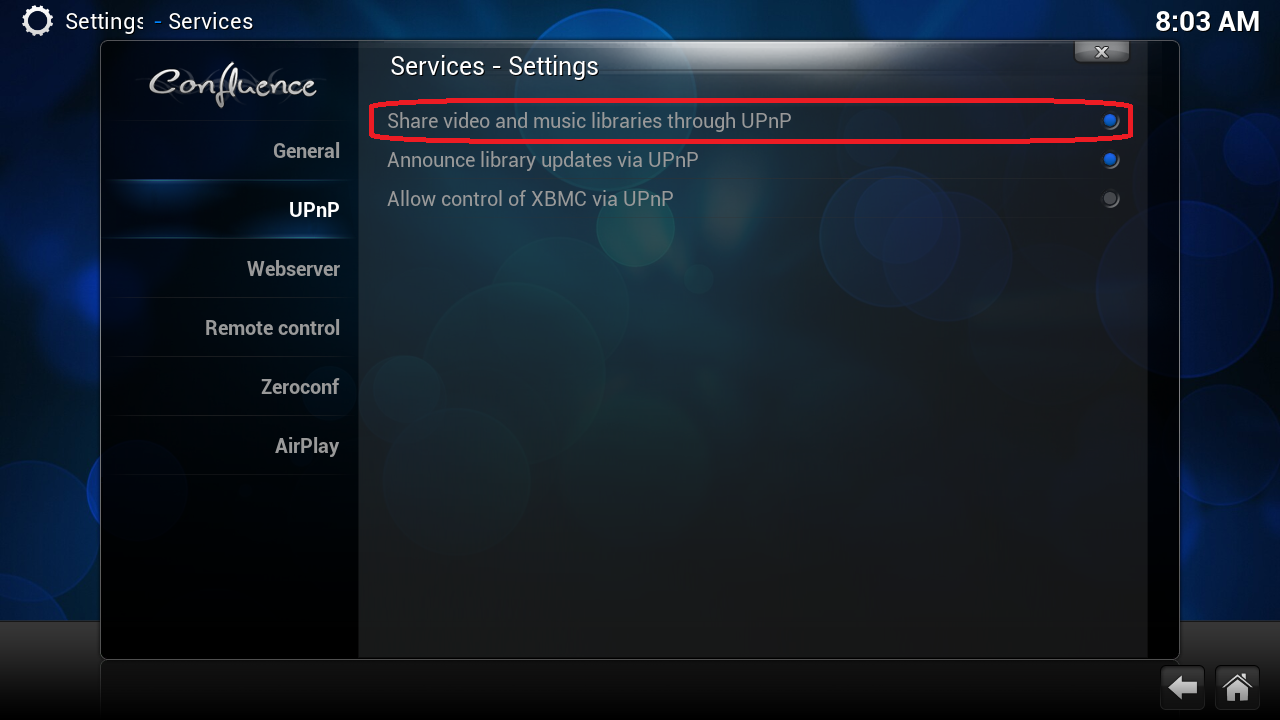
- For XBMC device B (the "client") you will add device A as a media source: Videos → Files → Add Videos... → Browse → (scroll down to) UPnP Devices
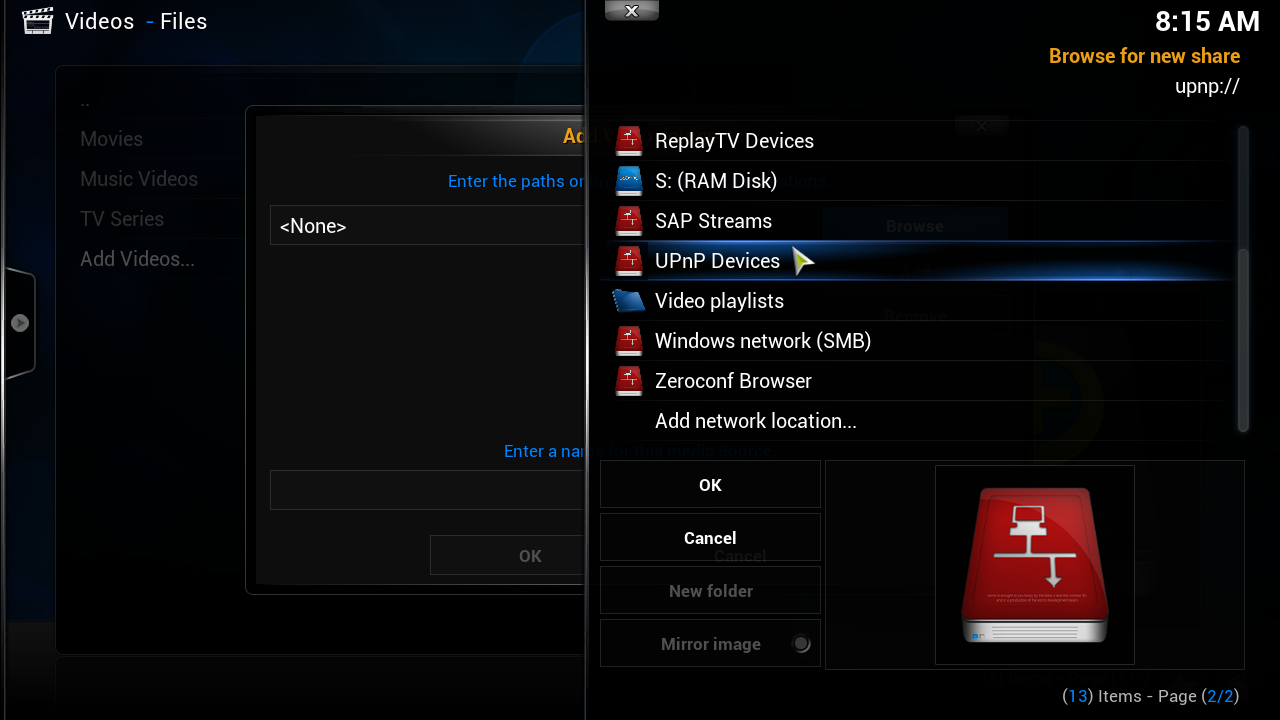
- XBMC A show up there. Open the share and then hit OK.
- Give the new video source from XBMC A a name.
- You should now be able to see everything as it is set up on XBMC A on XBMC B.


Other guides
Video guides
- UPnP sharing (as seen in XBMC v12, Frodo)