Line 1:
Line 1:
{{bigger|This category contains the settings for audio & subtitle language}}
__TOC__
__TOC__
Revision as of 13:03, 20 July 2017
This category contains the settings for audio & subtitle language
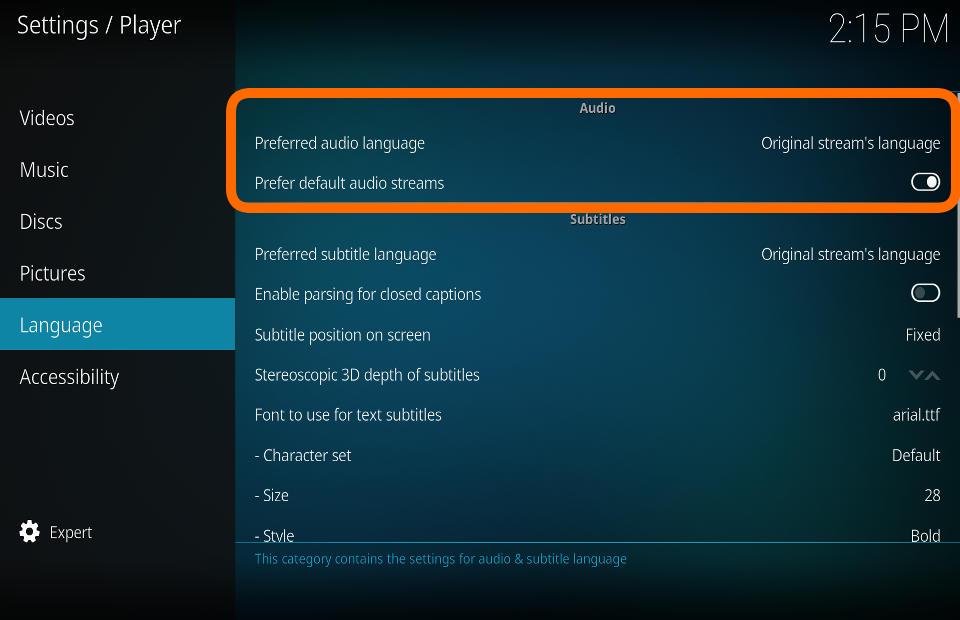
Audio Preferred Audio Language
Settings level: Basic
Description:
Defaults to the selected audio language if more than one language is available
Prefer default audio streams
Settings level: Standard
Description:
If enabled, audio streams that are flagged as default (and match the preferred language) are preferred over audio streams with higher quality (number of channels, codec, ...)
Subtitles File:Player language subtitles.jpg Preferred Subtitle Language
Settings level: Basic
Description:
Defaults to the selected subtitle language if more than one language is available
Enable parsing for closed captions
Settings level: Standard
Description:
Enable to parse for CC in video streams. Puts slightly more load on the CPU.
Subtitle position on screen
Settings level: Advanced
Description:
Location of subtitles on screen. Options are: Fixed, Bottom of video, Below video, Top of video, Above video
Stereoscopic 3D depth of subtitles
Settings level: Advanced
Description:
Sets the visual depth of subtitles for stereoscopic 3D videos. The higher the value, the closer the subtitles will appear to the viewer.
Font to use for text subtitles
Settings level: Standard
Description:
Set the font type to be used for text based (usually downloaded) subtitles.
Size
Settings level: Expert
Description:
Set the font size to be used for subtitles.
Style
Settings level: Expert
Description:
Set the font style to be used for subtitles.
Colour
Settings level: Expert
Description:
Set the font colour to be used for subtitles.
Character set
Settings level: Standard
Description:
Set the font character set to be used for subtitles
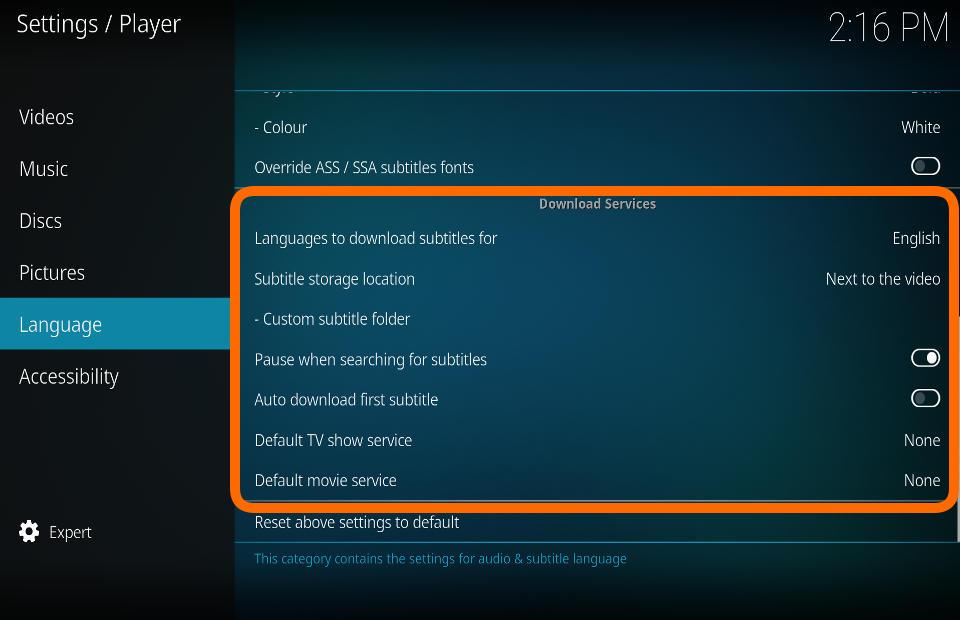
Download Services Languages to download subtitles for
Settings level: Standard
Description:
Set languages to use when searching for subtitles. Note: Not all subtitle services will use all languages.
Subtitle storage location
Settings level: Advanced
Description:
Specify where downloaded subtitles should be saved, the same location as the video or a custom location.
Custom subtitle folder
Settings level: Advanced
Description:
Set a custom directory for your subtitles. This can be a file share.
Pause when searching for subtitles
Settings level: Advanced
Description:
Pause the current video while searching for subtitles and resume once the subtitle is available.
Auto download first subtitle
Settings level: Advanced
Description:
Automatically download first subtitle from the search result list.
Default TV service
Settings level: Standard
Description:
Select the service that will be used as default to search for TV-show subtitles.
Default movie service
Settings level: Standard
Description:
Select the service that will be used as default to search for movie subtitles.