HOW-TO:PlayStation 4 controller: Difference between revisions
Jump to navigation
Jump to search
Add categories |
Move images into galleries |
||
| Line 7: | Line 7: | ||
== | == Symptom == | ||
<gallery widths=360px heights=180px> | |||
File:Mapping a trigger.jpg|First, Kodi prompts you to press Left Trigger | |||
File:Trigger was skipped 2.jpg|Pressing Left Trigger causes Right Trigger to be skipped | |||
</gallery> | |||
== Solution == | |||
<gallery widths=360px heights=180px> | |||
File:Ignore input.jpg|Use the "Ignore Input" utility to ignore the extra button presses | |||
File:Ignore input dialog.jpg|When the dialog opens, press both triggers LIGHTLY | |||
File:Buttons were ignored.jpg|When the number shows up, release the trigger | |||
</gallery> | |||
If you continue pressing the trigger after the button is detected, it will ignore the axis too. In this case, the trigger can't be mapped at all. Simply cancel the dialog and try again. | |||
If you continue pressing the trigger after the button is detected, it will ignore the axis too. In this case, the trigger can't be mapped at all | |||
Once Kodi knows to ignore the digital button presses, the trigger's analog values can be mapped successfully. | Once Kodi knows to ignore the digital button presses, the trigger's analog values can be mapped successfully. | ||
Revision as of 08:24, 10 February 2017

|
 Remote controls Games Remote controls Games |
Game controllers |
HOW-TO:PlayStation 4 controller
|
The PlayStation 4 controller has a quirk where triggers send both a digital button press and an analog value. This causes problems when mapping triggers in the controller window.
The steps here are also documented in the article HOW-TO:Fix buttons skipped while mapping.
Symptom
-
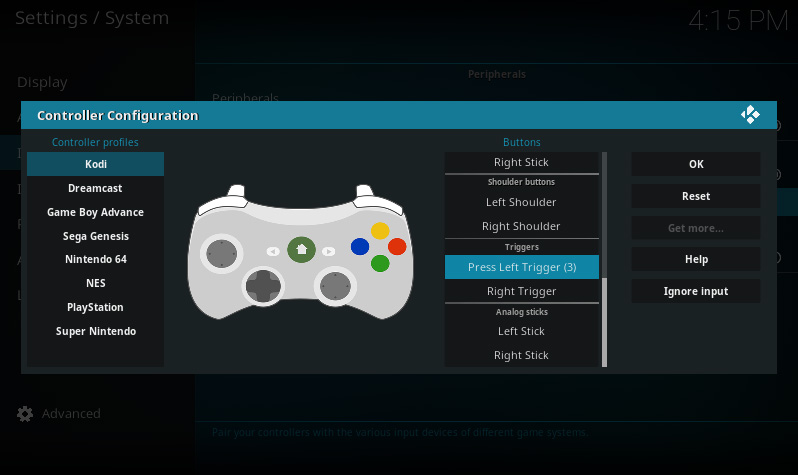 First, Kodi prompts you to press Left Trigger
 -
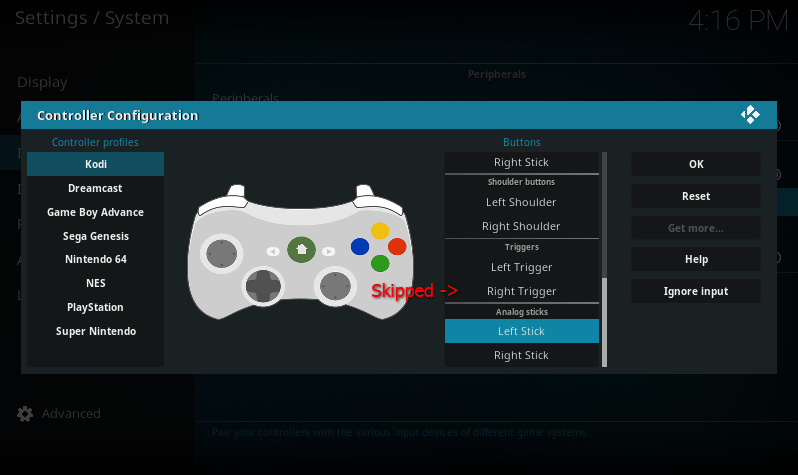 Pressing Left Trigger causes Right Trigger to be skipped


Solution
-
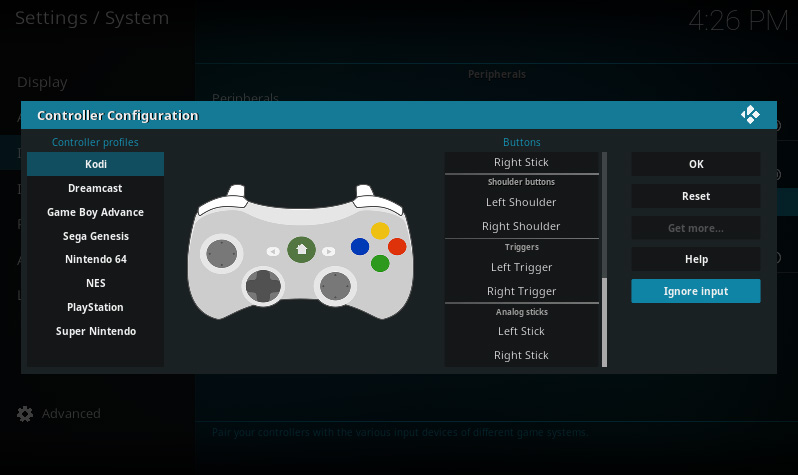 Use the "Ignore Input" utility to ignore the extra button presses
 -
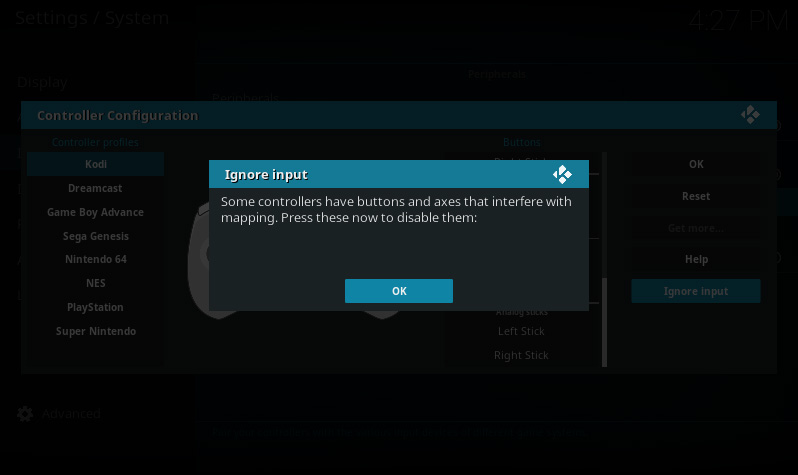 When the dialog opens, press both triggers LIGHTLY
 -
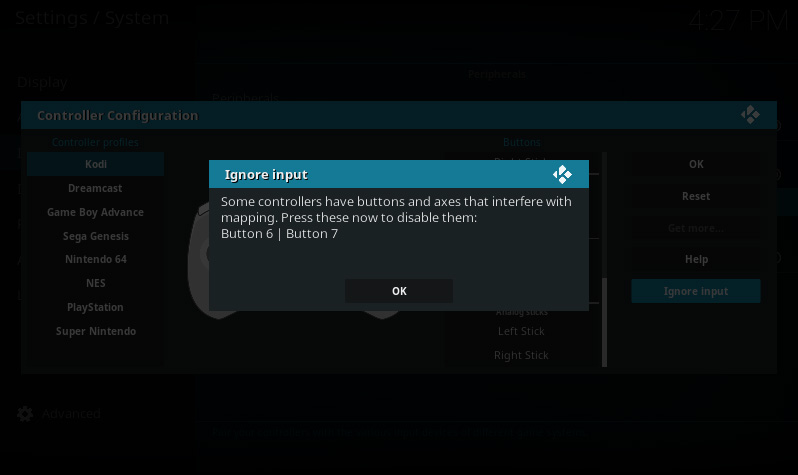 When the number shows up, release the trigger


If you continue pressing the trigger after the button is detected, it will ignore the axis too. In this case, the trigger can't be mapped at all. Simply cancel the dialog and try again.
Once Kodi knows to ignore the digital button presses, the trigger's analog values can be mapped successfully.