Archive:UPnP/Media source: Difference between revisions
I really need to fix the spacing in the skin so this doesn't have to be done manually |
No edit summary |
||
| Line 1: | Line 1: | ||
{{see also|UPnP/Server|HOW-TO:Share libraries using UPnP}} | {{Frodo updated}}{{see also|UPnP/Server|HOW-TO:Share libraries using UPnP}} | ||
UPnP media sharing is an extremely easy method of sharing your media (pictures/video/audio) on your network as it features automatic-discovery and does not require any configuration. | UPnP media sharing is an extremely easy method of sharing your media (pictures/video/audio) on your network as it features automatic-discovery and does not require any configuration. | ||
Revision as of 08:15, 8 February 2013
UPnP media sharing is an extremely easy method of sharing your media (pictures/video/audio) on your network as it features automatic-discovery and does not require any configuration.
A UPnP AV media server is the UPnP-server (a 'master' device) that provides media library information and streams media-data (like audio/video/picture/files) to UPnP-clients on the network. It is a computer system or a similar digital appliance that stores digital media, such as photographs, movies, or music and shares these with other devices.
UPnP AV media servers provide a service to UPnP AV client devices, so called control points, for browsing the media content of the server and request the media server to deliver a file to the control point for playback.
UPnP media servers are available for most operating systems and many hardware platforms. UPnP AV media servers can either be categorized as software-based or hardware-based. Software-based UPnP AV media servers can be run on a PC. Hardware-based UPnP AV media servers may run on any NAS devices or any specific hardware for delivering media, such as a DVR. As of May 2008, there were more software-based UPnP AV media servers than there were hardware-based servers.
Currently, due to technical limitations (dynamic file paths) UPnP file sources can't be scanned into the library. However, as many UPnP servers can also provide metadata as well as the files themselves, this may not be an issue.
Setting up UPnP file sources in XBMC
UPnP file sources can be used in videos, music, and pictures. Configuring UPnP file sources in XBMC is as easy as setting up any other type of file source, such as SMB or NFS.
-
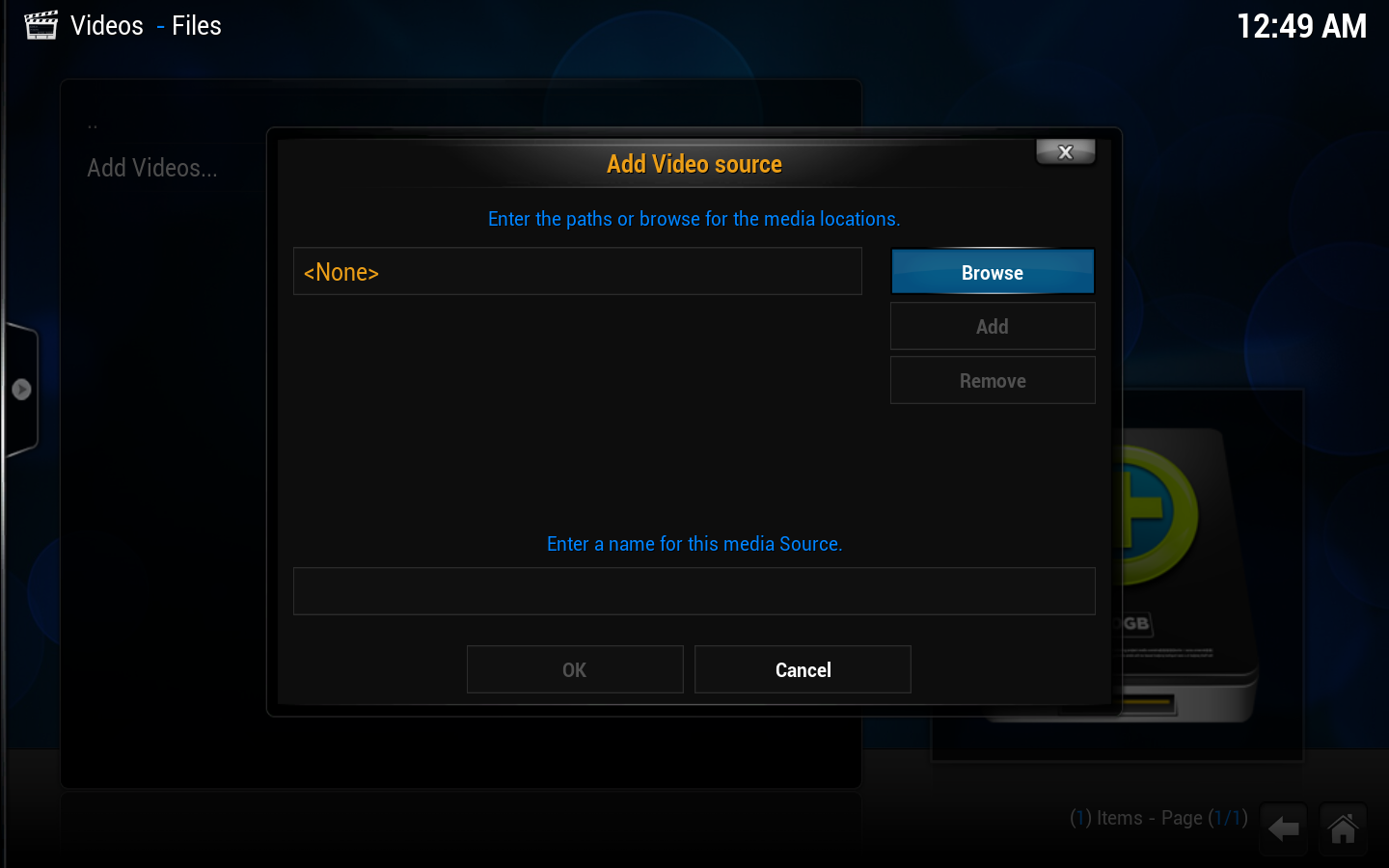 Step 1: Go into ether videos, music, or picture file views, depending on the content you want to add, and use the "add" button to bring up this window.
Step 2: Then click on the "browse button" on the right hand side. -
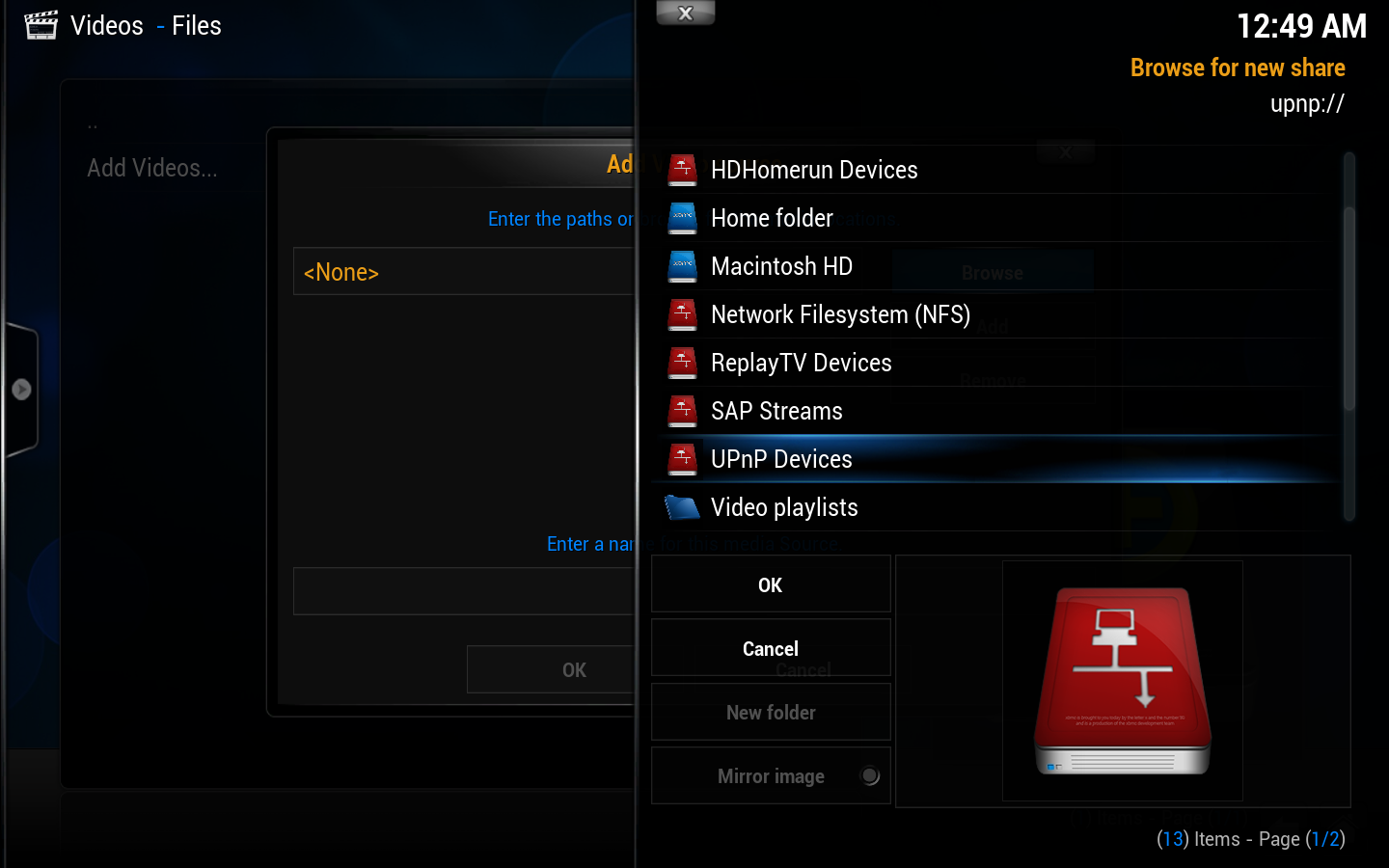 Step 3: This new window will pop up. Scroll down and select "UPnP Devices"
 -
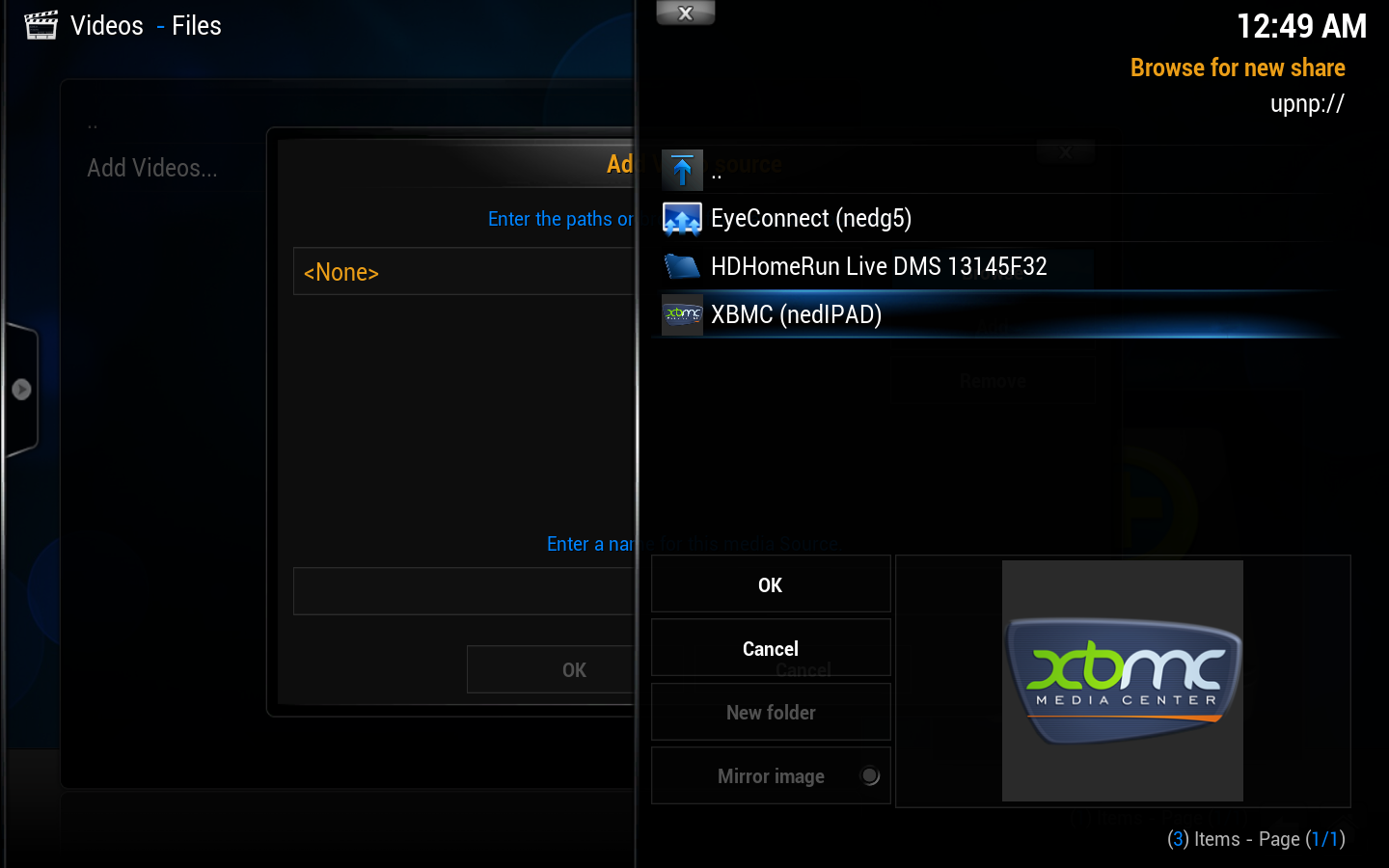 Step 4: All available UPnP servers on your network should show up here. If a source/server doesn't show up, it might be blocked by one of the other UPnP servers due to a misconfiguration. Select the source you wish to add.
 -
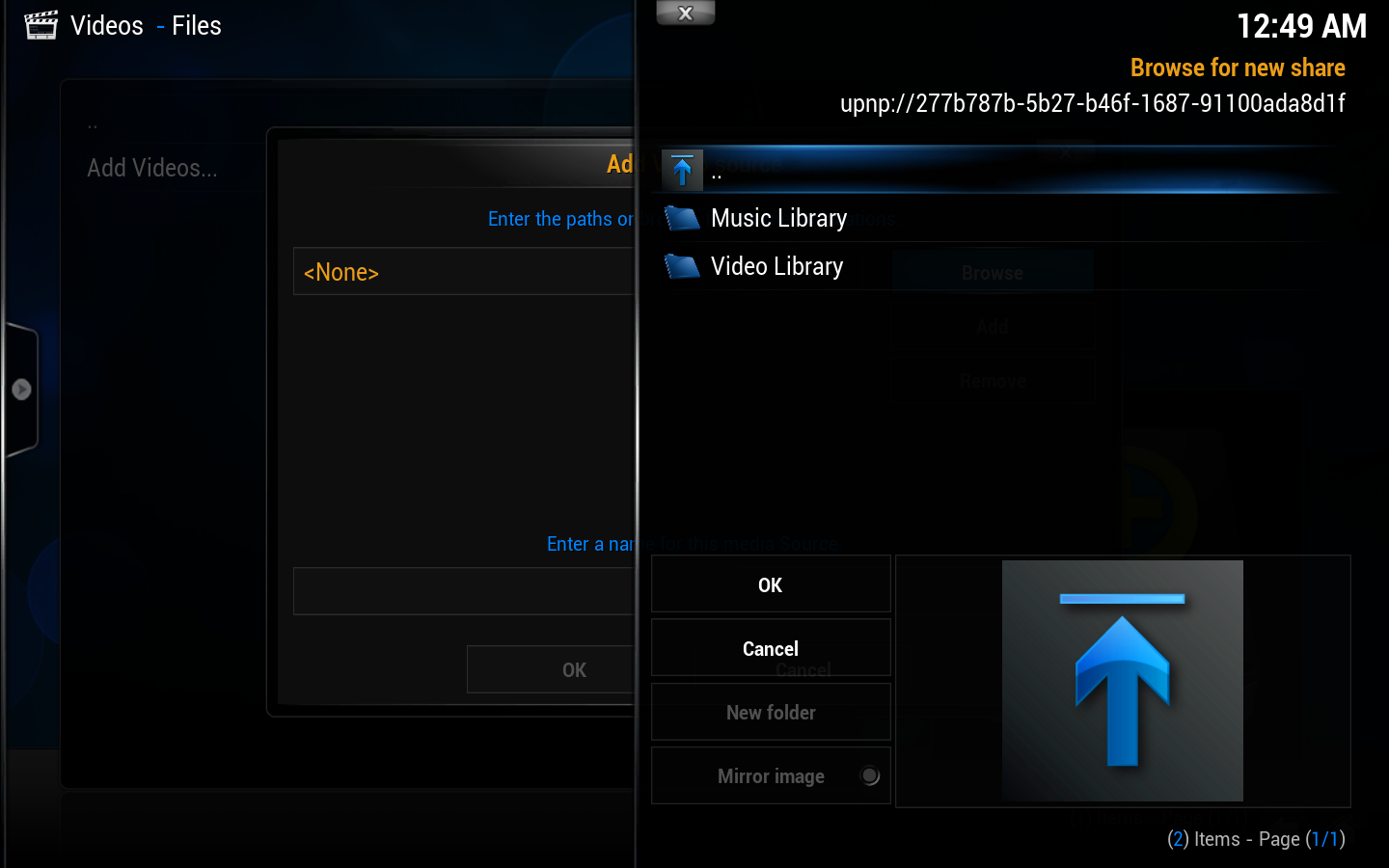 Step 5: The file source will open up and you'll see any folders inside. You will not see files at this point, which is normal. Select "OK".
 -
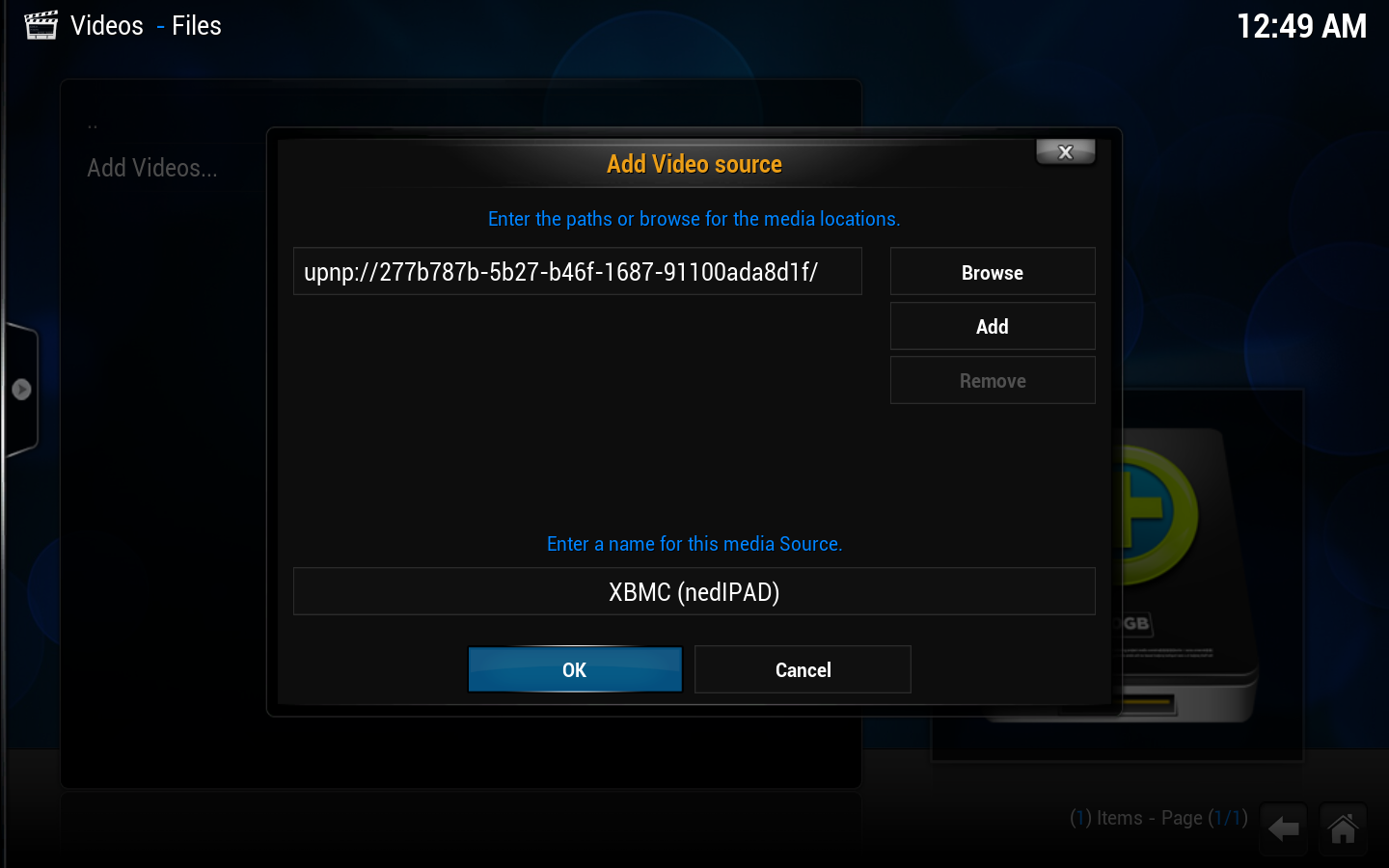 Step 6: You can now change the name of the file source if you wish. When you are done select "OK".
 -
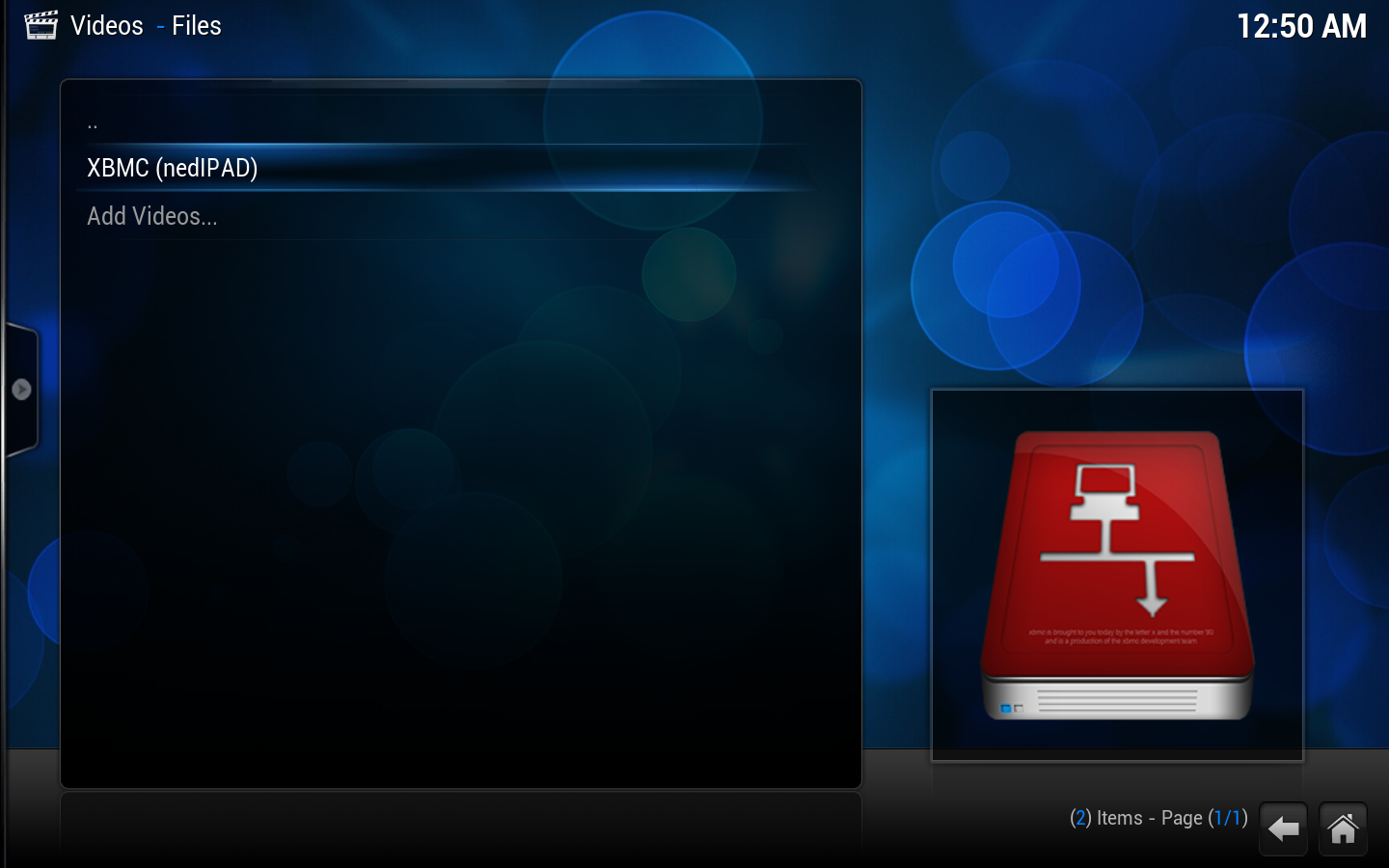 Step 7: The new UPnP file source is ready to use, next to the other sources (if you've added any) in the file view.


