Skin settings for the default XBMC skin, Confluence.
==General settings==
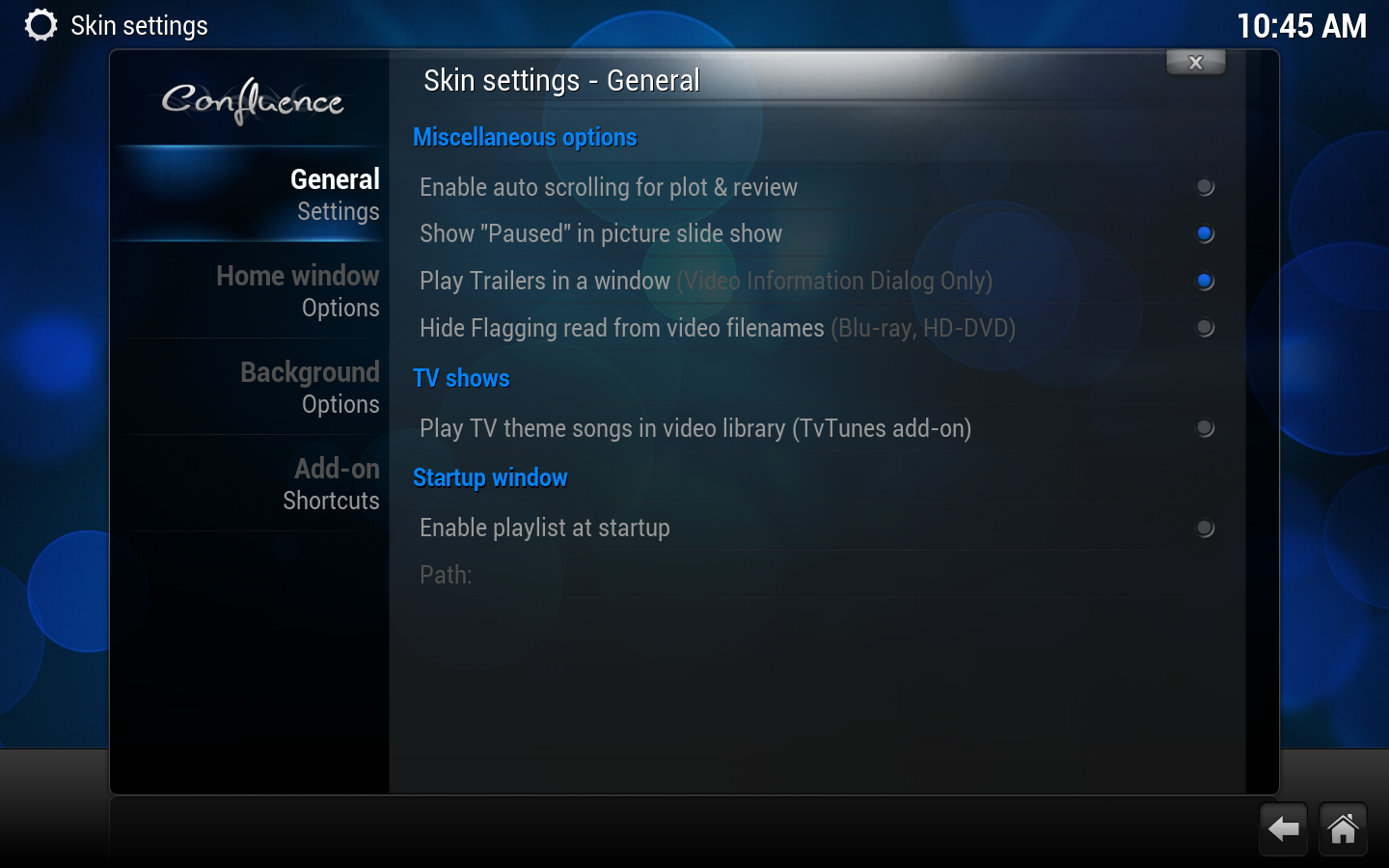
[[File:Conf Skin General 1.png|500px|right]]
===Miscellaneous options===
;Enable Auto Scrolling for plot & review
:Enables automatic page scrolling in information dialogs.
;Make watched filtering a toggle in video library.
:Changes the [[Video Library#Navigating your Library|watched status]] control to a toggle on/off rather than the standard 3 option cycle (Unwatched, Watched, All).
===TV shows===
;Use "Posters" instead of "Banners" for TV Shows.
:Uses poster style thumbs for TV shows, instead of the default wide banner icons.
===Startup window===
;Enable Playlist at Startup
:Runs any supported playlist at startup.
===Background===
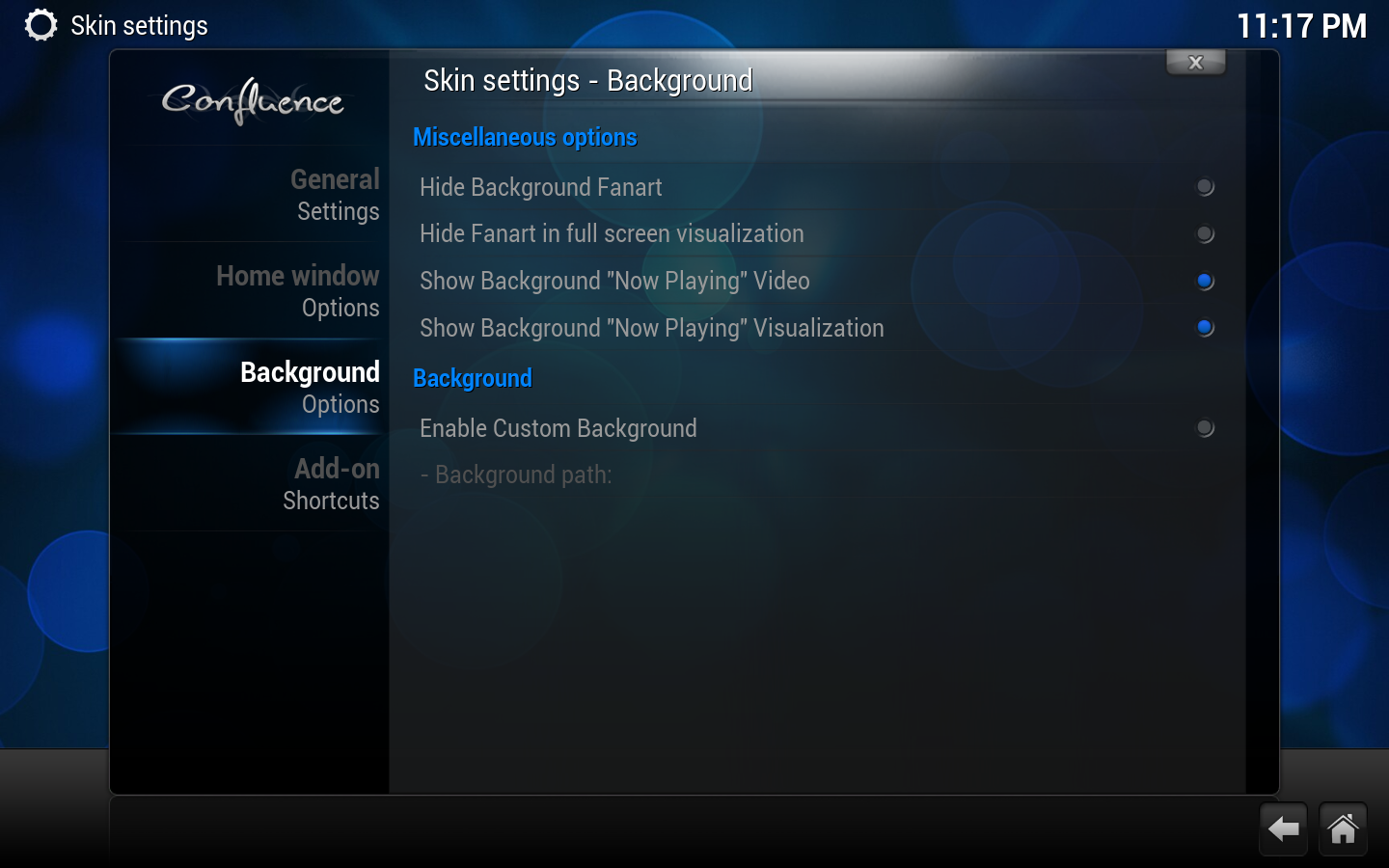
;Enable Custom Background
:Allows a custome background picture.
==Home window options==
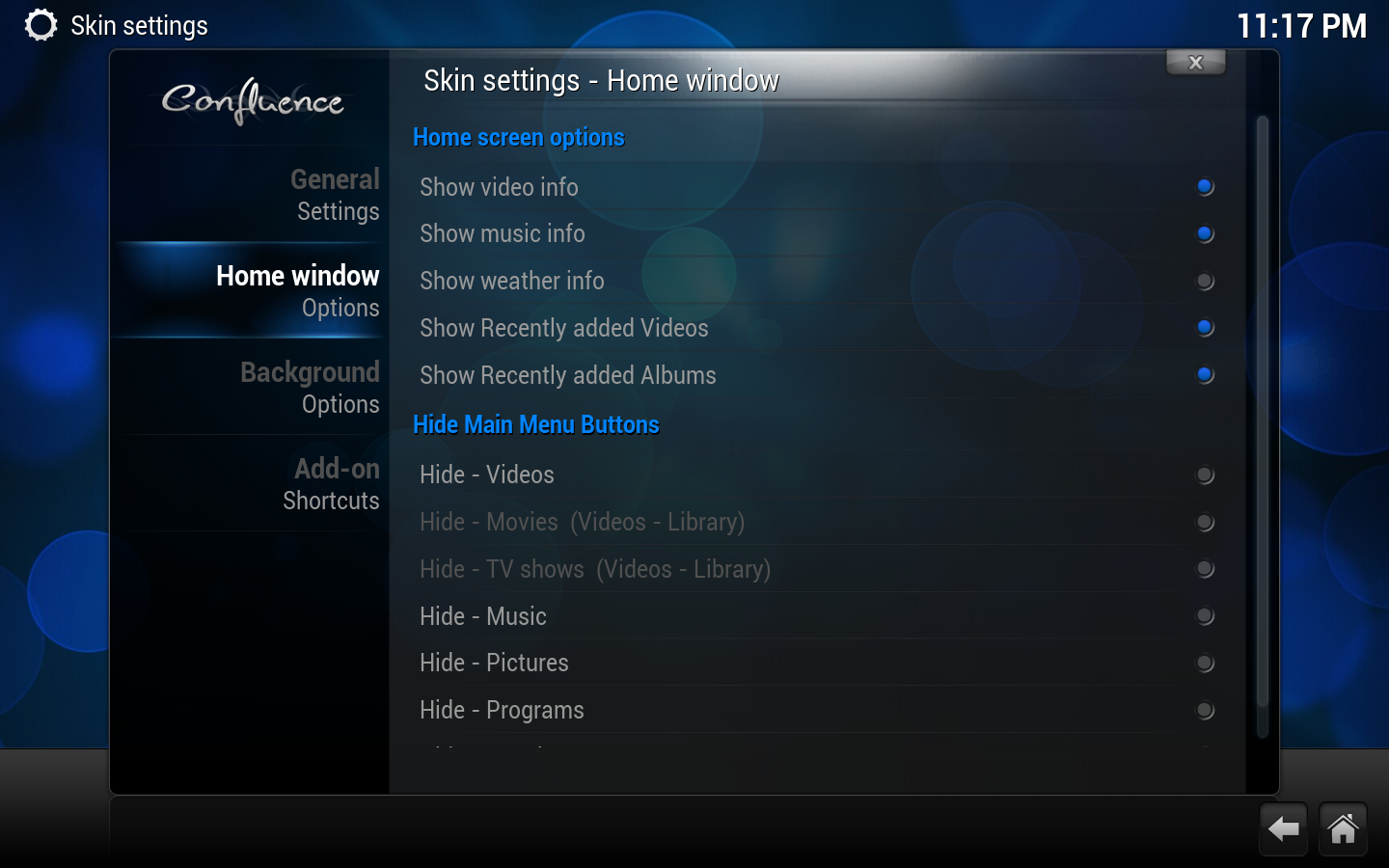
[[File:Conf Skin Home window 1.png|500px|right]]
;Disable RSS during Music
:Disables RSS feeds during music playback.
;Show Video Info
:Shows info on video playing when on the Home Window.
;Show Music info
:Shows info on music playing when on the Home Window.
;Show Weather info
:Shows info on Weather when on the Weather button of the Home Window.
;Show System info
:Shows System info when on the Settings button of the Home Window.
'''Show Available Disc Space C: E: F:'''
:Shows Disc free space when on the Filemanager button of the Home Window.
'''Show Available Disc Space E: F: G:'''
:Shows Disc free space when on the Filemanager button of the Home Window (if a G: partition exists).
==Background customizer==
[[File:Conf Skin Background.png|500px|right]]
==Add-on shortcuts==
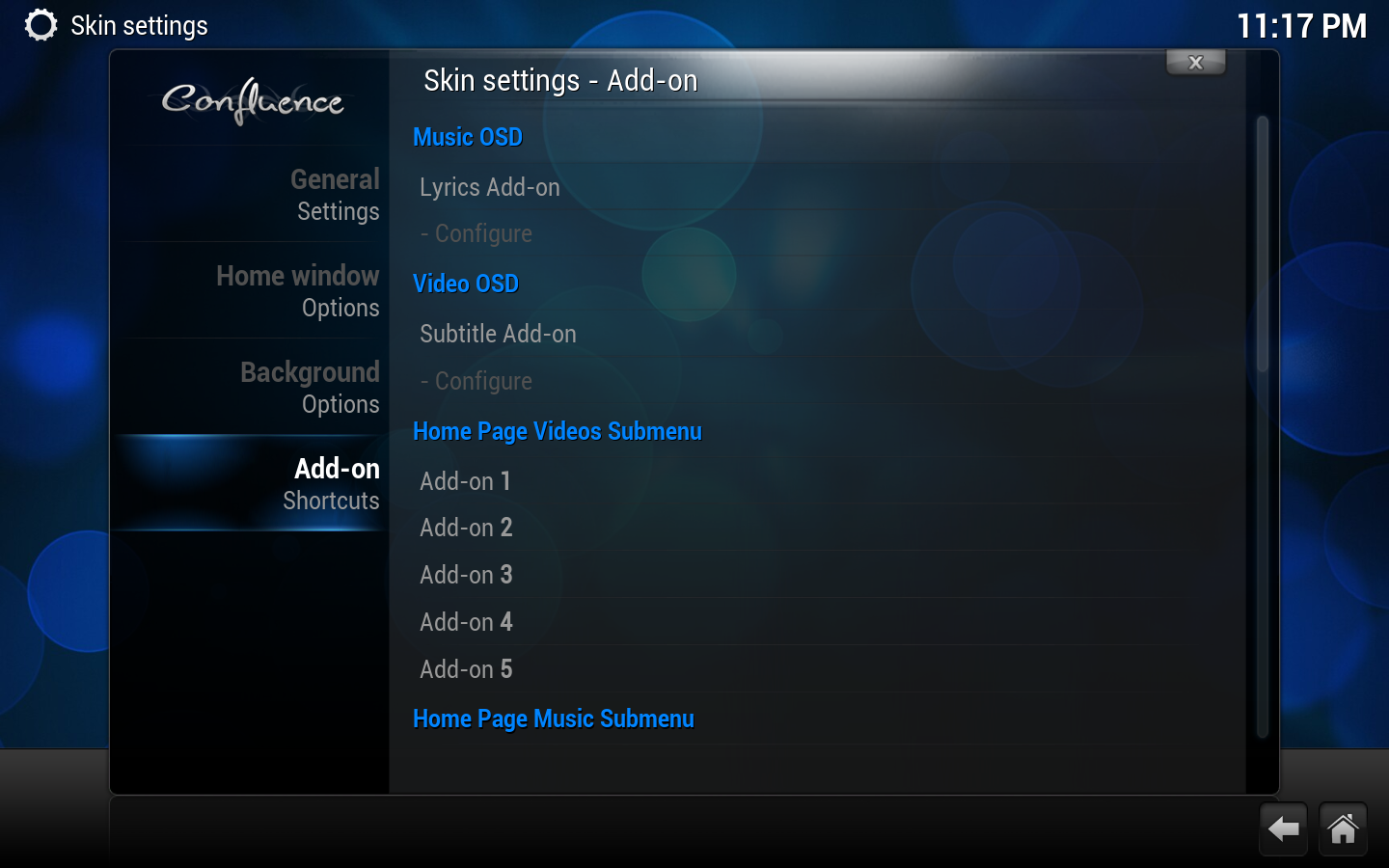
[[File:Conf Skin Add-on 1.png|500px|right]]
[[Category:XBMC Manual]]
[[Category:Settings]]
Revision as of 01:30, 18 June 2012
Skin settings for the default XBMC skin, Confluence.