HOW-TO:Install Kodi for iOS
The current stable release of XBMC for iOS is v11 (Eden).
- Requirements
- To install XBMC for iOS you must have a jailbroken iDevice running iOS 4.x or higher.
- For hardware: iPad 1, iPad 2, iPhone 3GS, iPhone 4, iPhone 4S, iPod touch 3rd gen (16GB and 32GB models only), iPod touch 4th gen.
- If you have any issues, be sure to read the iOS FAQ!
Installing from Cydia
-
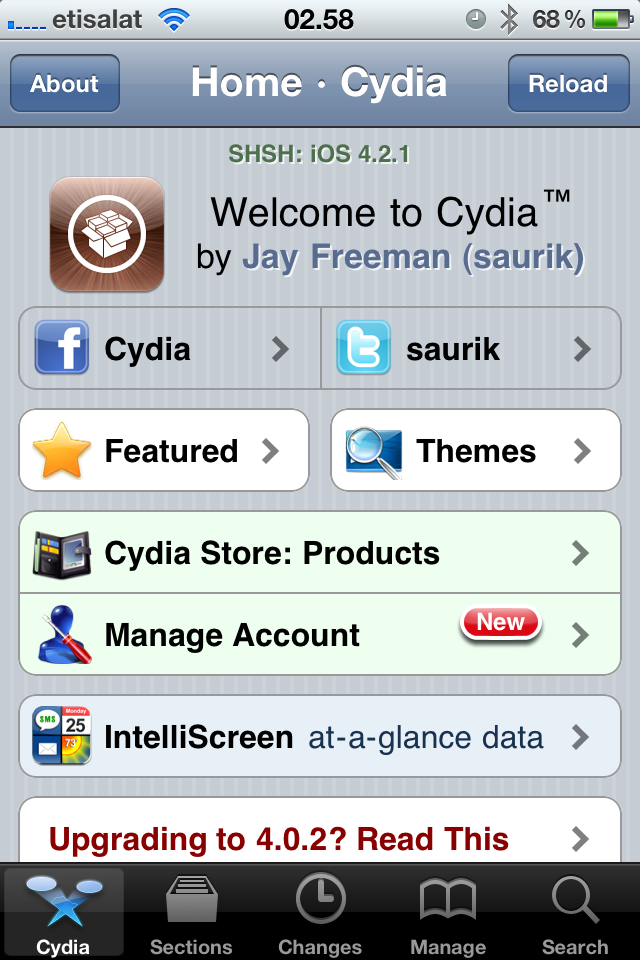 Step 1: Tap the Cydia icon on your homescreen.
 -
Step 2-iPhone: Manage - > Sources -> Edit -> Add
Step 2-iPad: Sources -> Edit -> Add
Step 3: Type in http://mirrors.xbmc.org/apt/ios/ -
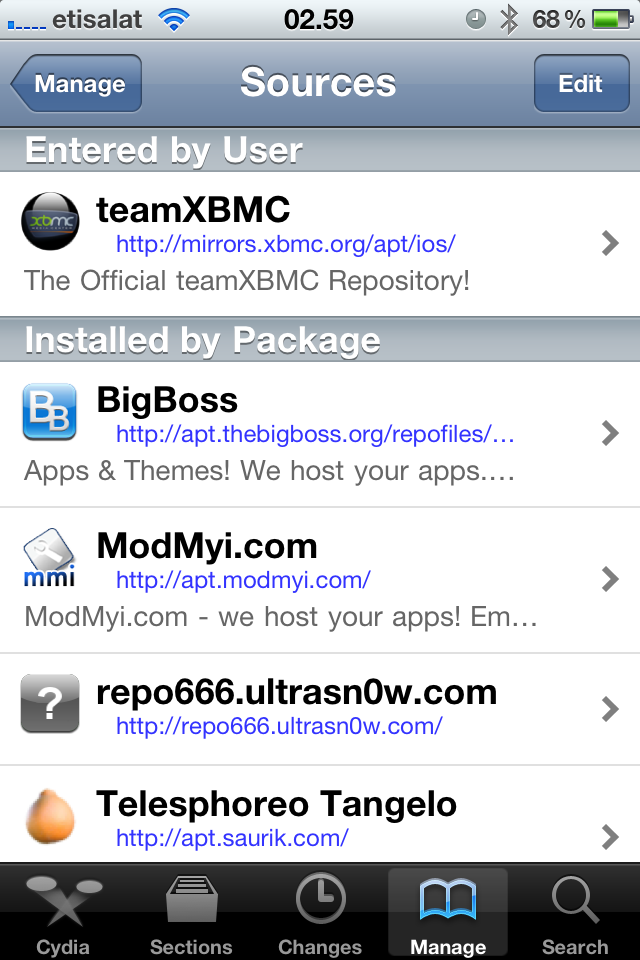 Step 4: Tap on the teamXBMC source.
 -
Step 5: Tap on the XBMC-iOS icon.
-
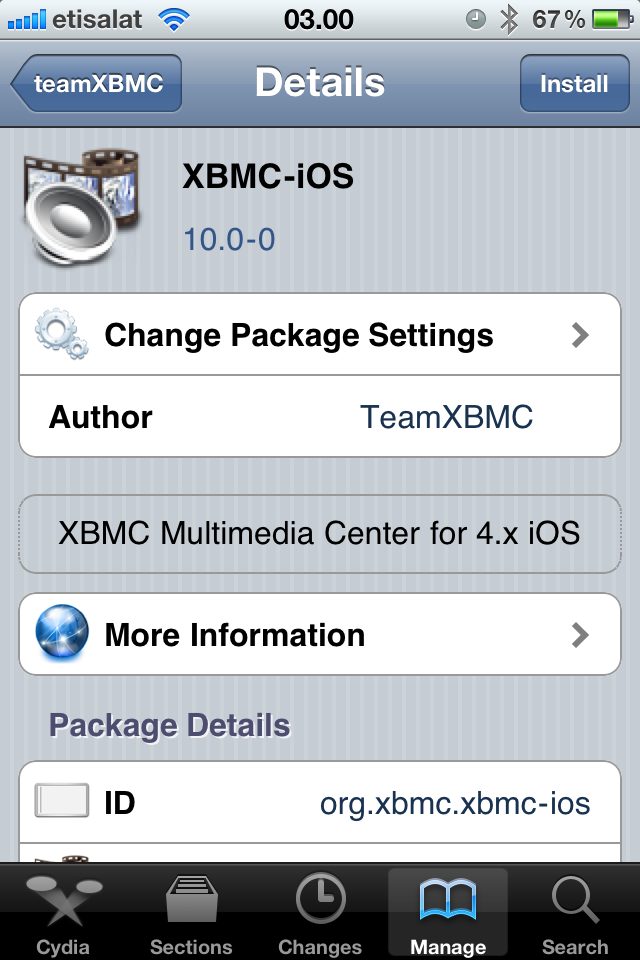 Step 6: Tap install, then confirm.
 -
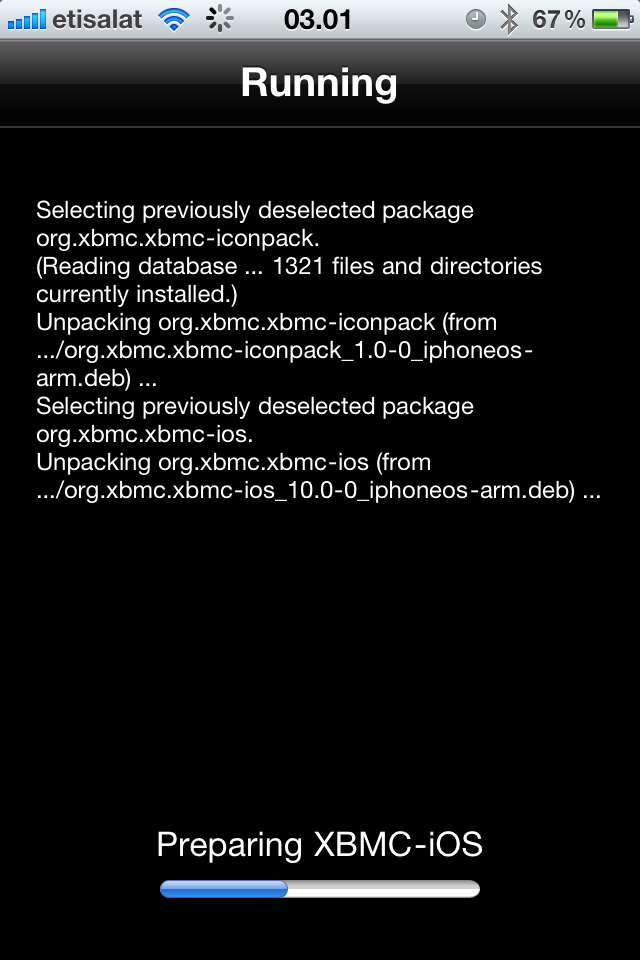 Step 7: Let it install, then exit Cydia. You should now have a new XBMC icon on your screen.


And you're done! You should now be running XBMC v11 (Eden) for Apple TV 2. See here to verify your XBMC version.
Updating
Updates for stable releases of XBMC are handled by Cydia and will show up in the "Changes" section when available.
Nightly builds
Installing from the command line

|
INCOMPLETE: This page or section is incomplete. Please add information or correct uncertain data which is marked with a ? |
Installing from a GUI
|
|
INCOMPLETE: This page or section is incomplete. Please add information or correct uncertain data which is marked with a ? |
Uninstalling
|
|
INCOMPLETE: This page or section is incomplete. Please add information or correct uncertain data which is marked with a ? |