This category contains the general settings for the PVR & Live TV.
Channels
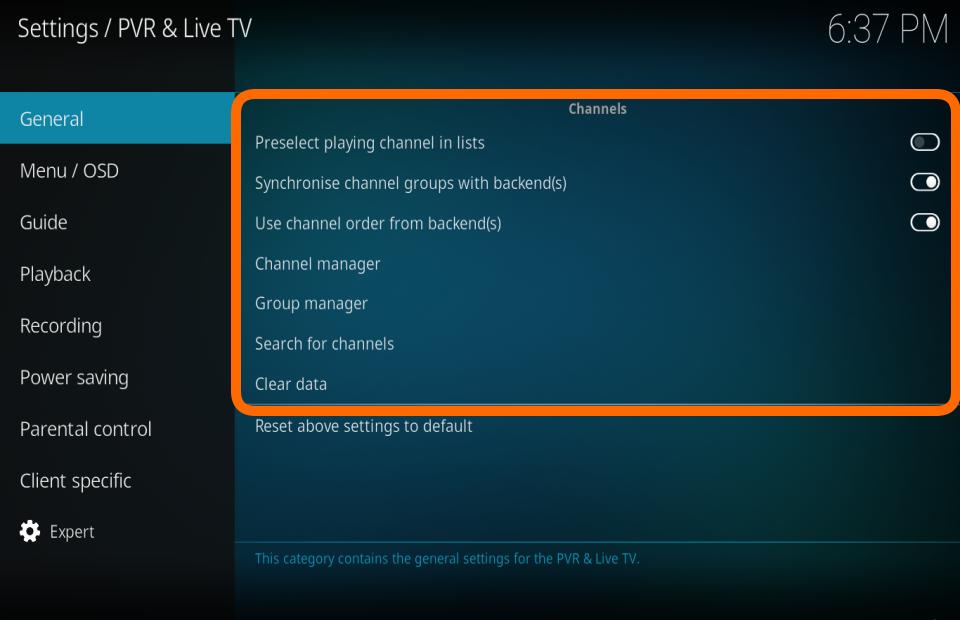
Preselect playing channel in lists
| Settings level:
|
Standard
|
| Description:
|
Preselect the playing channel in windows and dialogs containing channel lists. If enabled and there is a playing channel, the playing channel will be selected when opening a window or dialog containing a channel list. If disabled, the channel previously selected in a window or dialog will be selected when opening a window containing a channel list.
|
Synchronise channel groups with backends
| Settings level:
|
Standard
|
| Description:
|
Imports channel groups from the backend (if supported). Will delete user created groups if they're not found on the backend.
|
Use channel order from the backend(s)
| Settings level:
|
Advanced
|
| Description:
|
Sorts the channels by channel number on the server, but uses Kodi's own numbering for channels.
|
Use channels number from backend
| Settings level:
|
Advanced
|
| Description:
|
Use the channel numbering from the backend, instead of configuring them manually in the channel manager. Only works with one enabled OVR add-on!
|
Channel manager
| Settings level:
|
Standard
|
| Description:
|
Opens the channel manager, which allows modifying the channel order, channel name, icon, etc.
|
Group manager
| Settings level:
|
Standard
|
| Description:
|
Opens the group manager, which allows modification of groups and their respective channels.
|
Search for channels
| Settings level:
|
Standard
|
| Description:
|
Instruct the backend to search for channels (if supported by the add-on and backend)
|
Clear data
| Settings level:
|
Standard
|
| Description:
|
Delete the databases for channels and guide and reimport the data from the backend afterwards.
|
