Archive:HOW-TO:Add local media sources on OUYA: Difference between revisions
Jump to navigation
Jump to search
No edit summary |
|||
| Line 1: | Line 1: | ||
{{mininav | {{mininav|[[OUYA]]|page={{FULLPAGENAME}} }} | ||
== Setup Local Library == | == Setup Local Library == | ||
Ouya has a bit different setup than normal Android devices with XBMC for adding local media, but is roughly the same. | Ouya has a bit different setup than normal Android devices with XBMC for adding local media, but is roughly the same. | ||
Revision as of 10:38, 4 April 2014

|
 OUYA OUYA |
Archive:HOW-TO:Add local media sources on OUYA
|
Setup Local Library
Ouya has a bit different setup than normal Android devices with XBMC for adding local media, but is roughly the same. No other app is needed beyond XBMC, Gotham Alpha 1 and libstagefright.
-
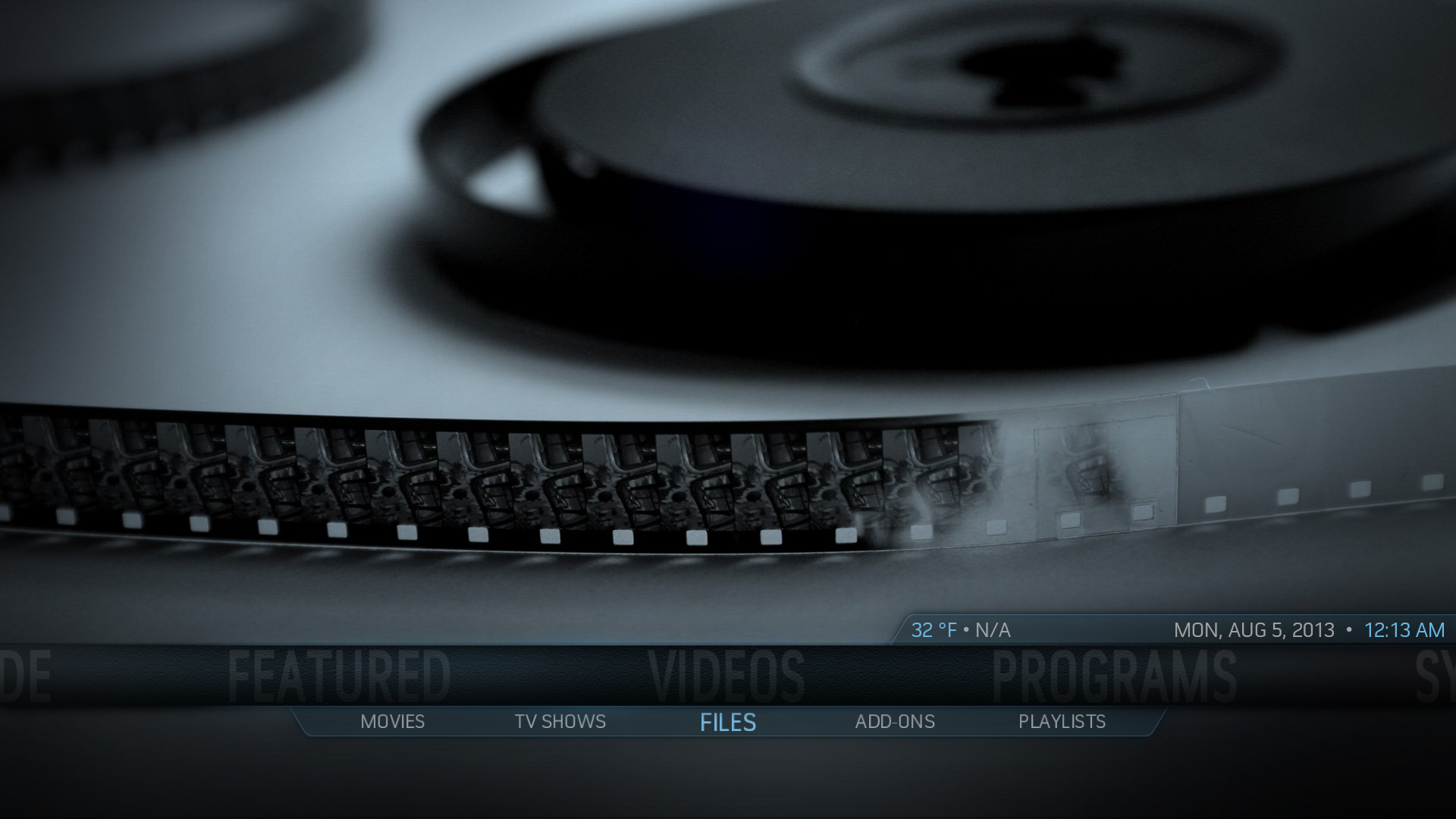 Step 1: In XBMC Go to Videos -> Files.
 -
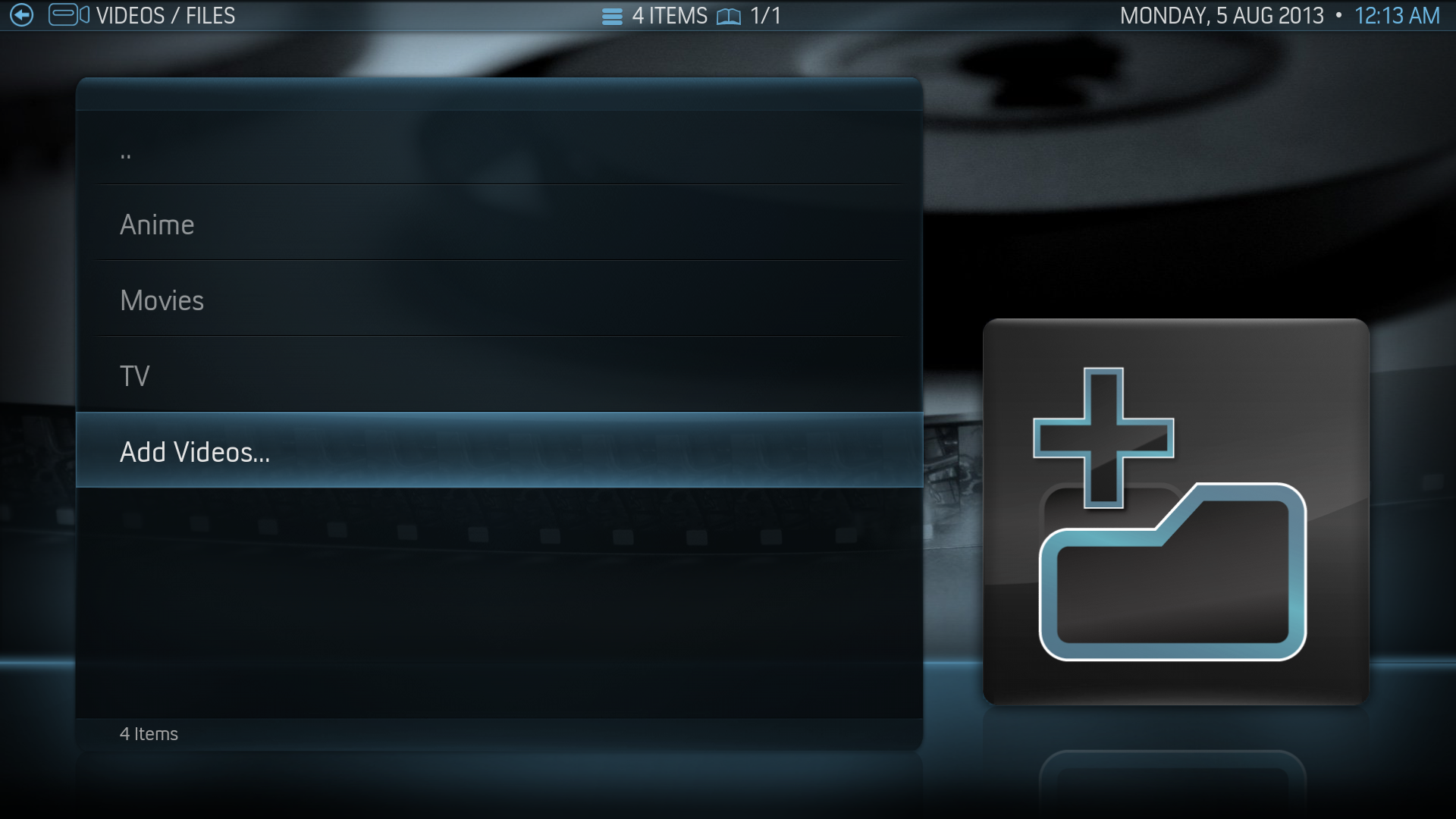 Step 2: Select “Add Videos” -> “Browse”
 -
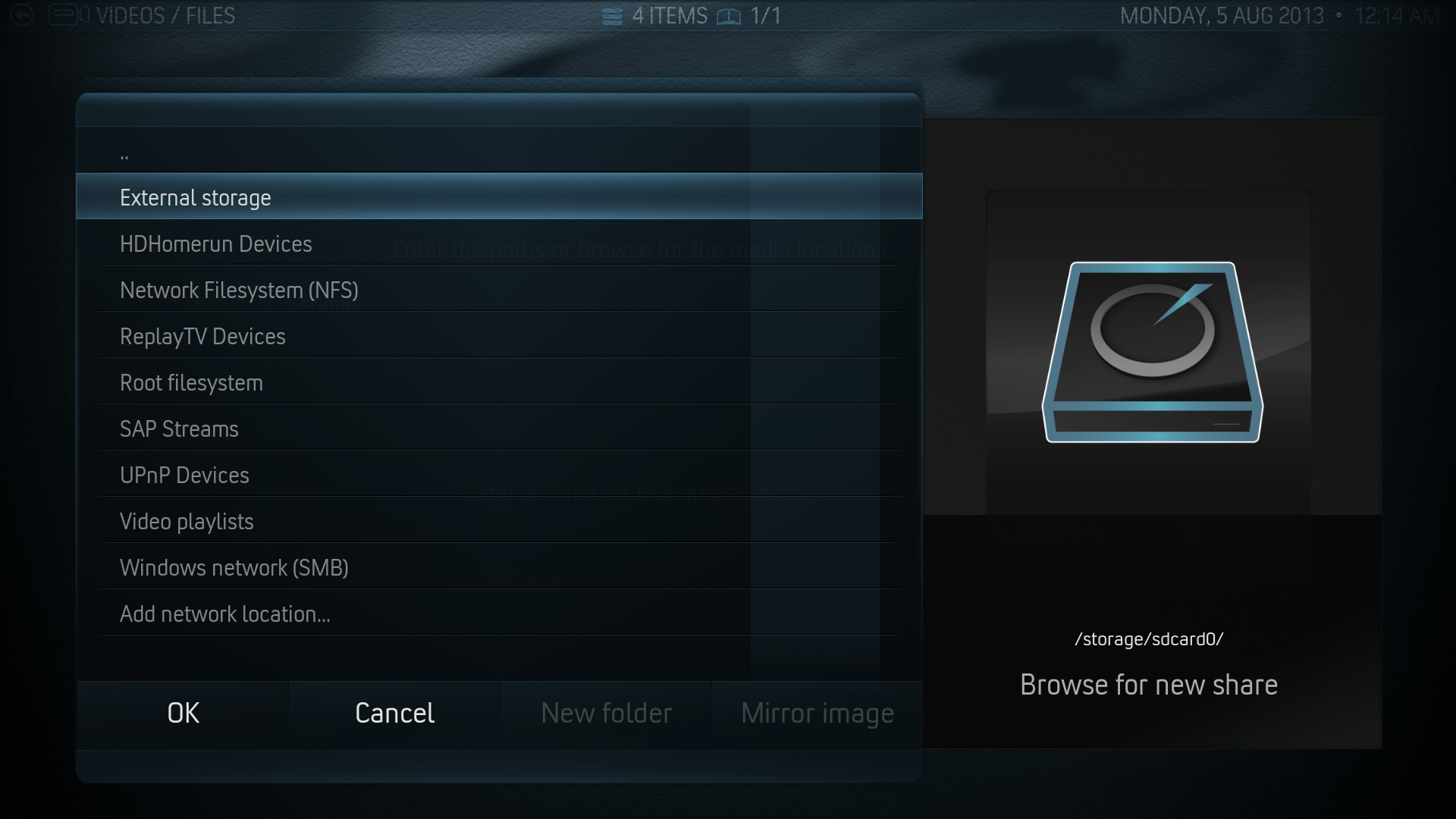 Step 3: (a) For internal SD Card select “External Storage” and then select the proper folder.
 -
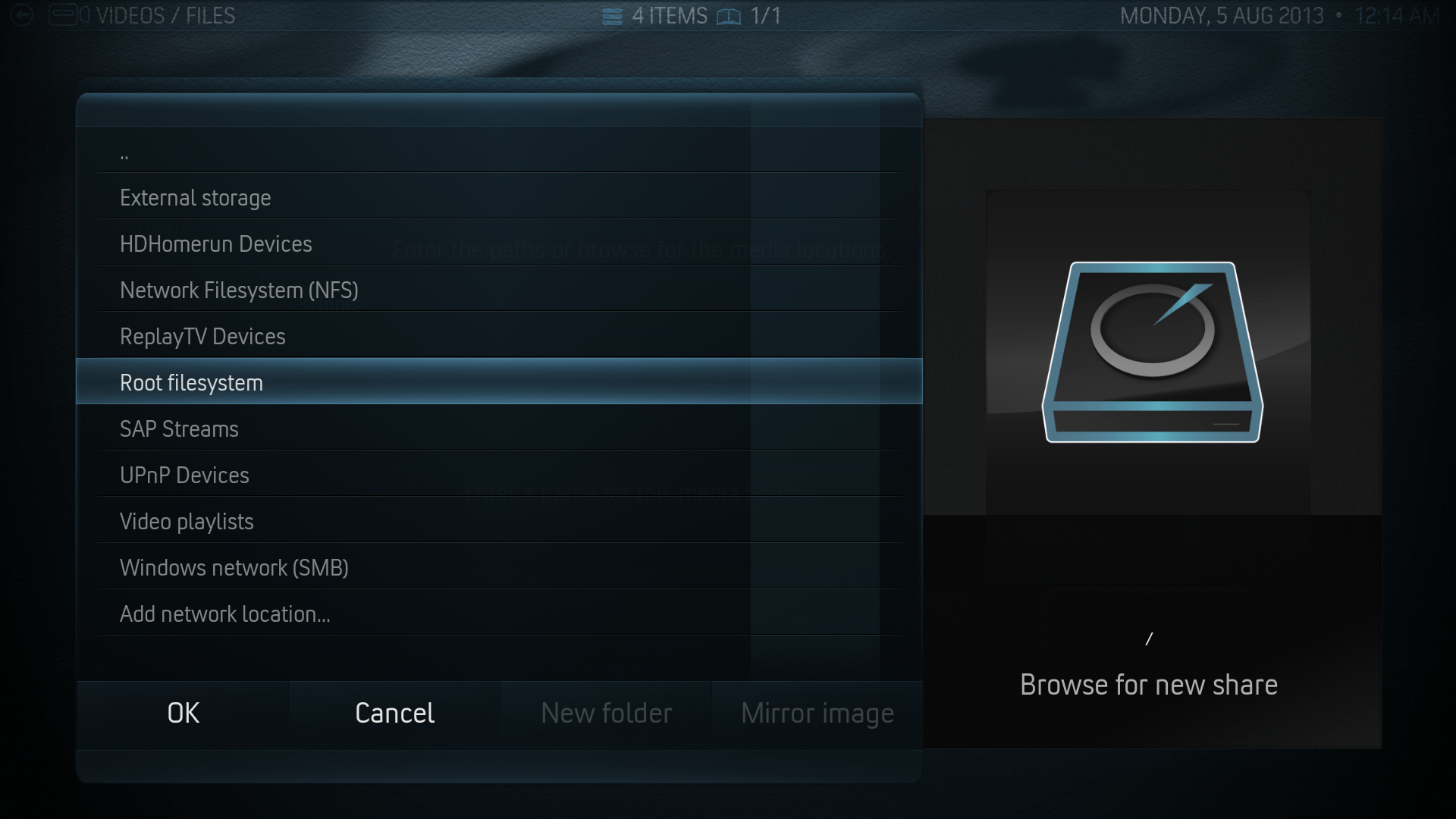
-
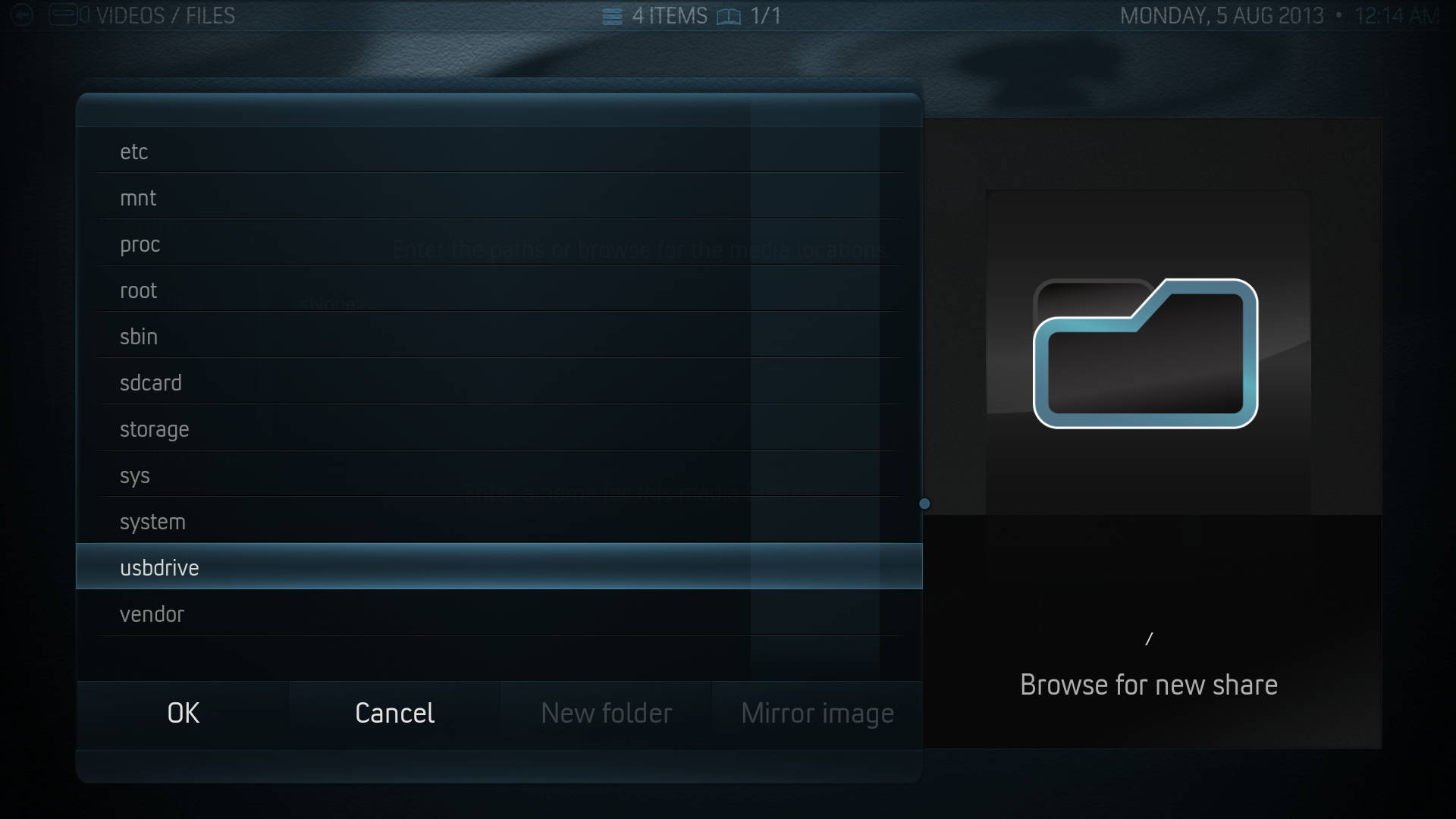 Step 3: (b) For external USB/HDD scroll down to “Root filesystem” -> “usbdrive” then select your folder.


Step 4: Select what is in the folder (TV/Music/Movies) and press “Okay”
Step 5: Update your library like normal....and you're done! You can now watch you videos from the library.