Add-on:ESA Videos: Difference between revisions
Jump to navigation
Jump to search
m Addon-Bot repo category update Tag: Manual revert |
m Addon-Bot Update |
||
| Line 3: | Line 3: | ||
|provider-name=Jose Antonio Montes (jamontes) | |provider-name=Jose Antonio Montes (jamontes) | ||
|ID=plugin.video.esa | |ID=plugin.video.esa | ||
|latest-version=1.1 | |latest-version=1.3.0+matrix.1 | ||
|extension point=xbmc.python.pluginsource | |extension point=xbmc.python.pluginsource | ||
|provides=video | |provides=video | ||
| Line 12: | Line 12: | ||
|Platform=all | |Platform=all | ||
|Language=cs en es fr de el it pt | |Language=cs en es fr de el it pt | ||
|License= | |License=GPL-3.0-or-later | ||
|Forum=https://forum.kodi.tv/showthread.php?tid=170058 | |Forum=https://forum.kodi.tv/showthread.php?tid=170058 | ||
|Website=http://www.esa.int/ESA_Multimedia/Videos | |Website=http://www.esa.int/ESA_Multimedia/Videos | ||
| Line 18: | Line 18: | ||
|Email= | |Email= | ||
|broken= | |broken= | ||
|icon url=http://mirrors.kodi.tv/addons/ | |icon url=http://mirrors.kodi.tv/addons/matrix/plugin.video.esa/icon.png}} | ||
[[Category:Add-ons with license tag]] | [[Category:Add-ons with license tag]] | ||
Revision as of 03:00, 27 June 2021
| ESA Videos | ||||||||||||||||
| ||||||||||||||||

|
 Add-ons Add-ons |
ESA Videos
|

|
Need help with this add-on? See here. |
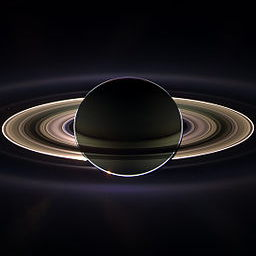
The European Space Agency (ESA) is Europe’s gateway to space. Its mission is to shape the development of Europe’s space capability and ensure that investment in space continues to deliver benefits to the citizens of Europe and the world.
This plugin allows to watch directly the ESA videos from your Kodi.
More than 1500 videos are available.
Installing
This add-on is installed from the Add-on browser located in Kodi as follows:
- Settings
- Add-ons
- Install from repository
- Video Add-ons
- ESA Videos
- Install