Settings/Player/Pictures: Difference between revisions
Jump to navigation
Jump to search
No edit summary |
No edit summary |
||
| Line 1: | Line 1: | ||
This category contains the settings for playback of pictures via a slideshow. | {{bigger|This category contains the settings for playback of pictures via a slideshow.}} | ||
== Slideshow == | == Slideshow == | ||
Revision as of 13:03, 20 July 2017
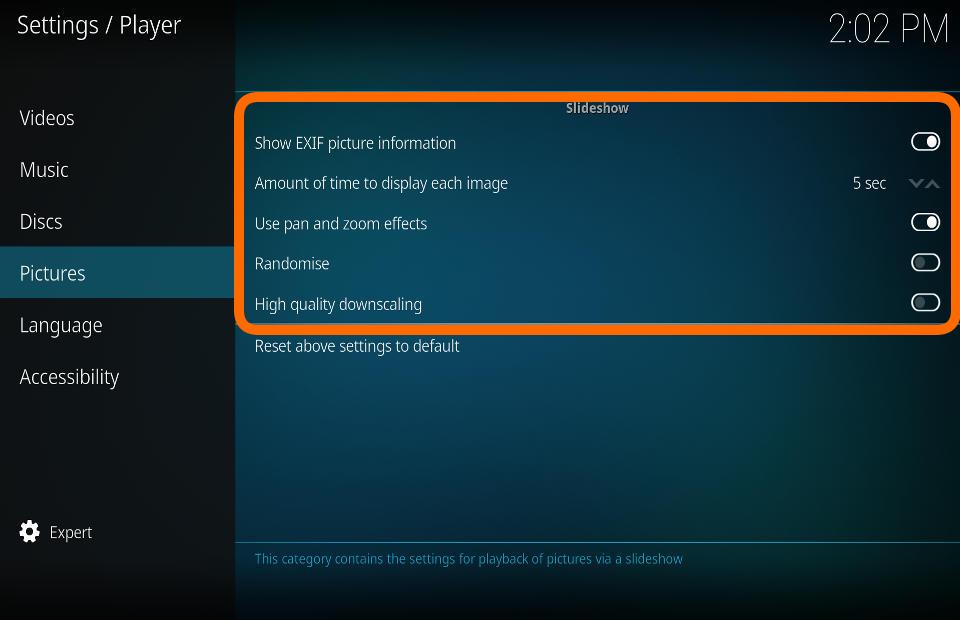
This category contains the settings for playback of pictures via a slideshow.
Slideshow

Show EXIF picture information
| Settings level: | Standard |
| Description: | If EXIF information exists (date, time, camera used, etc.), it will be displayed |
Amount of time to display each image
| Settings level: | Basic |
| Description: | Select the amount of time that each image is displayed in a slideshow |
Use pan and zoom effects
| Settings level: | Standard |
| Description: | Images in a slideshow will pan and zoom while displayed |
Randomise
| Settings level: | Basic |
| Description: | View slideshow in a random order |
High quality downscaling
| Settings level: | Standard |
| Description: | Enable high quality downscaling of pictures (uses more memory and has moderate performance impact) |