HOW-TO:Change the episode thumbnail in Confluence: Difference between revisions
Jump to navigation
Jump to search
No edit summary |
|||
| Line 3: | Line 3: | ||
This tutorial will show how to change the '''episode thumbnail''' on the ''Info screen'' {{keypress|I}}, ''OSD'' {{keypress|M}} and ''Home'' (when playing/paused). This is achieved by editing [https://github.com/xbmc/xbmc/blob/master/addons/skin.confluence/720p/VideoFullScreen.xml VideoFullScreen.xml]. You'd want to do this because sometimes the thumbnails contain spoilers. | This tutorial will show how to change the '''episode thumbnail''' on the ''Info screen'' {{keypress|I}}, ''OSD'' {{keypress|M}} and ''Home'' (when playing/paused). This is achieved by editing [https://github.com/xbmc/xbmc/blob/master/addons/skin.confluence/720p/VideoFullScreen.xml VideoFullScreen.xml]. You'd want to do this because sometimes the thumbnails contain spoilers. | ||
==Changing the episode thumbnail to a TV Show poster== | ==Changing the episode thumbnail to a TV Show poster on OSD & Info screen== | ||
<gallery widths=500px heights=150px> | <gallery widths=500px heights=150px> | ||
File:Osdorg.png|Original ''OSD'' | File:Osdorg.png|Original ''OSD'' | ||
Revision as of 19:45, 31 August 2015

|
 Skinning Skinning |
Confluence |
HOW-TO:Change the episode thumbnail in Confluence
|
This tutorial will show how to change the episode thumbnail on the Info screen I, OSD M and Home (when playing/paused). This is achieved by editing VideoFullScreen.xml. You'd want to do this because sometimes the thumbnails contain spoilers.
Changing the episode thumbnail to a TV Show poster on OSD & Info screen
-
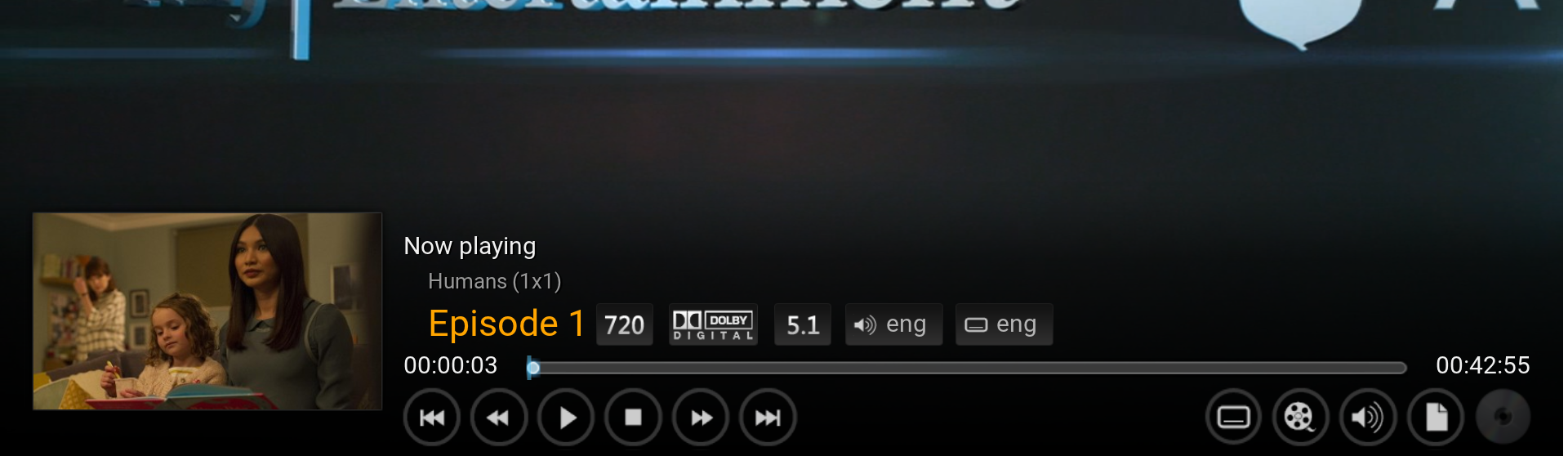 Original OSD
 -
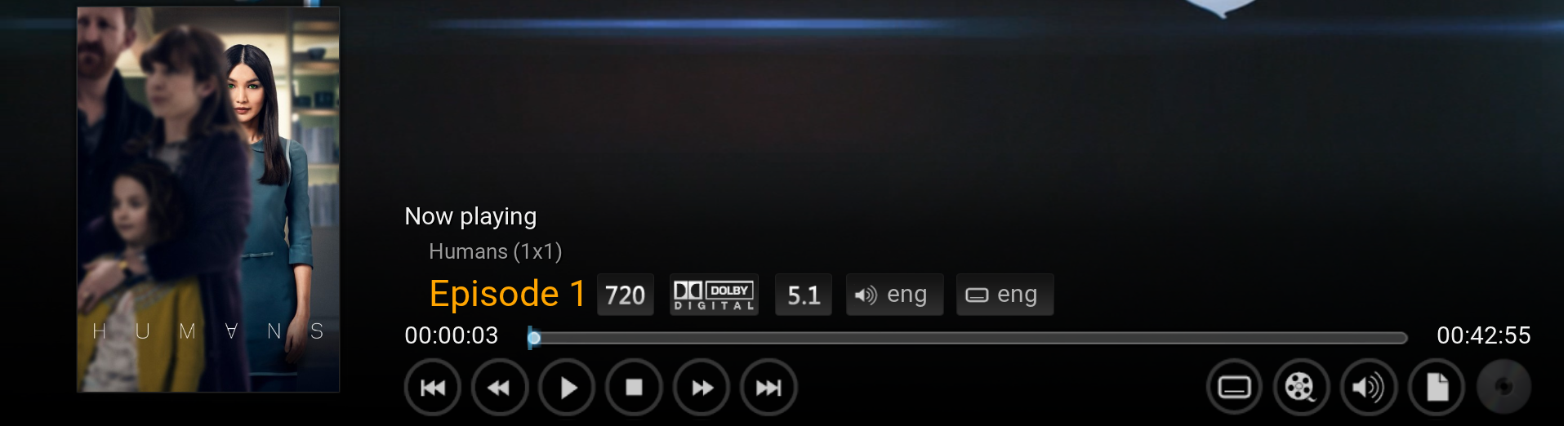 MOD
MOD


A. Open the file VideoFullScreen.xml and find the following code. It's easiest found by searching for [VideoPlayer.Content(Movies) | VideoPlayer.Content(LiveTV)]
<control type="image" id="1"><br />
    <description>cover image</description>
    <left>20</left>
    <top>260r</top>
    <width>300</width>
    <height>230</height>
    <texture fallback="DefaultVideoCover.png">$INFO[Player.Art(thumb)]</texture>
    <aspectratio aligny="bottom">keep</aspectratio>
    <bordertexture border="8">ThumbShadow.png</bordertexture>
    <bordersize>8</bordersize>
    <visible>![VideoPlayer.Content(Movies) | VideoPlayer.Content(LiveTV)]</visible>
</control
B. Replace $INFO[Player.Art(thumb)] with $INFO[Player.Art(tvshow.poster)]
This changes the episode thumbnail to a TV Show poster.
C. Change:
<top>260r</top> to <top>350r</top>
<height>230</height> to <height>330</height>
This will make the TV Show poster the same size as movie posters.