HOW-TO:Install Kodi for iOS: Difference between revisions
No edit summary |
No edit summary |
||
| Line 1: | Line 1: | ||
{{mininav|[[iOS]] | {{mininav| [[iOS]] }} | ||
The current stable release | The current stable release for iOS is {{current version}}. | ||
;Requirements: | ;Requirements: | ||
{{#lst:Supported hardware|iDevices}} | {{#lst:Supported hardware|iDevices}} | ||
| Line 17: | Line 17: | ||
</gallery> | </gallery> | ||
And you're done! You should now be running | And you're done! You should now be running {{current version}} for iOS. See [[IOS FAQ#XBMC Version|here]] to verify your XBMC version. | ||
== Updating == | == Updating == | ||
| Line 43: | Line 43: | ||
And you're done! You should now have the latest nightly build of XBMC for iOS. See [[IOS FAQ#XBMC Version|here]] to verify your XBMC version. | And you're done! You should now have the latest nightly build of XBMC for iOS. See [[IOS FAQ#XBMC Version|here]] to verify your XBMC version. | ||
=== Monthly builds === | === Monthly builds === | ||
{{anchor|Monthly builds|Beta|Frodo beta|Frodo RC|Beta builds}} | {{anchor|Monthly builds|Beta|Frodo beta|Frodo RC|Beta builds}} | ||
{{see also|monthly builds}} | {{see also|monthly builds}} | ||
To install a semi-stable monthly build, follow the nightly build instructions above, but replace the url in step 1 with <code>http://mirrors.xbmc.org/snapshots/darwin/ios/</code | To install a semi-stable monthly build, follow the nightly build instructions above, but replace the url in step 1 with <code>http://mirrors.xbmc.org/snapshots/darwin/ios/</code> | ||
=== Beta builds === | <!--=== Beta builds === | ||
{{anchor|Monthly builds|Beta|Frodo beta|Frodo RC|Beta builds}} | {{anchor|Monthly builds|Beta|Frodo beta|Frodo RC|Beta builds}} | ||
{{note|[[#Nightly builds|nightly builds]] are still being made and will have the most recent fixes on top of the current beta build.}} | {{note|[[#Nightly builds|nightly builds]] are still being made and will have the most recent fixes on top of the current beta build.}} | ||
To install v13 beta, follow the nightly build instructions above with one exception: | To install v13 beta, follow the nightly build instructions above with one exception: | ||
* replace the url in '''step 2''' with <code>http://mirrors.xbmc.org/apt/pre-release/ios/deb/</code> | * replace the url in '''step 2''' with <code>http://mirrors.xbmc.org/apt/pre-release/ios/deb/</code>--> | ||
== Uninstalling == | == Uninstalling == | ||
Revision as of 20:53, 5 May 2014

|
 iOS iOS |
HOW-TO:Install Kodi for iOS
|
The current stable release for iOS is Kodi v21.3 Omega.
- Requirements
- If you have any issues, be sure to read the iOS FAQ!
Installing from Cydia
-
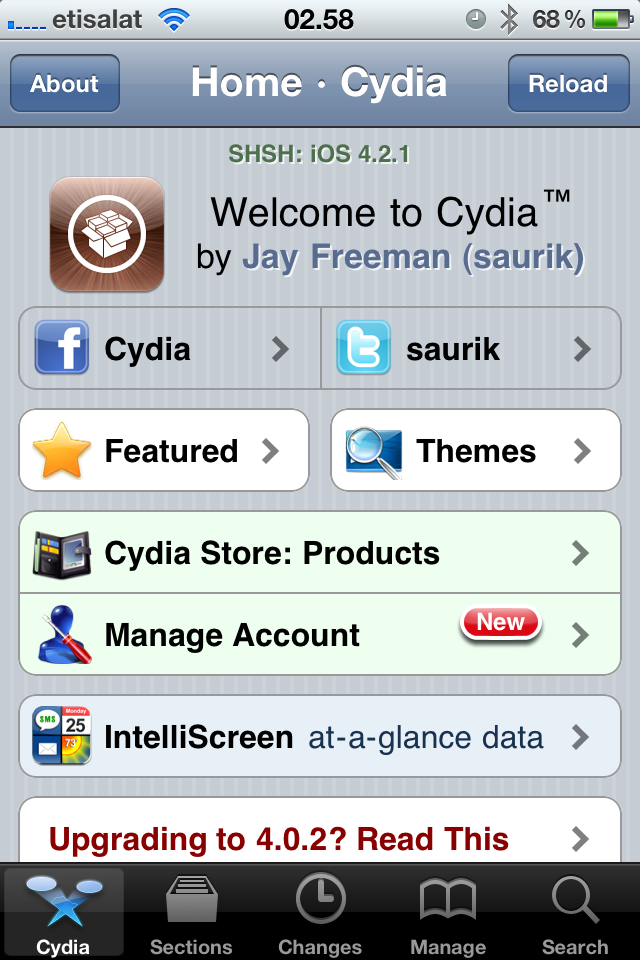 Step 1: Tap the Cydia icon on your homescreen.
 -
Step 2-iPhone: Manage - > Sources -> Edit -> Add
Step 2-iPad: Sources -> Edit -> Add
Step 3: Type in http://mirrors.xbmc.org/apt/ios/ -
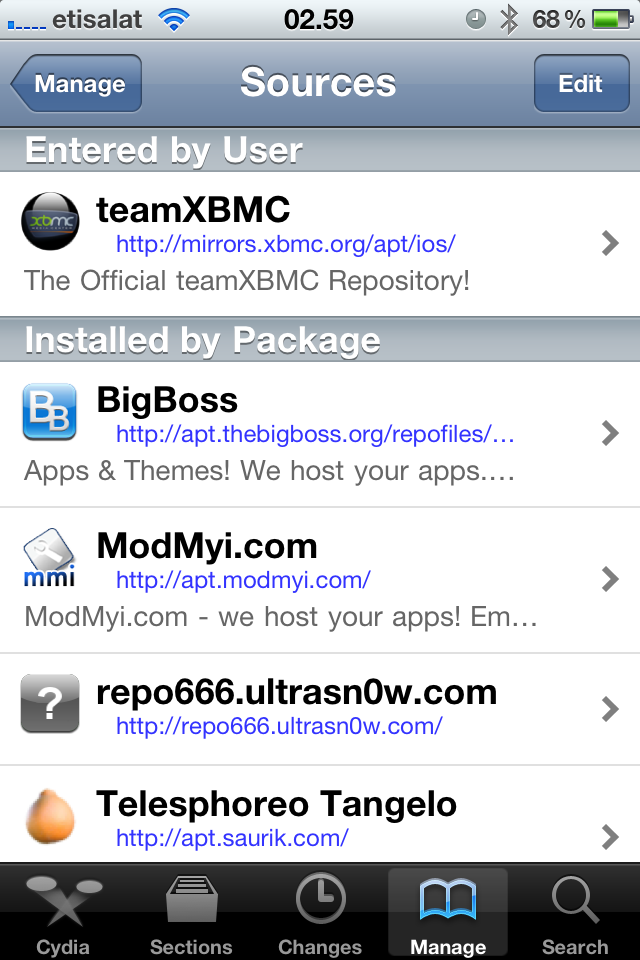 Step 4: Tap on the teamXBMC source.
 -
Step 5: Tap on the XBMC-iOS icon.
-
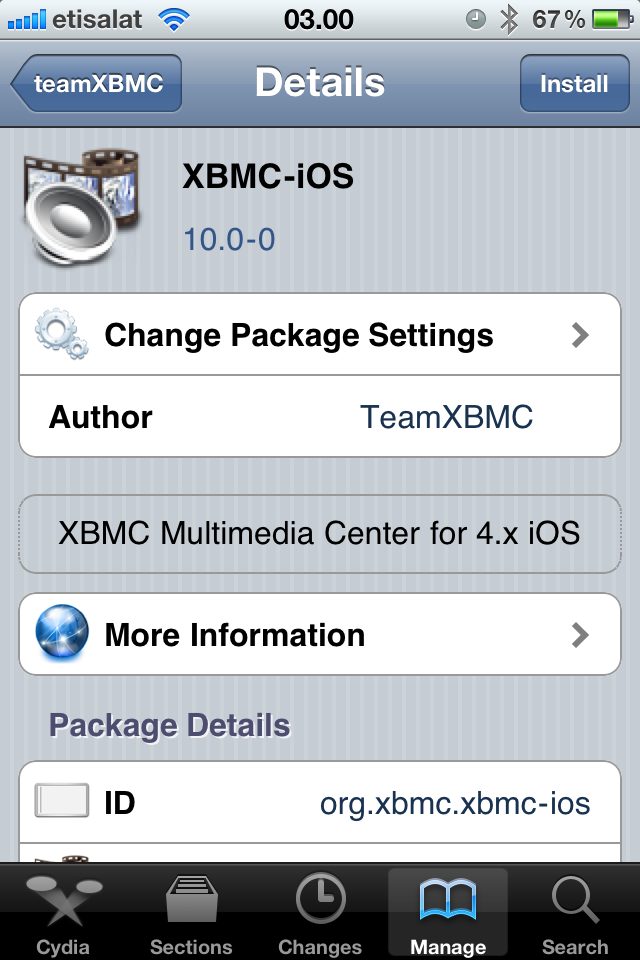 Step 6: Tap install, then confirm.
 -
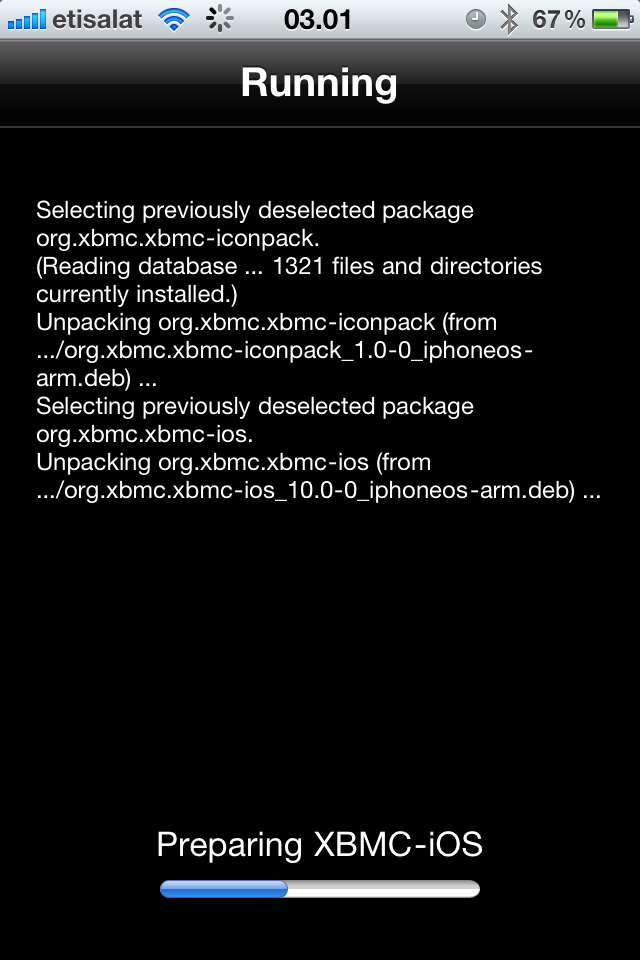 Step 7: Let it install, then exit Cydia. You should now have a new XBMC icon on your screen.


And you're done! You should now be running Kodi v21.3 Omega for iOS. See here to verify your XBMC version.
Updating
Updates for stable releases of XBMC are handled by Cydia and will show up in the "Changes" section when available.
Development builds
Nightly builds
Nightly builds are unstable test builds that have the latest bug fixes and feature additions. They are not fully tested, so anticipate issues and be sure to backup your userdata folder.
- Installing from the command line
- Change history: commit history
- Install iFile from Cydia.
- In Mobile Safari (or any browser that can download files) open
http://mirrors.xbmc.org/nightlies/darwin/ios/in a web browser and tap the url of the most recent file in that listing.- EXAMPLE:
http://mirrors.xbmc.org/nightlies/darwin/ios/xbmc-20111202-6729214-master-ios.deb
- EXAMPLE:
- Wait for the download to complete.
- Note: Mobile Safari in iOS 7 won't show the progress bar for downloads, but it will show a loading icon in the menu bar. Just wait a few minutes until the download is done, but don't close Safari.
- Select "Open in..."
- Select iFile from the available apps
- iFile will get a copy of the downloaded file and open an action menu. Select install. When iFile is complete you can tap done at the top.
- In iFile, swipe to delete the downloaded XBMC deb file as it is no longer needed.
And you're done! You should now have the latest nightly build of XBMC for iOS. See here to verify your XBMC version.
Monthly builds
To install a semi-stable monthly build, follow the nightly build instructions above, but replace the url in step 1 with http://mirrors.xbmc.org/snapshots/darwin/ios/
Uninstalling
Uninstalling just XBMC
-
Step 1: Tap the Cydia icon on your homescreen.
-
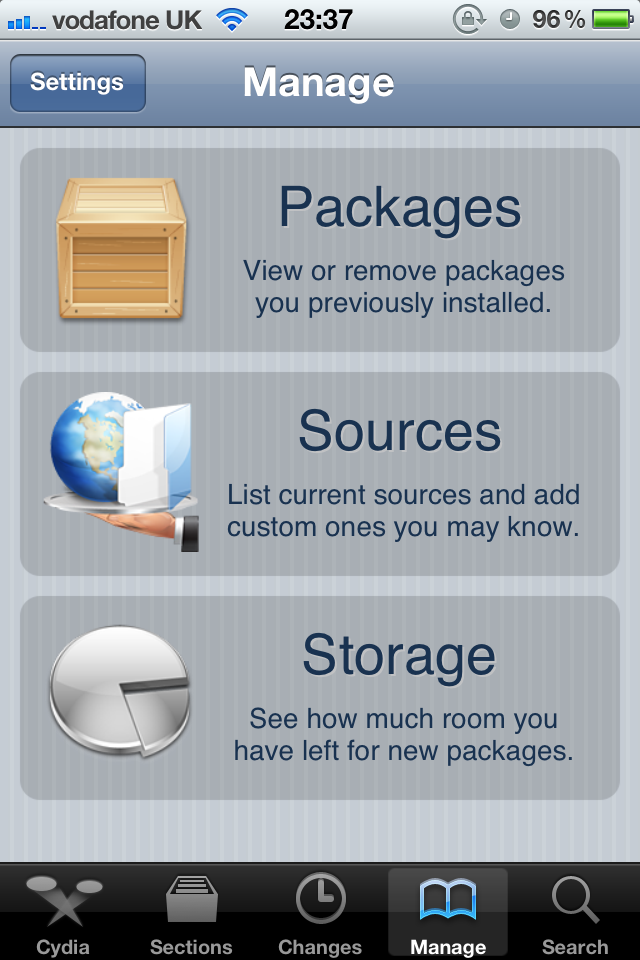 Step 2: Tap Manage from the bottom of the Cydia menu and then tap Packages
 -
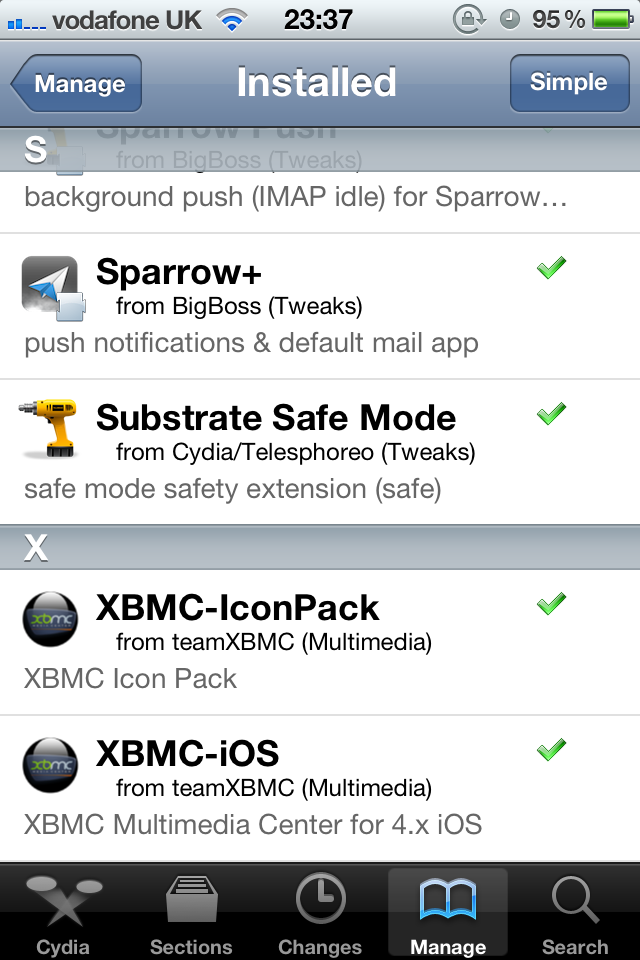 Step 3: Find and tap XBMC-iOS in the list of installed packages.
 -
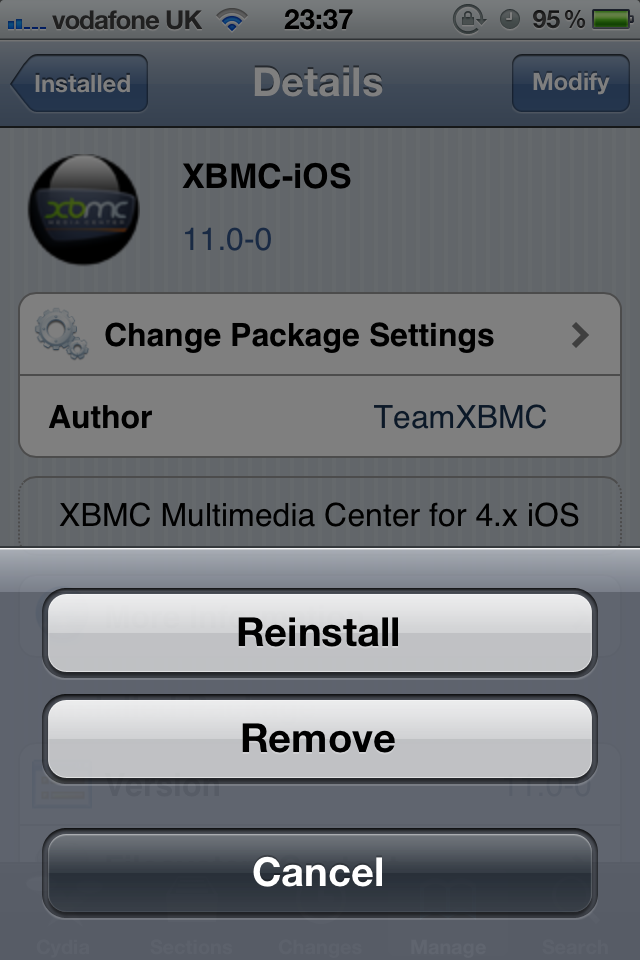 Step 4: Tap on Modify in the top right and then choose Remove from the pop up menu.
Step 5: Let XBMC uninstall and then press Return to Cydia.


You're all done. XBMC will now be uninstalled from your iDevice. If you want you can also uninstall XBMC-IconPack using the same method.
Removing settings
XBMC will uninstall from your iDevice but will leave certain things (databases and everything in your userdata folder) behind to make it easier if you wanted to reinstall. To delete those:
- From the terminal, run
rm -Rf /private/var/mobile/Library/Preferences/XBMC/
- Or
- From iFile
Delete /private/var/mobile/Library/Preferences/XBMC/