Archive:Settings legacy/Pictures: Difference between revisions
Jump to navigation
Jump to search
File:Settings.pictures.slideshow.jpg
No edit summary |
|||
| Line 5: | Line 5: | ||
{{-}} | {{-}} | ||
== File lists == | == File lists == | ||
[[File:settings.pictures.general. | [[File:settings.pictures.general.png|center|800px]] | ||
{| | {| class="prettytable" | ||
| | ! width="20%" | Setting | ||
! Description | |||
! Setting level | |||
|- | |||
| Show EXIF picture information | |||
| When enabled, if EXIF information (date/time, camera used, etc.) exists, it will be displayed onscreen. | |||
| | |||
|- | |||
| Automatically generate thumbnails | |||
| Automatically generates picture thumbnails when entering picture folder. | |||
| | |||
|- | |||
| Rotate pictures using EXIF information | |||
| When enabled, pictures will automatically rotate according to rotate information in the pictures EXIF, if found. | |||
| | |||
|- | |||
| Show video files in listings | |||
| Shows video media in picture file lists, since most digital cameras nowadays have video recording capabilities. | |||
| | |||
|} | |} | ||
== Slideshow == | == Slideshow == | ||
Revision as of 10:18, 8 May 2014

|
 Settings Pictures Settings Pictures |
Picture settings
|
See also: Pictures
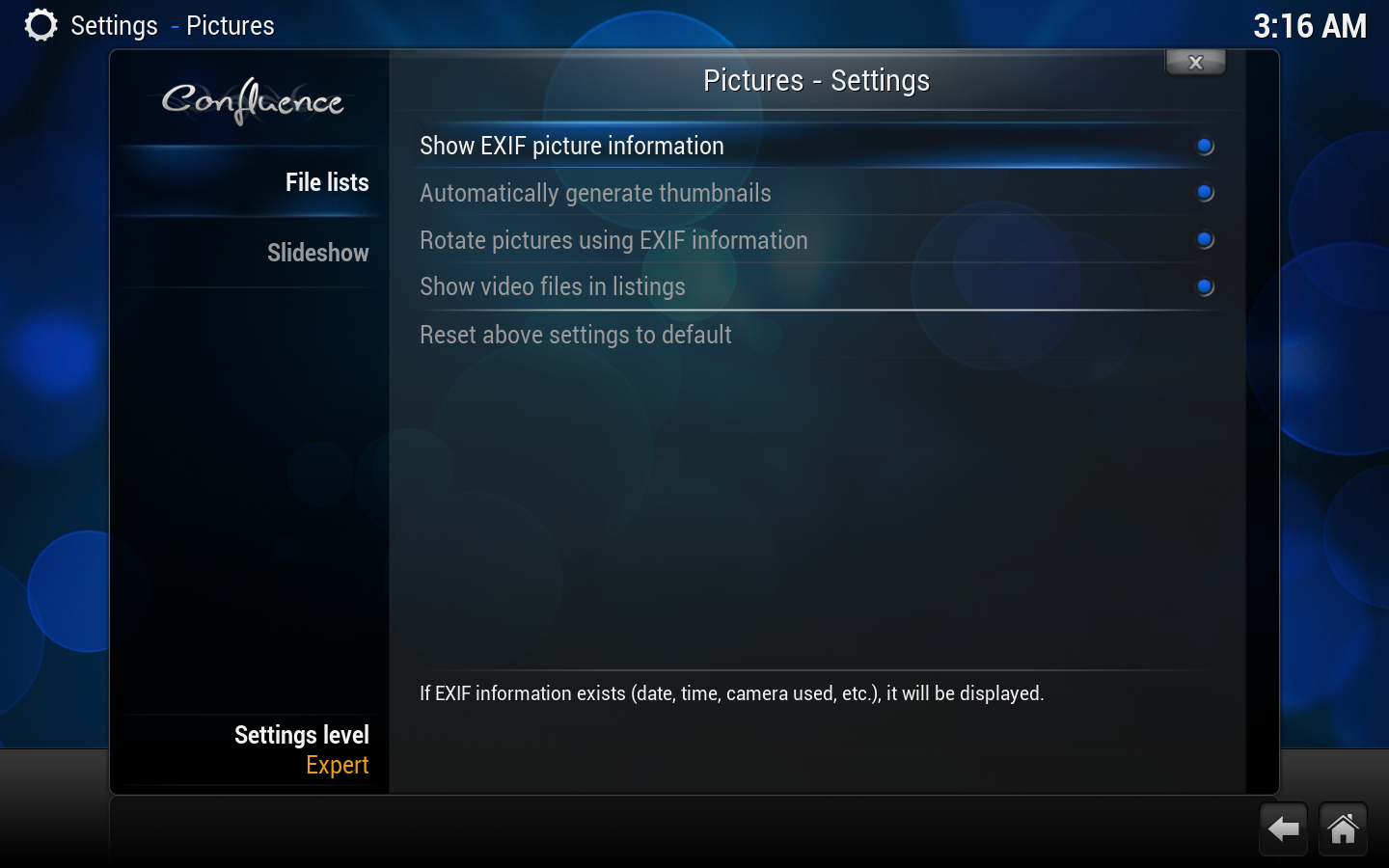
Picture Settings are found here. Listing options, configure slideshows.
File lists

| Setting | Description | Setting level |
|---|---|---|
| Show EXIF picture information | When enabled, if EXIF information (date/time, camera used, etc.) exists, it will be displayed onscreen. | |
| Automatically generate thumbnails | Automatically generates picture thumbnails when entering picture folder. | |
| Rotate pictures using EXIF information | When enabled, pictures will automatically rotate according to rotate information in the pictures EXIF, if found. | |
| Show video files in listings | Shows video media in picture file lists, since most digital cameras nowadays have video recording capabilities. |
Slideshow

|