Archive:OUYA/Suggested settings: Difference between revisions
Jump to navigation
Jump to search
No edit summary |
|||
| Line 1: | Line 1: | ||
{{mininav|[[Devices]] {{arrow}} [[Android]] {{arrow}} [[OUYA]]}} | {{mininav|[[Devices]] {{arrow}} [[Android]] {{arrow}} [[OUYA]]}} | ||
In most cases the default settings should be fine. Here are some suggested settings that the community has used for smooth playback. Your own individual situation/setup might require something different than what you see. See '''[[Settings]]''' for a full explanation on what the different settings do. | {{Big|'''In most cases the default settings should be fine.''' Here are some suggested settings that the community has used for smooth playback. Your own individual situation/setup might require something different than what you see. See '''[[Settings]]''' for a full explanation on what the different settings do.}} | ||
== HDMI Directly to TV and No Receiver == | == HDMI Directly to TV and No Receiver == | ||
Revision as of 01:28, 11 September 2013

|
 Devices Android OUYA Devices Android OUYA |
Suggested settings
|
In most cases the default settings should be fine. Here are some suggested settings that the community has used for smooth playback. Your own individual situation/setup might require something different than what you see. See Settings for a full explanation on what the different settings do.
HDMI Directly to TV and No Receiver
-
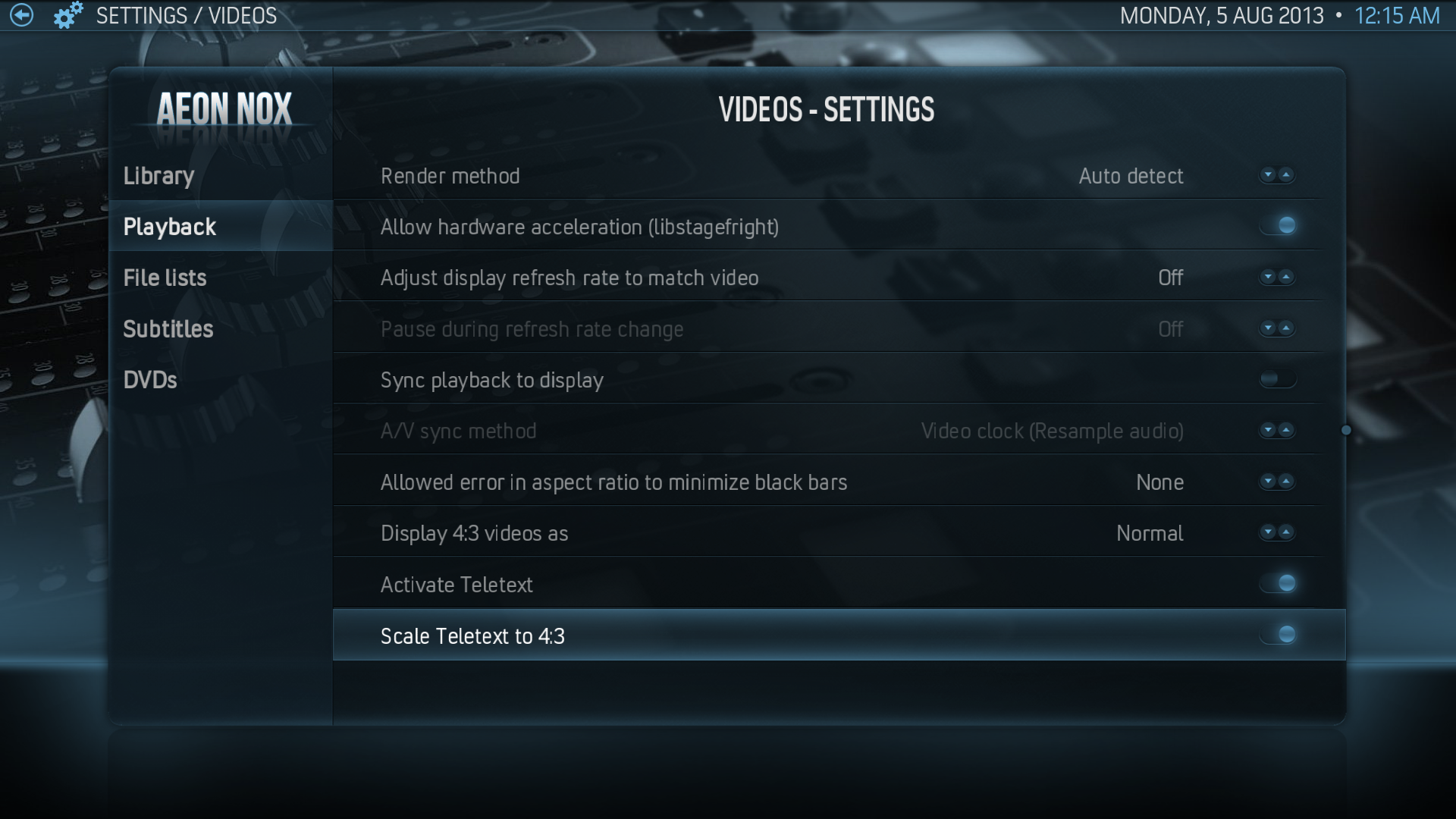 Video Settings -> Playback
 -
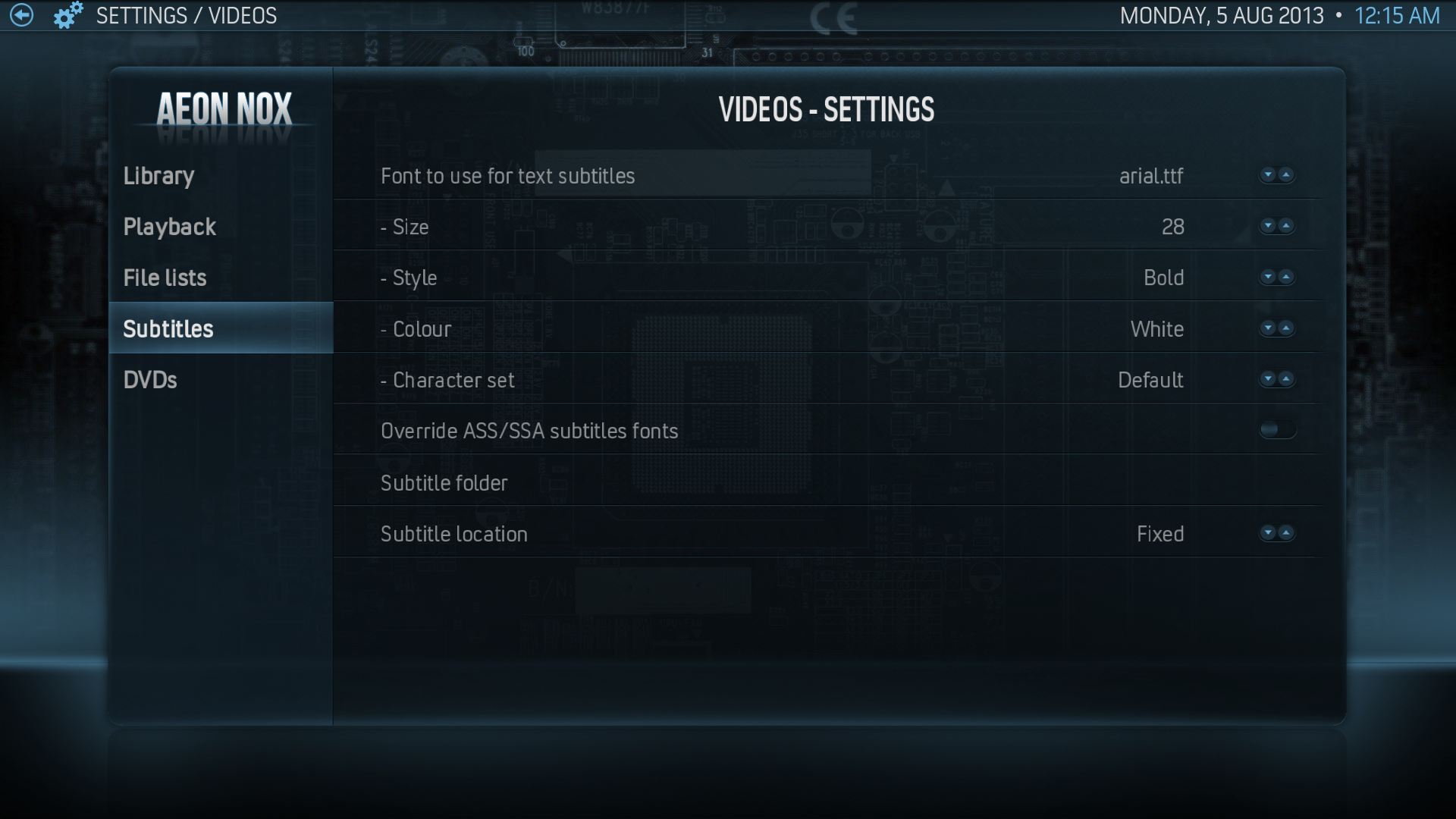 Video Settings -> Subtitles
 -
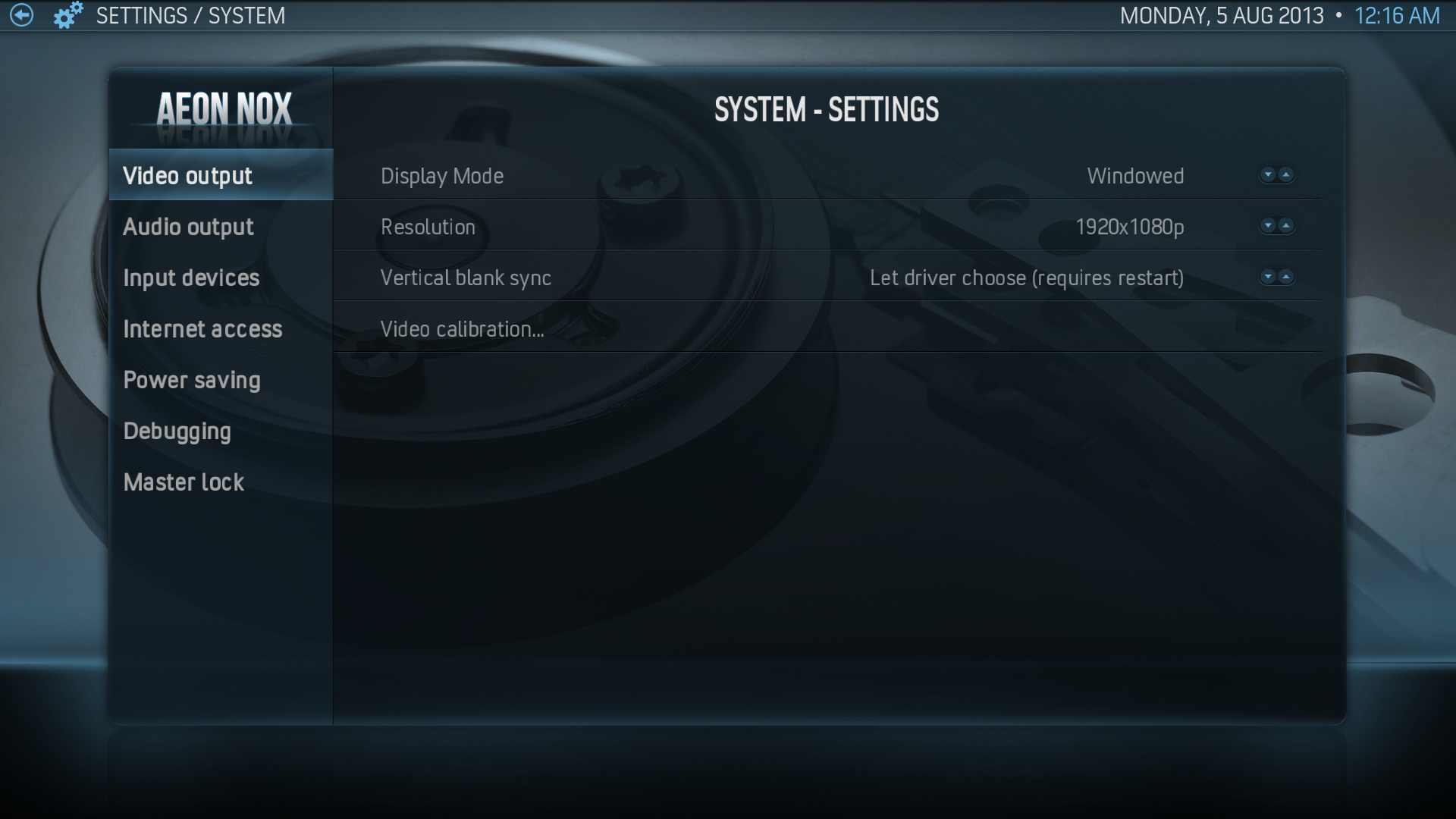 System Settings -> Video Output
 -
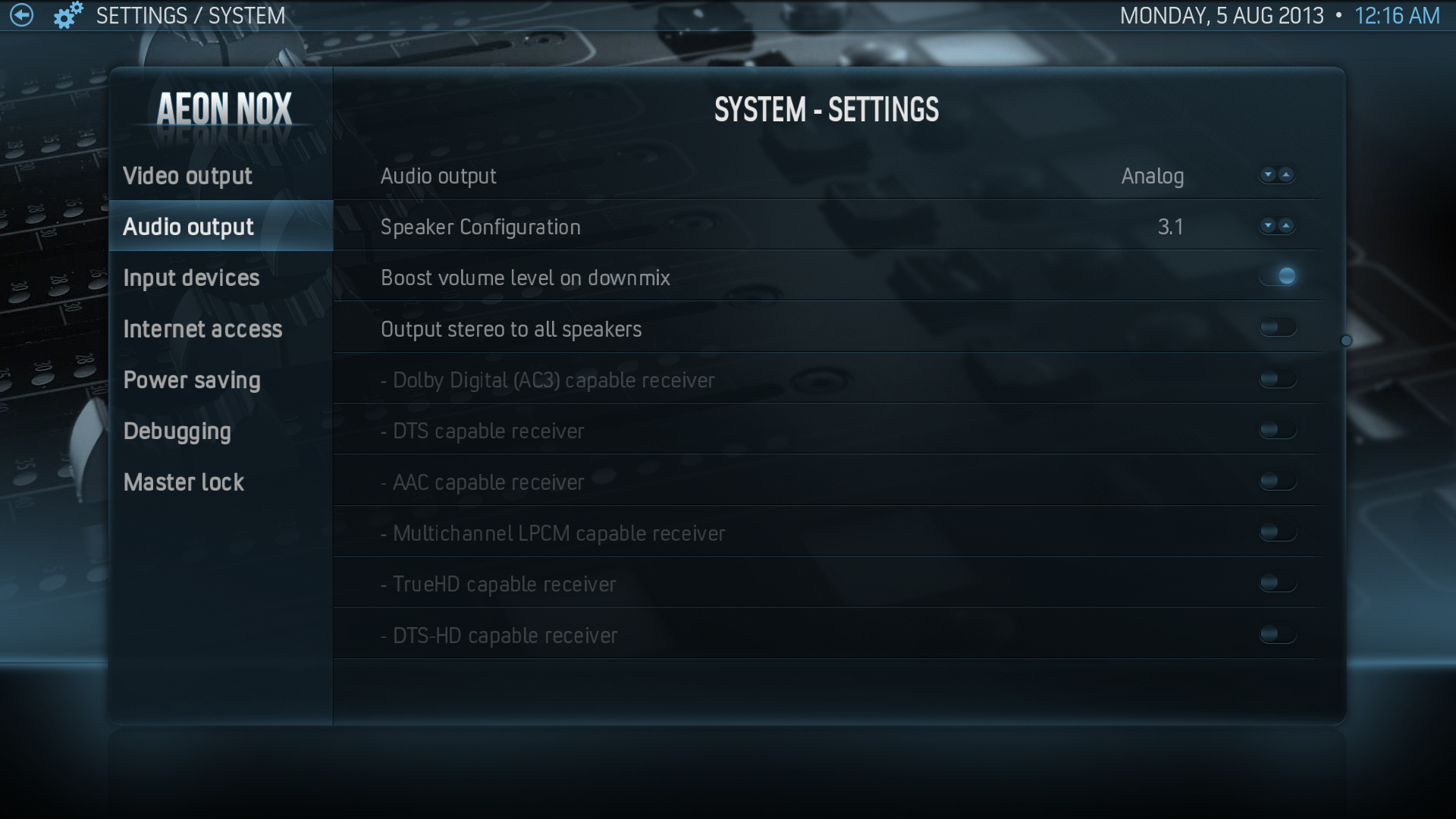 System Settings -> Audio Output (note: although analog works fine you will only get 2.0 (stereo) regardless of speaker configuration, try HDMI if you need more than 2.0)
 -
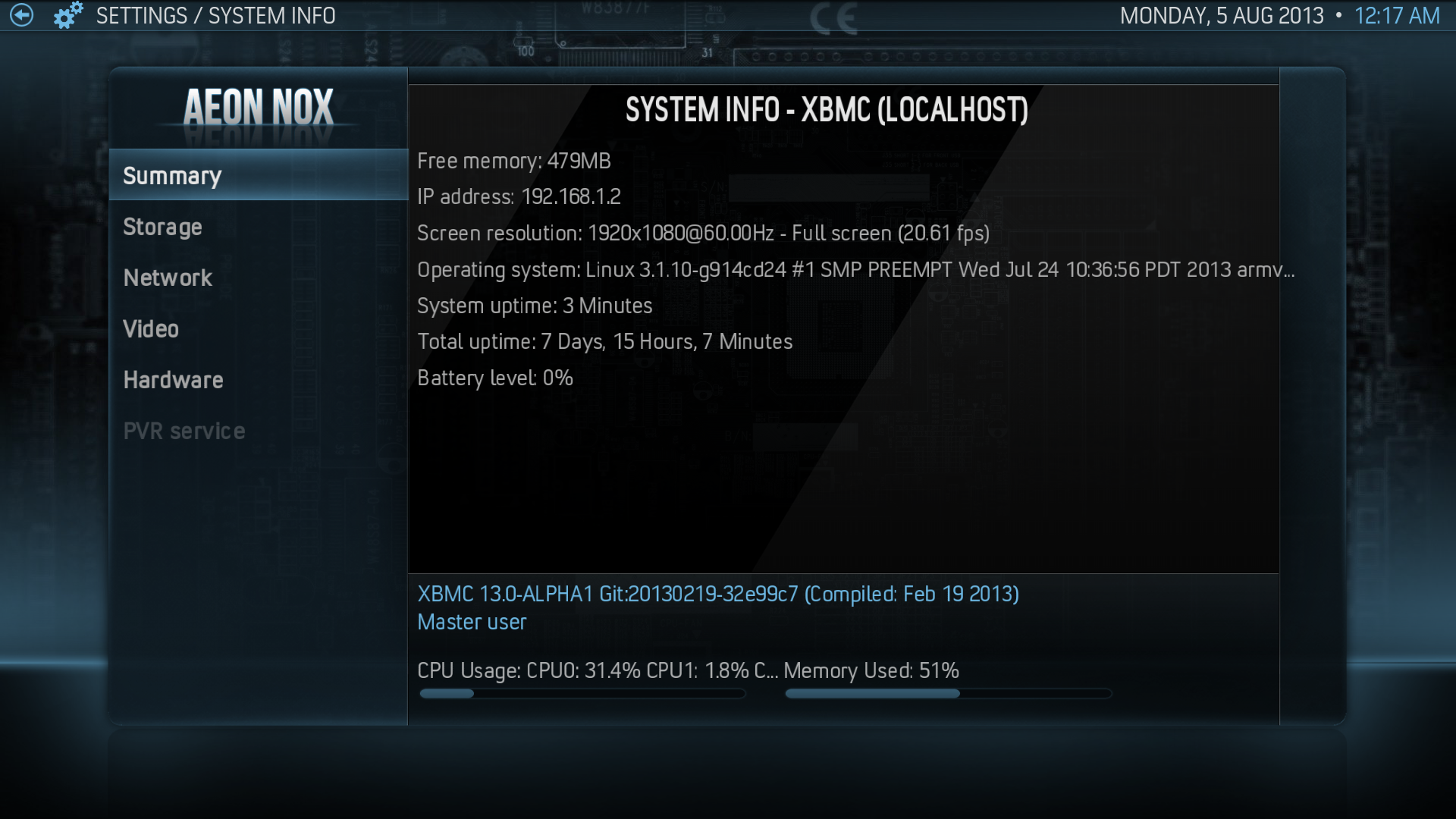 System Summary


