Archive:OUYA/Suggested settings: Difference between revisions
Jump to navigation
Jump to search
No edit summary |
No edit summary |
||
| Line 3: | Line 3: | ||
Best settings for everyone may not be the exact same, but for recommended OUYA settings for 1080P and 720P videos (including Anime MKV's); see below. | Best settings for everyone may not be the exact same, but for recommended OUYA settings for 1080P and 720P videos (including Anime MKV's); see below. | ||
== HDMI Directly to TV and No Receiver == | |||
<gallery widths="600px" heights="338px"> | <gallery widths="600px" heights="338px"> | ||
File:Recommended_Settings_1.png | Video Settings -> Playback | File:Recommended_Settings_1.png | Video Settings -> Playback | ||
File:Recommended_Settings_2.png | Video Settings -> Subtitles | File:Recommended_Settings_2.png | Video Settings -> Subtitles | ||
File:Recommended_Settings_3.png | System Settings -> Video Output | File:Recommended_Settings_3.png | System Settings -> Video Output | ||
File:Recommended_Settings_4.png | System Settings -> Audio Output | File:Recommended_Settings_4.png | System Settings -> Audio Output | ||
File:Recommended_Settings_5.png | System Summary | File:Recommended_Settings_5.png | System Summary | ||
</gallery> | </gallery> | ||
Revision as of 01:39, 8 August 2013

|
 Devices Android OUYA General topics Devices Android OUYA General topics |
Archive:OUYA/Suggested settings
|
Best settings for everyone may not be the exact same, but for recommended OUYA settings for 1080P and 720P videos (including Anime MKV's); see below.
HDMI Directly to TV and No Receiver
-
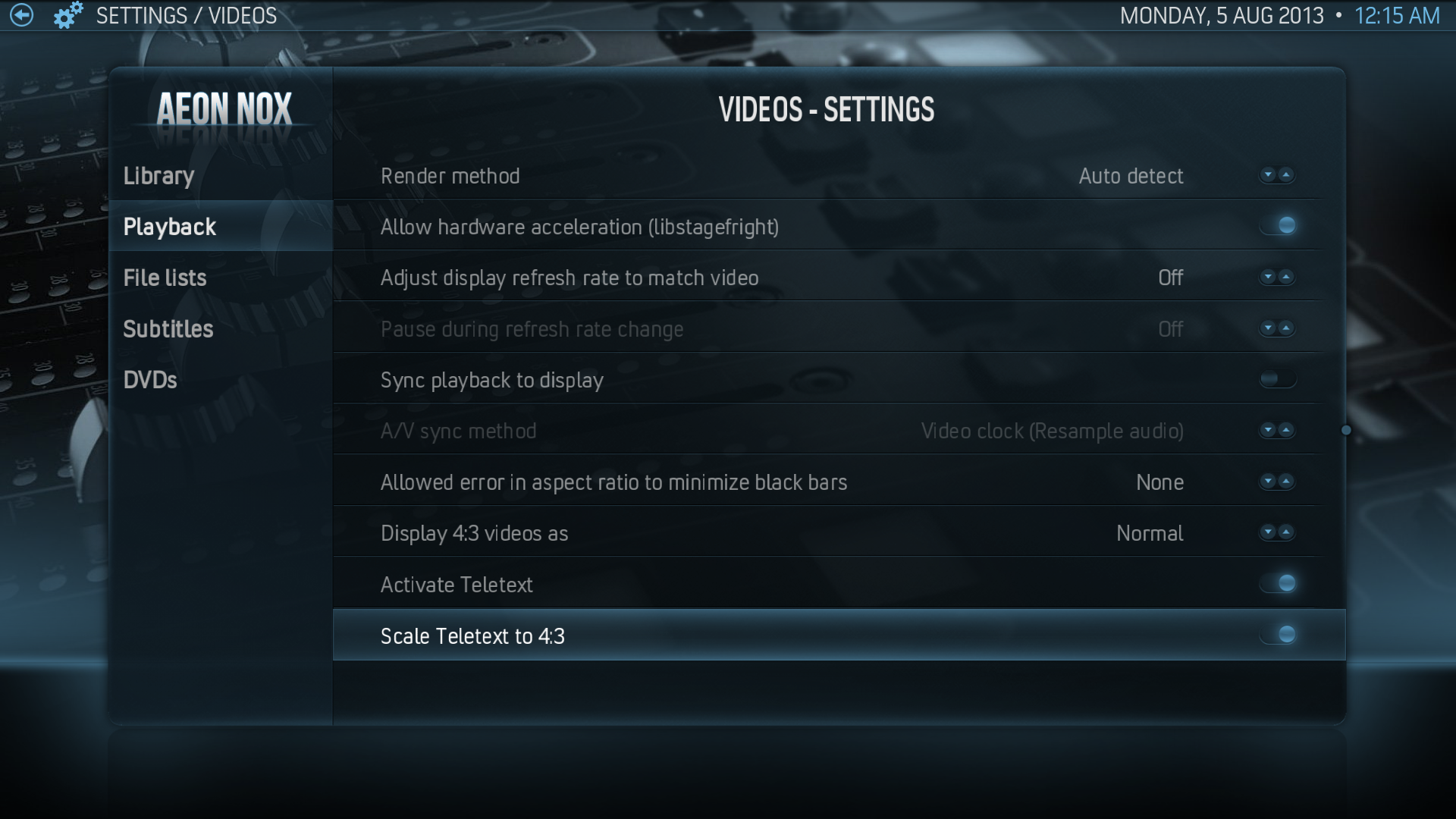 Video Settings -> Playback
 -
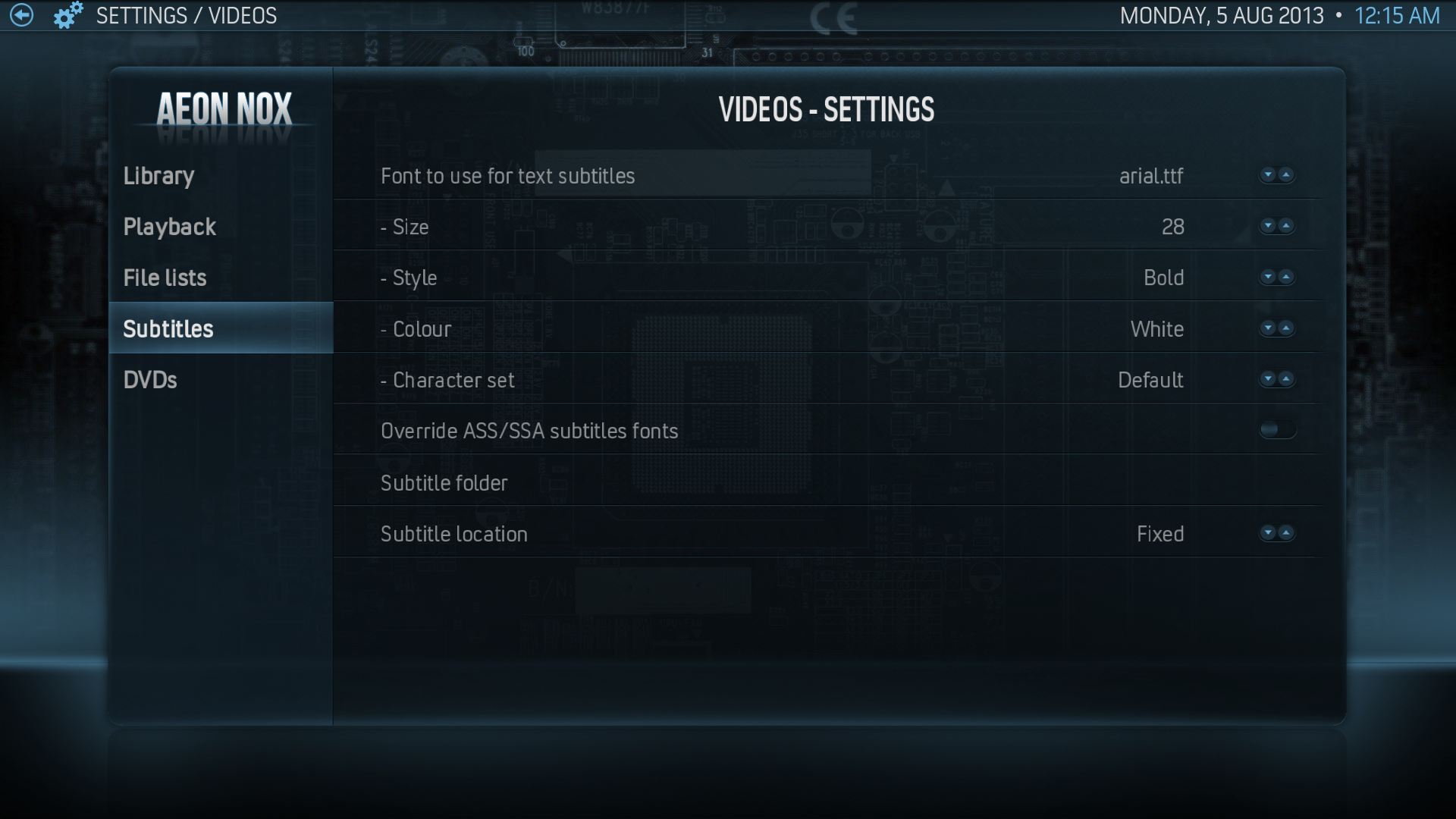 Video Settings -> Subtitles
 -
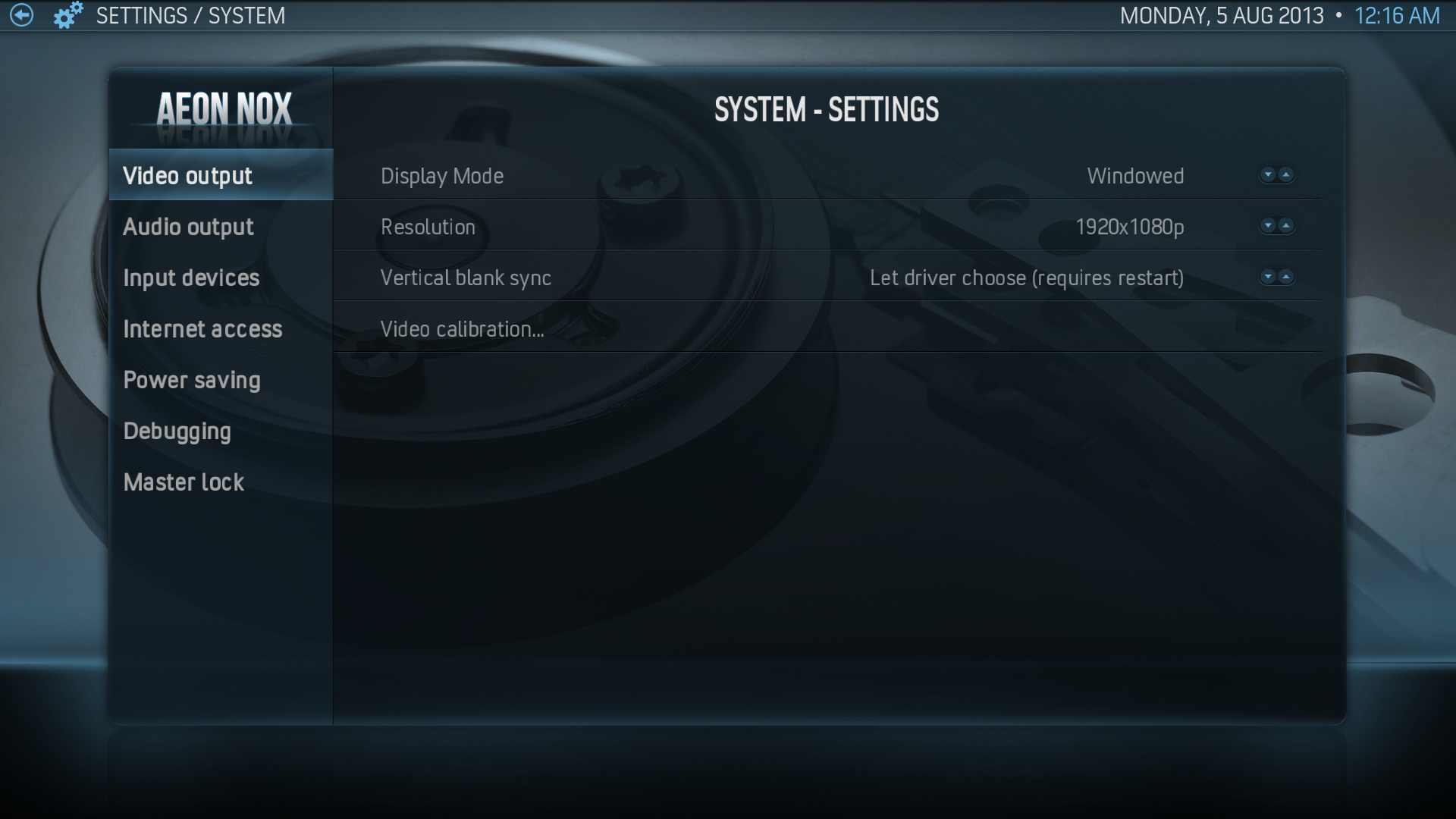 System Settings -> Video Output
 -
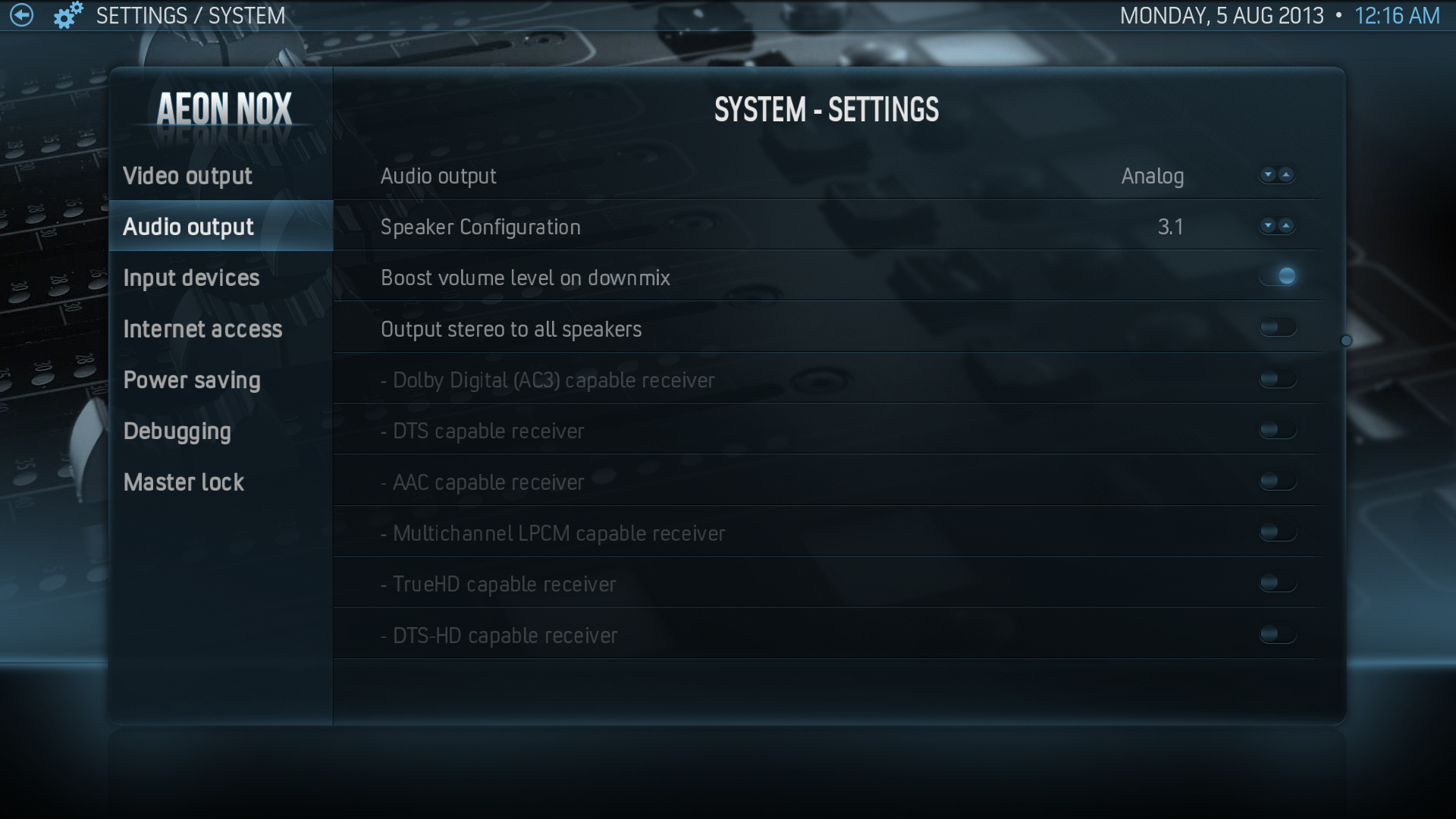 System Settings -> Audio Output
 -
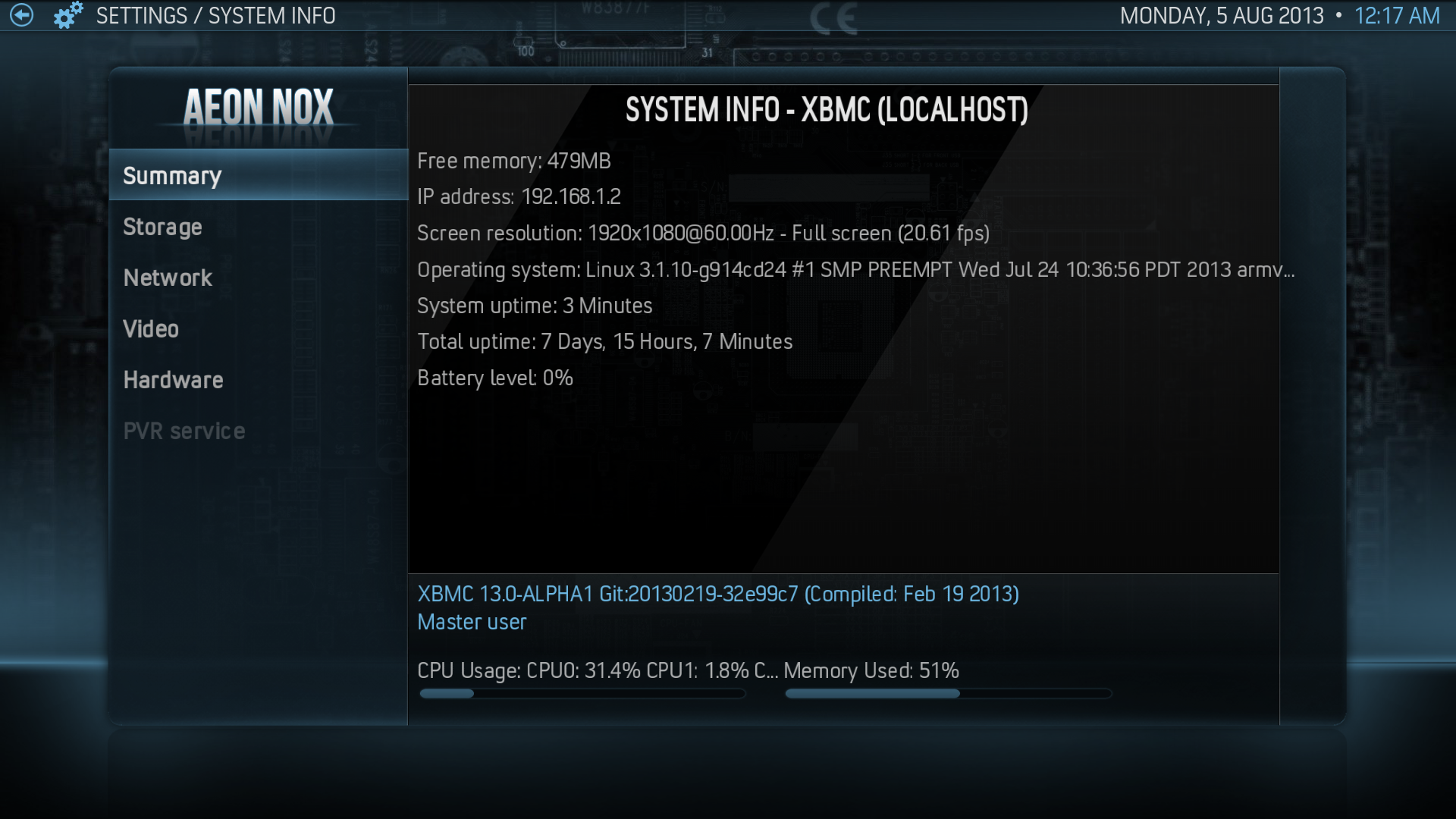 System Summary


