HOW-TO:Install Kodi for iOS: Difference between revisions
Jump to navigation
Jump to search
No edit summary |
|||
| Line 16: | Line 16: | ||
File:install4.PNG|'''Step 7:''' Let it install, then exit Cydia. You should now have a new XBMC icon on your screen. | File:install4.PNG|'''Step 7:''' Let it install, then exit Cydia. You should now have a new XBMC icon on your screen. | ||
</gallery> | </gallery> | ||
[[Category:IOS|IP]] | [[Category:IOS|IP]] | ||
[[Category:How-to|IP]] | [[Category:How-to|IP]] | ||
[[Category:Installation|IP]] | [[Category:Installation|IP]] | ||
Revision as of 17:10, 27 February 2012
Requirements:
- To install XBMC for iOS you must have a jailbroken iDevice running iOS 4.x or higher.
- For hardware: iPad 1, iPad 2, iPhone 3GS, iPhone 4, iPhone 4S, iPod touch 3rd gen (16GB and 32GB models only), iPod touch 4th gen.
Installing from Cydia
-
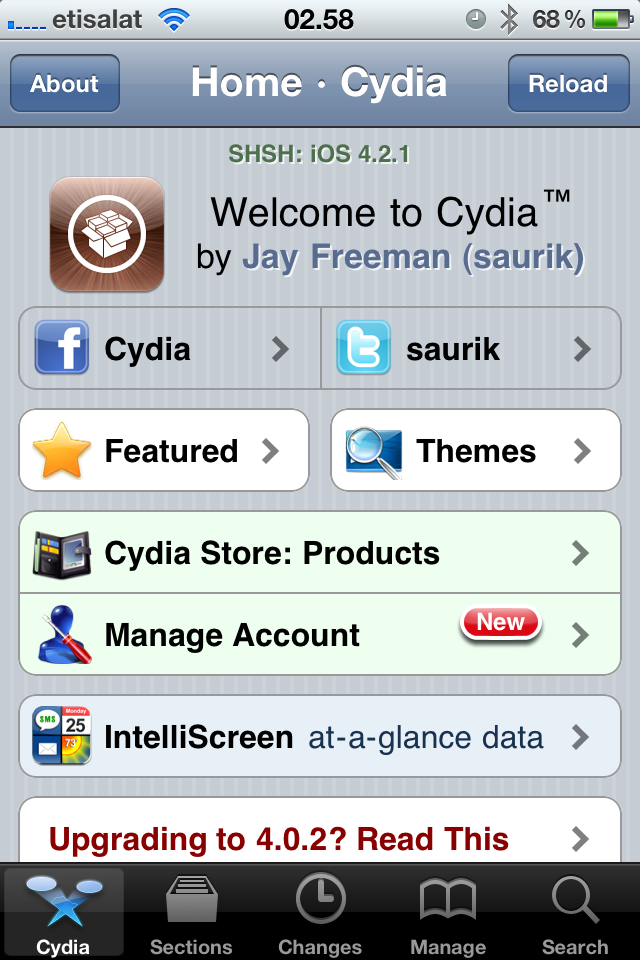 Step 1: Tap the Cydia icon on your homescreen.
 -
Step 2-iPhone: Manage - > Sources -> Edit -> Add
Step 2-iPad: Sources -> Edit -> Add
Step 3: Type in http://mirrors.xbmc.org/apt/ios/ -
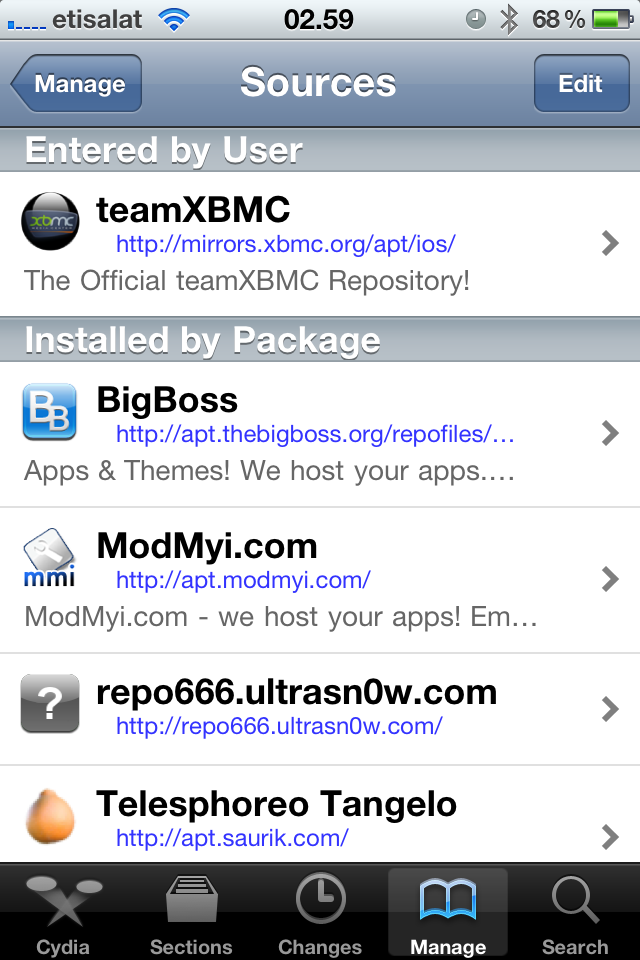 Step 4: Tap on the teamXBMC source.
 -
Step 5: Tap on the XBMC-iOS icon.
-
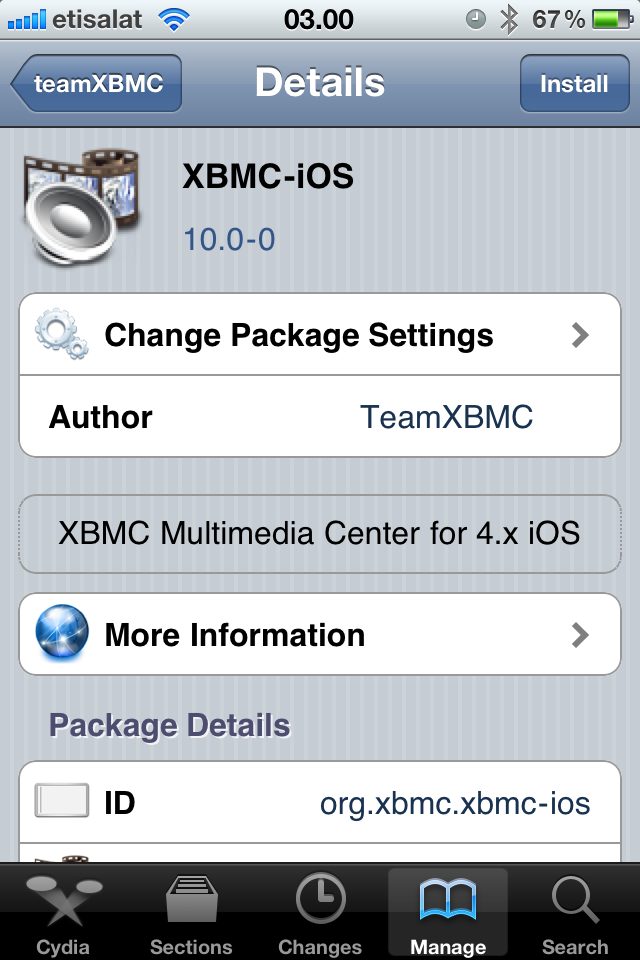 Step 6: Tap install, then confirm.
 -
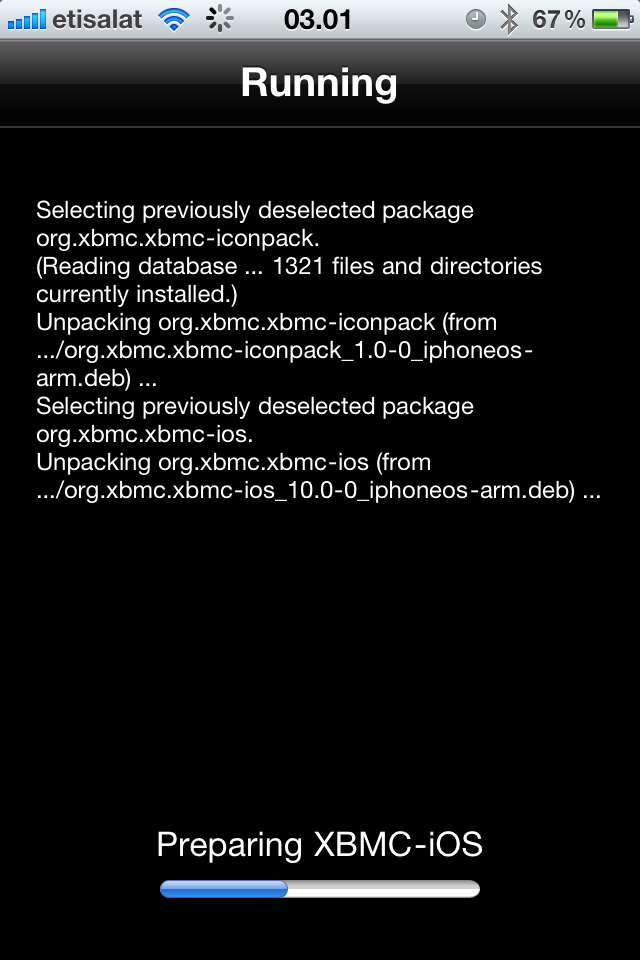 Step 7: Let it install, then exit Cydia. You should now have a new XBMC icon on your screen.


