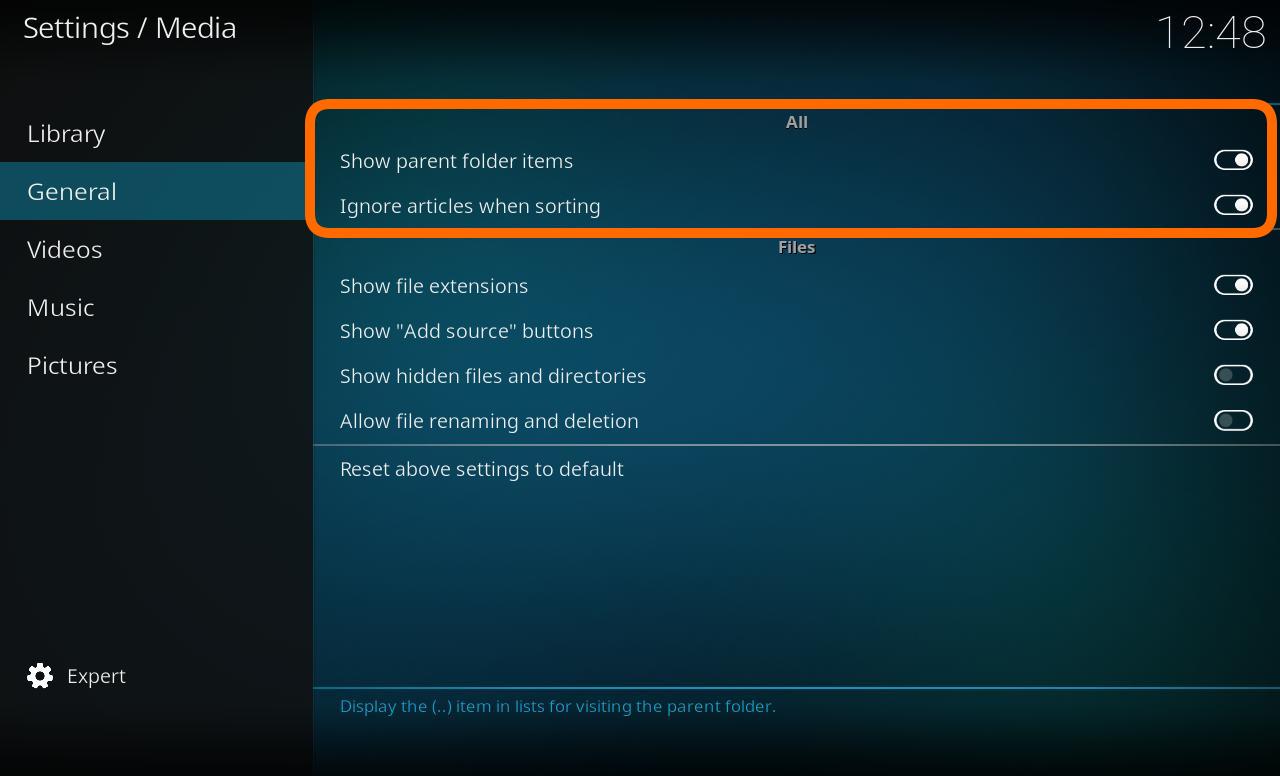
| Determines the display of the parent folder icon (..)
|}
{| class="prettytable"
! width=230px | Setting
=== Ignore artciles when sorting ===
! width=560px | Description
{|
! Available from setting level
|- valign="top"
|-
| width=120px | {{nowrap|'''Settings level:'''}}
| Show parent folder items
| Determines the display of the parent folder icon (..)
| Standard
| Standard
|-
|- valign="top"
| Ignore artciles when sorting
| '''Description:'''
| Allows for certain tokens to be ignored during sort operations. For example, with this option enabled, "The Simpsons" would simply be sorted as "Simpsons".Tokens are configured through langinfo.xml or through <sorttokens> in [[advancedsettings.xml]].
| Allows for certain tokens to be ignored during sort operations. For example, with this option enabled, "The Simpsons" would simply be sorted as "Simpsons".Tokens are configured through langinfo.xml or through <sorttokens> in [[advancedsettings.xml]].
| Determines the display of the extensions on media files. For example, "You Enjoy Myself" would be simply be displayed as "You Enjoy Myself.mp3"
|}
|}
== Files ==
{| class="prettytable"
=== Show "Add source" buttons in file lists ===
! width=230px | Setting
{|
! width=560px | Description
|- valign="top"
! Available from setting level
| width=120px | {{nowrap|'''Settings level:'''}}
|-
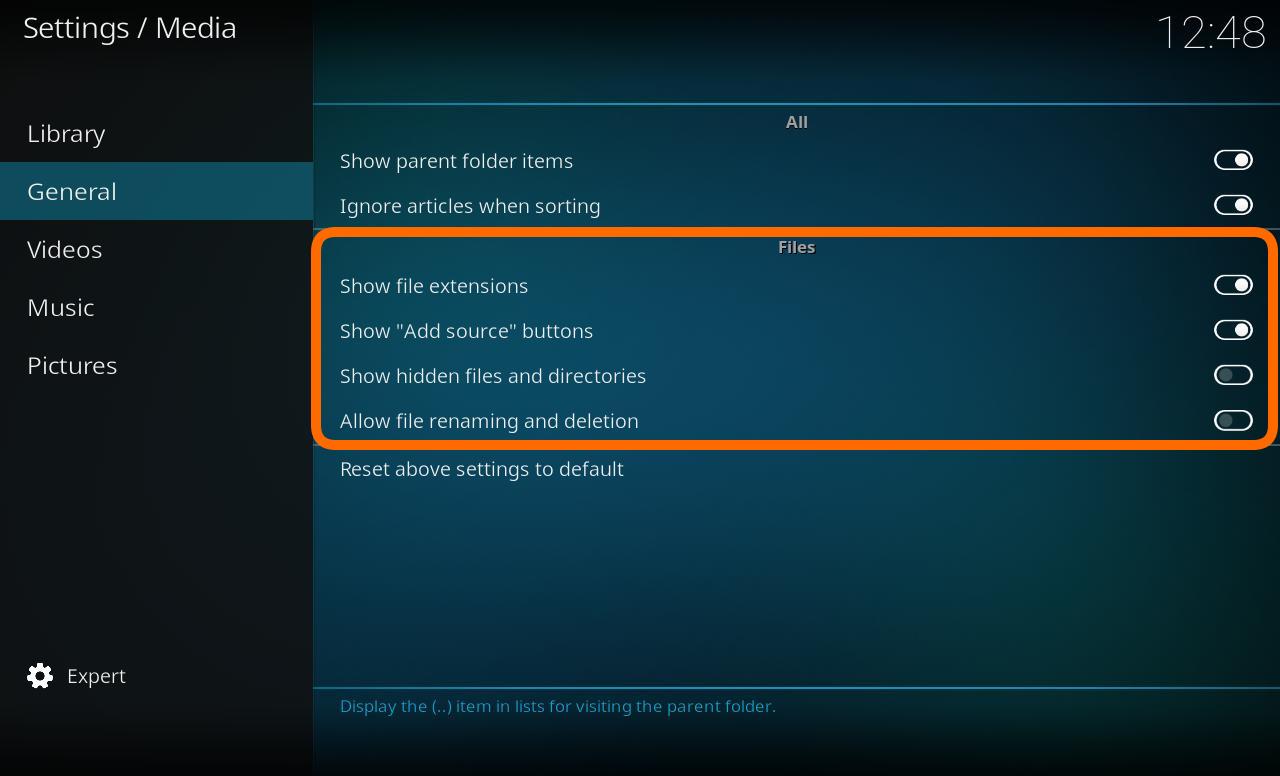
| Show file extensions
| Determines the display of the extensions on media files. For example, "You Enjoy Myself" would be simply be displayed as "You Enjoy Myself.mp3"
| Standard
| Standard
|-
|- valign="top"
| Show "Add source" buttons in file lists
| '''Description:'''
| Enables showing the add source button from root sections of the user interface.
| Enables showing the add source button from root sections of the user interface.
| Standard
|}
|-
| Show hidden files and directories
=== Show hidden files and directories ===
{|
|- valign="top"
| width=120px | {{nowrap|'''Settings level:'''}}
| Advanced
|- valign="top"
| '''Description:'''
| Shows hidden files and directories
| Shows hidden files and directories
| Advanced
|-
| Allow file renaming and deletion
| Allows you to delete and rename files through the user interface, via the contextual menu (press {{keypress|C}} on a keyboard, for example, to bring up this menu).
| Advanced
|}
|}
==Other==
{| class="prettytable"
=== Allow file renaming and deletion ===
! width=230px | Setting
{|
! width=560px |Description
|- valign="top"
! Available from setting level
| width=120px | {{nowrap|'''Settings level:'''}}
|-
| Advanced
| Reset above settings to default
|- valign="top"
| Resets all visible settings to their default values
| '''Description:'''
| Standard
| Allows you to delete and rename files through the user interface, via the contextual menu (press {{keypress|C}} on a keyboard, for example, to bring up this menu).
|}
|}
Revision as of 08:06, 25 July 2017
This category contains the settings for how media lists are displayed.
Determines the display of the parent folder icon (..)
Ignore artciles when sorting
Settings level:
Standard
Description:
Allows for certain tokens to be ignored during sort operations. For example, with this option enabled, "The Simpsons" would simply be sorted as "Simpsons".Tokens are configured through langinfo.xml or through <sorttokens> in advancedsettings.xml.
Files
Show file extensions
Settings level:
Standard
Description:
Determines the display of the extensions on media files. For example, "You Enjoy Myself" would be simply be displayed as "You Enjoy Myself.mp3"
Show "Add source" buttons in file lists
Settings level:
Standard
Description:
Enables showing the add source button from root sections of the user interface.
Show hidden files and directories
Settings level:
Advanced
Description:
Shows hidden files and directories
Allow file renaming and deletion
Settings level:
Advanced
Description:
Allows you to delete and rename files through the user interface, via the contextual menu (press C on a keyboard, for example, to bring up this menu).