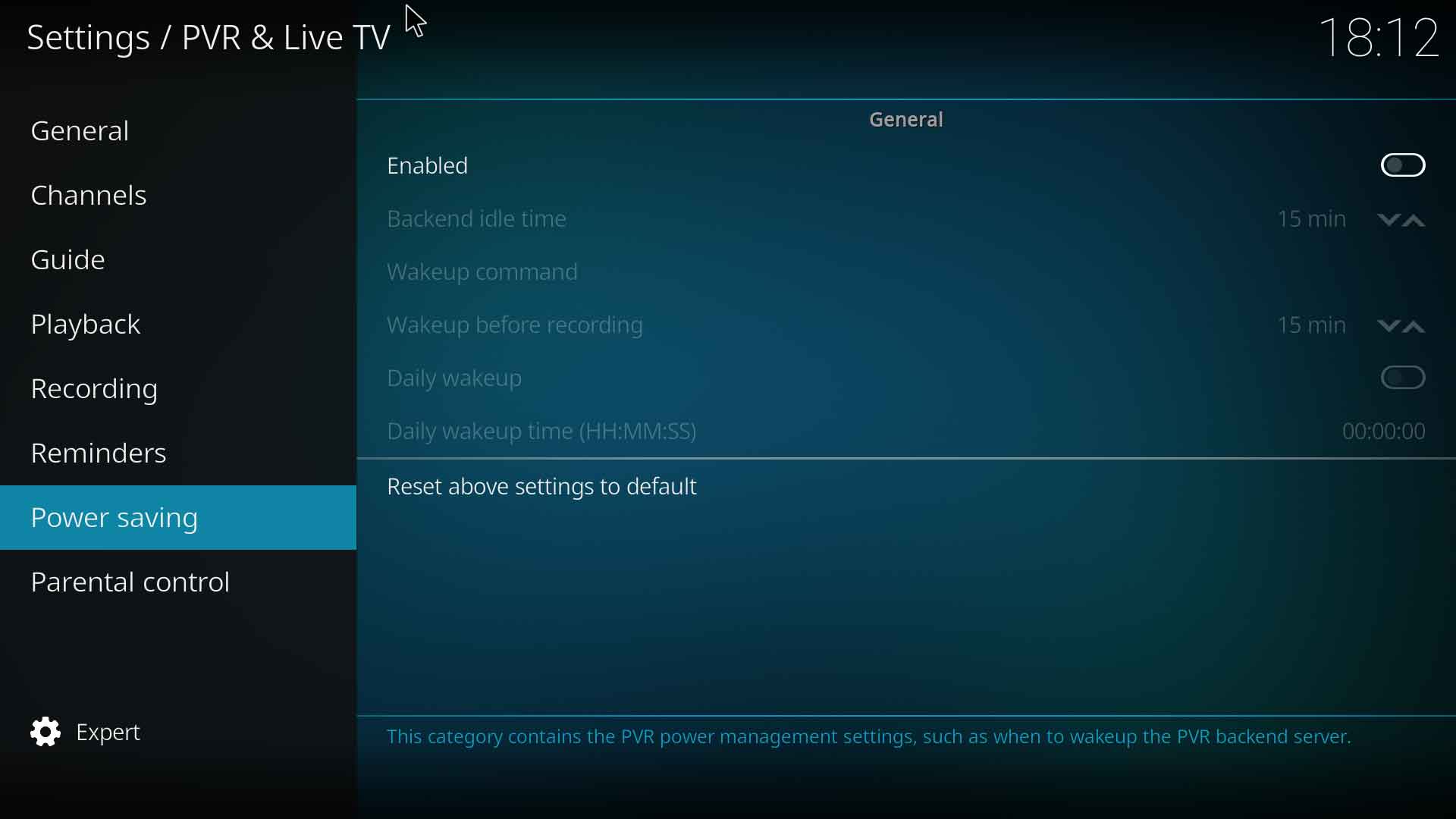
{{bigger|This category contains the PVR power management settings, such as when to wakeup the PVR backend server}}
__TOC__
==General==
==General==
[[File:PVR_Power_saving_1.jpg|600px|right]]
=== Enabled ===
{|
|- valign="top"
| width=120px | {{nowrap|'''Settings level:'''}}
| Advanced
|- valign="top"
| '''Description:'''
| Enabling this option will execute the "wakeup command" below when Kodi exits or is going into hibernation mode. The timestamp of the next scheduled recording is passed as parameter.
|}
=== Backend idle time ===
{|
|- valign="top"
| width=120px | {{nowrap|'''Settings level:'''}}
| Advanced
|- valign="top"
| '''Description:'''
| The command will not be executed when a recording will be started within this timeout. Defaults to 15 minutes.
|}
=== Wakeup command ===
{|
|- valign="top"
| width=120px | {{nowrap|'''Settings level:'''}}
| Advanced
|- valign="top"
| '''Description:'''
| The command to execute. Defaults to '/usr/bin/setwakeup.sh'.
|}
=== Wakeup before recording ===
Enabled - Enabling this option will execute the "wakeup command" below when Kodi exits or is going into hibernation mode. The timestamp of the next scheduled recording is passed as parameter.
{|
|- valign="top"
| width=120px | {{nowrap|'''Settings level:'''}}
| Advanced
|- valign="top"
| '''Description:'''
| Time to substract from the start time of the next scheduled recording. Defaults to 15 minutes.
|}
Backend idle time - The command will not be executed when a recording will be started within this timeout. Defaults to 15 minutes.
Wakeup command - The command to execute. Defaults to '/usr/bin/setwakeup.sh'.
=== Daily wakeup ===
Wakeup before recording - Time to substract from the start time of the next scheduled recording. Defaults to 15 minutes.
{|
|- valign="top"
| width=120px | {{nowrap|'''Settings level:'''}}
| Advanced
|- valign="top"
| '''Description:'''
| Execute the wake up command every day at the given time
|}
Daily wakeup - Execute the wake up command every day at the given time
Daily wakeup time (HH:MM:SS) - When to execute the daily wake up command
=== Daily wakeup time (HH:MM:SS) ===
{|
|- valign="top"
| width=120px | {{nowrap|'''Settings level:'''}}
| Advanced
|- valign="top"
| '''Description:'''
| When to execute the daily wake up command
|}
Revision as of 20:05, 20 September 2017
This category contains the PVR power management settings, such as when to wakeup the PVR backend server
Enabling this option will execute the "wakeup command" below when Kodi exits or is going into hibernation mode. The timestamp of the next scheduled recording is passed as parameter.
Backend idle time
Settings level:
Advanced
Description:
The command will not be executed when a recording will be started within this timeout. Defaults to 15 minutes.
Wakeup command
Settings level:
Advanced
Description:
The command to execute. Defaults to '/usr/bin/setwakeup.sh'.
Wakeup before recording
Settings level:
Advanced
Description:
Time to substract from the start time of the next scheduled recording. Defaults to 15 minutes.
Daily wakeup
Settings level:
Advanced
Description:
Execute the wake up command every day at the given time