HOW-TO:Remove media flags in Confluence: Difference between revisions
Jump to navigation
Jump to search
| Line 4: | Line 4: | ||
===List=== | ===List=== | ||
<gallery widths=500px heights=280px> | |||
File:Listvieworg.png|Original TV ''List'' view | |||
File:listviewflagsmod.png|MOD | |||
</gallery><br /> | |||
A. Open the file [https://github.com/xbmc/xbmc/blob/master/addons/skin.confluence/720p/VideoFullScreen.xml Views'''FileMode'''.xml]. | A. Open the file [https://github.com/xbmc/xbmc/blob/master/addons/skin.confluence/720p/VideoFullScreen.xml Views'''FileMode'''.xml]. | ||
The file starts with '''<include name="CommonRootView">''', which is the ''include'' section for the ''List'' view.<br /> | The file starts with '''<include name="CommonRootView">''', which is the ''include'' section for the ''List'' view.<br /> | ||
Revision as of 06:42, 16 September 2015

|
 Skinning Skinning |
Confluence |
HOW-TO:Remove media flags in Confluence
|
This tutorial will show how to remove media flags from the video library views. This is achieved by editing ViewsFileMode.xml and ViewsVideoLibrary.xml.
List
-
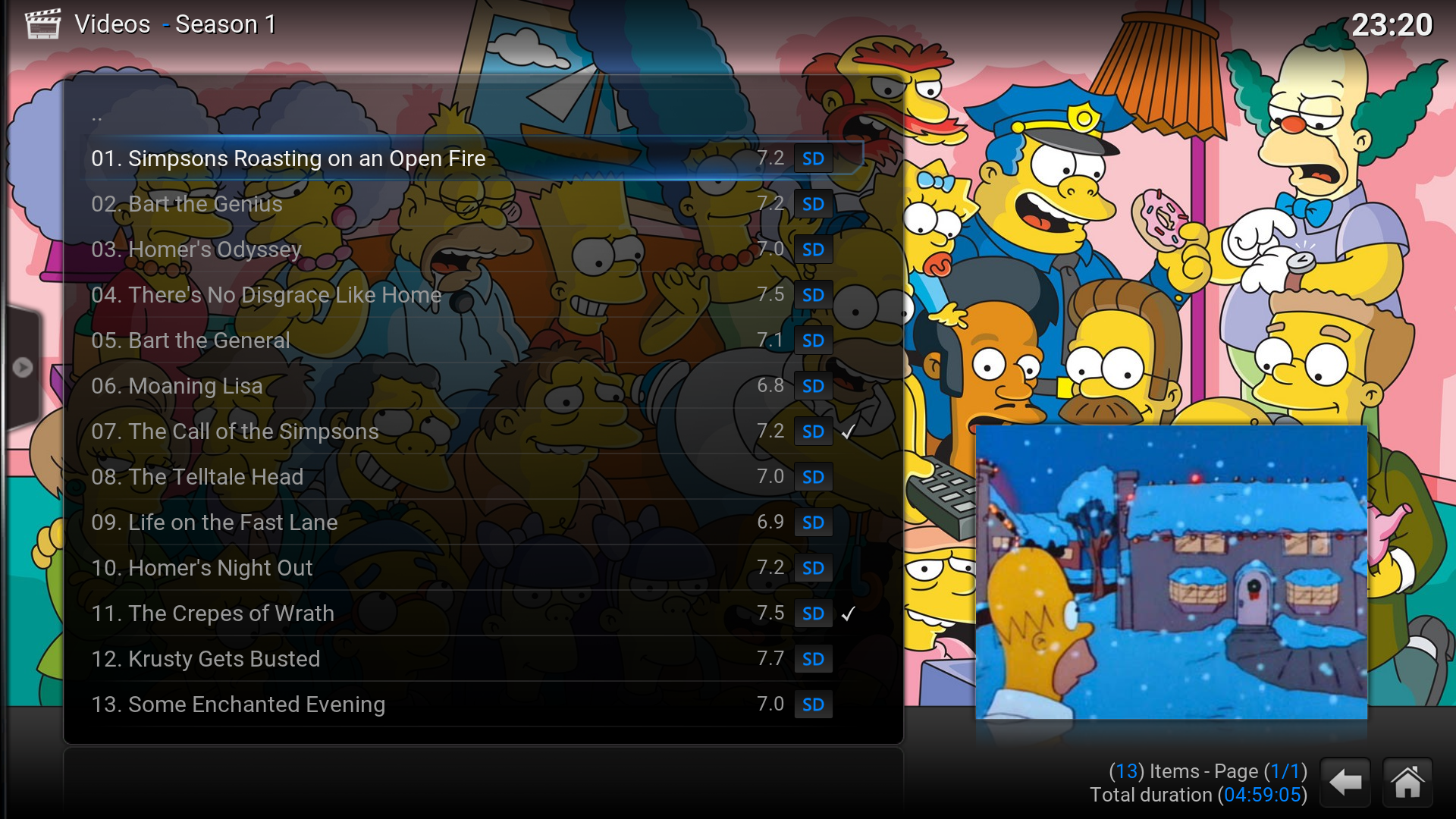 Original TV List view
 -
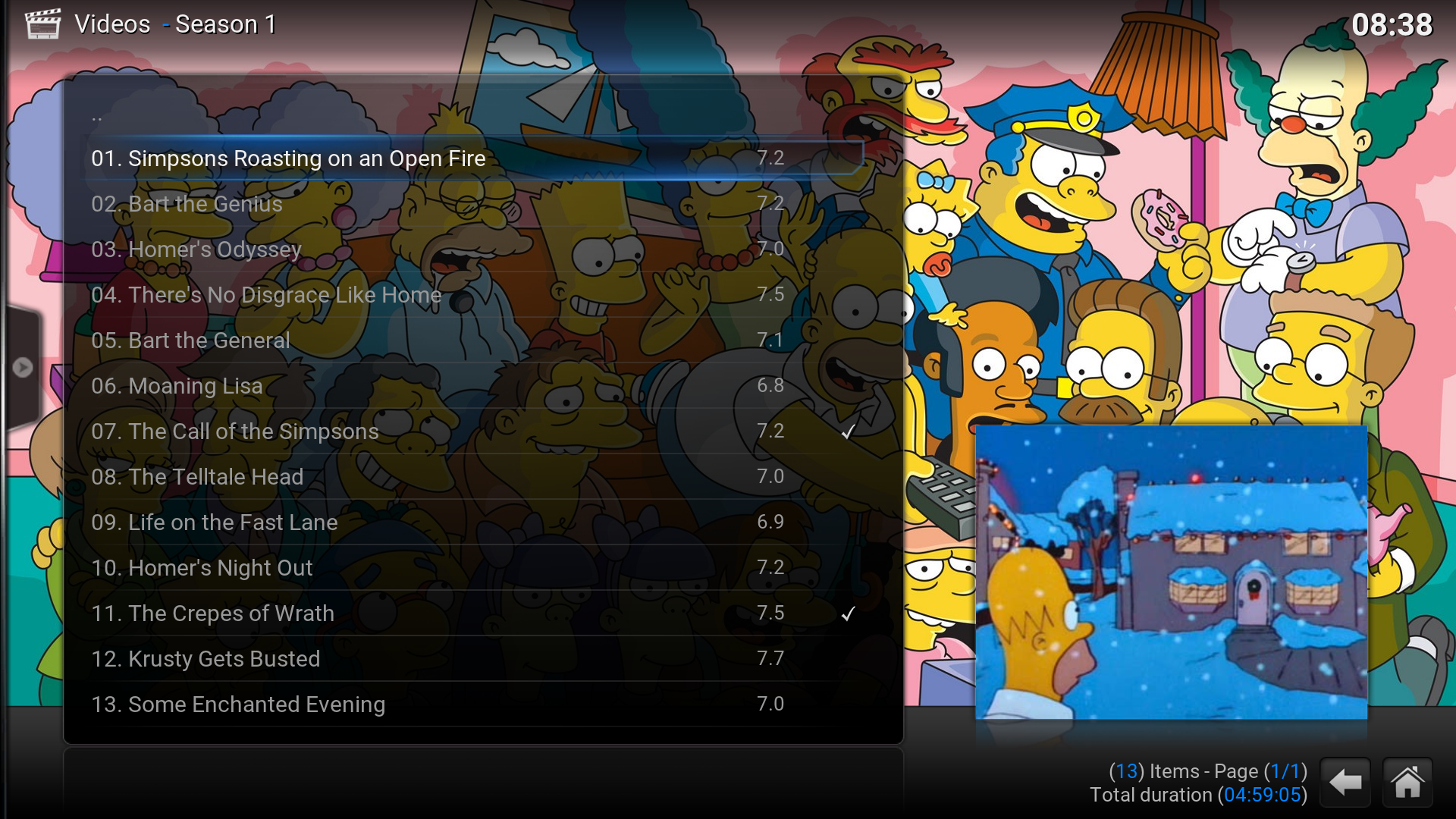 MOD
MOD


A. Open the file ViewsFileMode.xml.
The file starts with <include name="CommonRootView">, which is the include section for the List view.
B. Find <itemlayout height="40" width="580"> in the include section.
C. Find following code in the itemlayout section and comment it out. It shows media flags (SD/HD) when the selection isn't on the row.


<control type="image">
	<left>625</left>
	<top>8</top>
	<width>40</width>
	<height>26</height>
	<texture>$VAR[MediaInfoOverlayVar]</texture>
	<aspectratio>keep</aspectratio>
	<visible>Window.IsVisible(Videos) + [Container.Content(Movies) | Container.Content(Sets) | Container.Content(Episodes) | Container.Content(MusicVideos)]</visible>
</control>
D. Find <focusedlayout height="40" width="580"> in the CommonRootView include section.
E. Find following code in the focusedlayout section and comment it out. It shows media flags (SD/HD) count when the selection is on the row.
<control type="image">
	<left>625</left>
	<top>8</top>
	<width>40</width>
	<height>26</height>
	<texture>$VAR[MediaInfoOverlayVar]</texture>
	<aspectratio>keep</aspectratio>
	<visible>Window.IsVisible(Videos) + [Container.Content(Movies) | Container.Content(Sets) | Container.Content(Episodes) | Container.Content(MusicVideos)]</visible>
</control>