Add-on:Titan MediaBrowser: Difference between revisions
Jump to navigation
Jump to search
m Addon-Bot Update |
m Addon-Bot repo category update; cosmetic changes |
||
| Line 18: | Line 18: | ||
|broken= | |broken= | ||
|icon url=http://mirrors.kodi.tv/addons/gotham/skin.titan/icon.png}} | |icon url=http://mirrors.kodi.tv/addons/gotham/skin.titan/icon.png}} | ||
#REDIRECT [[Add-on:Titan]] | # REDIRECT [[Add-on:Titan]] | ||
[[Category:Gotham add-on repository]] | |||
[[Category:Helix add-on repository]] | |||
Revision as of 03:46, 10 September 2015
| Titan MediaBrowser | ||||||||||||
| ||||||||||||

|
 Add-ons Add-ons |
Titan MediaBrowser
|

|
Need help with this add-on? See here. |
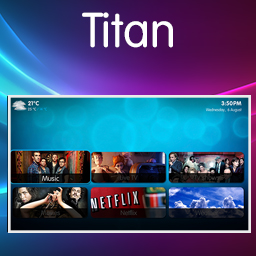
Get the most out of your Kodi installation with the Titan skin, originally a port of the standard MediaPortal skin now has lot's of features on his own.
Installing
This add-on is installed from the Add-on browser located in Kodi as follows:
- Settings
- Add-ons
- Install from repository
- Look and feel (v16 and higher)
- Skins
- Titan MediaBrowser
- Install
- REDIRECT Add-on:Titan